Close Menu

    Subscribe to Updates

    Get the latest creative news from FooBar about art, design and business.

    What's Hot
    REPLACED – How to Solve the Flower Tent Code
    April 17, 2026
    Lana Del Rey Becomes the Latest 007 Theme Song Performer
    April 17, 2026
    Mouse: P.I. For Hire – How to Win at Baseball Cards
    April 16, 2026
    Facebook X (Twitter) Instagram
    TheGameSlayerTheGameSlayer
    Facebook X (Twitter)
    • Home
    • News
    • Guides
    • Reviews
    • Features
    • Lists
    TheGameSlayerTheGameSlayer
    Home»Guides»How To Use a Range Finder In Battlefield 6
    Guides

    How To Use a Range Finder In Battlefield 6

    By Kirthana KOctober 13, 2025
    Share
    Facebook Twitter Reddit WhatsApp Pinterest LinkedIn

    ​Snipers will benefit a lot more with the Range Finder, which helps automatically adjust the range depth for more accurate shots. Using the Range Finder requires more in-depth knowledge to properly utilize it on the sniper rifle. This guide will detail how to use the Range Finder in Battlefield 6.

    ​Battlefield 6 – How to Use the Range Finder
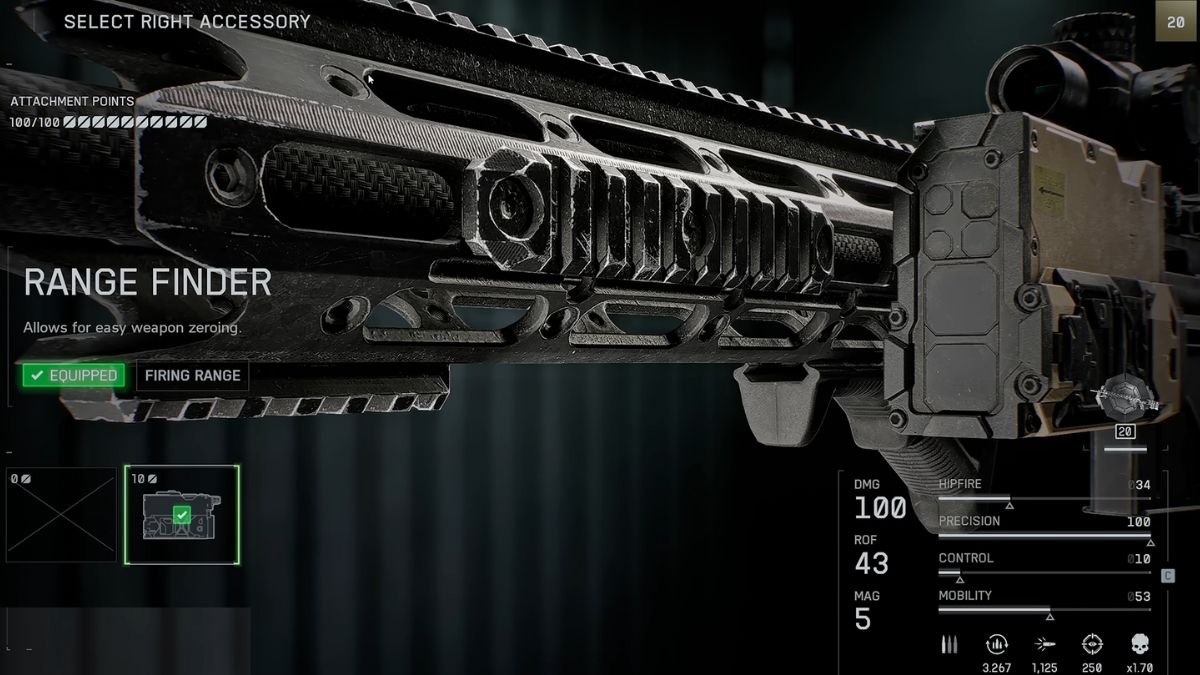
    Image via TheGameSlayer

    ​To use the Range Finder, hold down on the D-Pad (controller) or hold the B key (PC). If you don’t have the Range Finder attachment yet, it automatically unlocks once you reach Mastery Rank 4 on the M2010 ESR sniper rifle. You will require 10 Attachment Points to place it in the Accessory slot. After that, while out in the field, aim normally and hold the respective key or button. This will zero in on a particular target, helping you shoot them down more accurately.

    ​The only downside to using the Range Finder is that you end up being a visible target. Plan your strategy accordingly or use the help of your team so you avoid getting shot yourself. Also, while aiming, try to get to a point beyond 100 meters. Check the bottom right corner of the screen, right above the ammo counter, to see your scope’s range. Anything below 100 meters will not calibrate the scope efficiently, causing you to miss.

    ​Use the Range Finder with the Bipod

    Image via TheGameSlayer

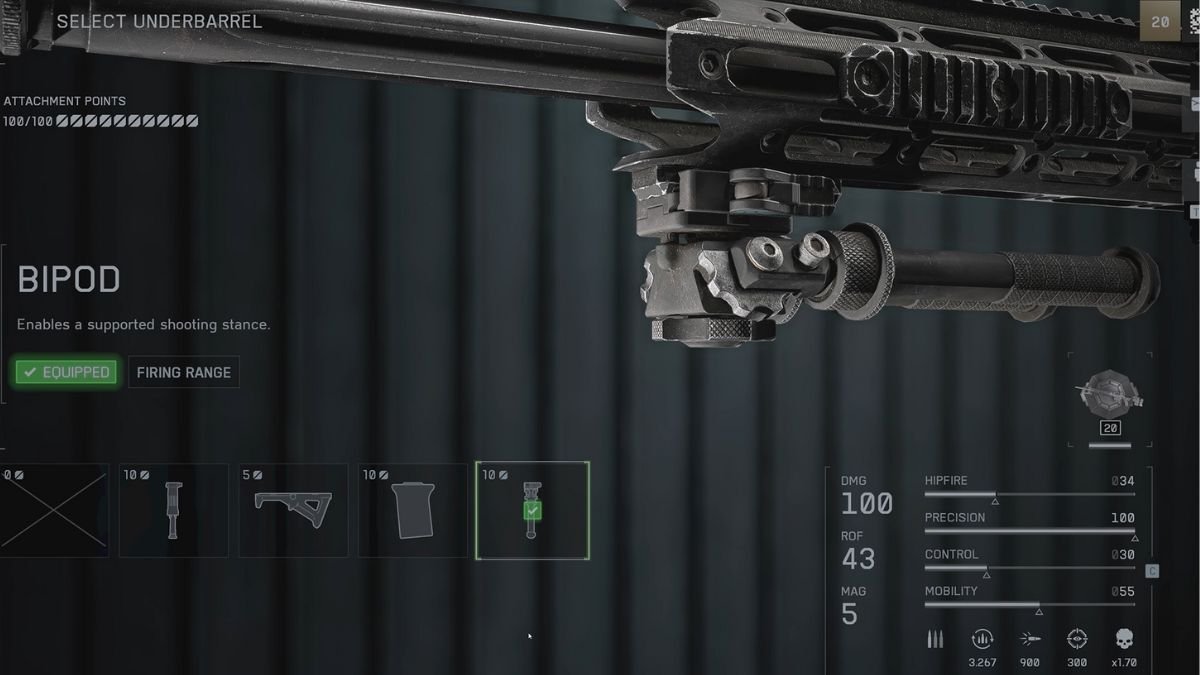
    ​To deploy a Bipod, press the RMB with F (PC), or the Left Trigger with Right Stick (console). The bipod also deploys automatically while in cover and taking aim. While the Range Finder calibrates the distance between you and your target, the Bipod is required to steady the weapon. This eliminates the need to hold your breath, making it easier to focus on aiming and shooting. The Bipod is a default attachment that requires another 10 Attachment Points to use.

    ​How to Use a Sniper Rifle Without a Range Finder

    ​Before aiming, Ping at the aim distance by pressing the Q key (PC), or L1/LB (controller). Then, pull out the sniper in the target’s intended direction. Hold B / down on the D-Pad to calibrate the focal view of the rifle. This works for distances between 100 – 500 meters, but is time-consuming and less accurate without the Range Finder. This is helpful if you are still early in the game and require a Range Finder, as it helps calculate the distance between you and the desired target.

    Check out our other Battlefield 6 guides on How To Practice Flying, How to Play Against Bots, and How to Destroy The AAA Gun to know more.

    Battlefield 6
    Kirthana K
    • LinkedIn

    Her lifelong passion of gaming led her to writing about them, bringing words to life and compiling comprehensive game guides that are quick and easy to follow. If not writing, you can catch her exploring Teyvat or the Palpagos Islands.

    Related Posts

    REPLACED – How to Solve the Flower Tent Code

    April 17, 2026

    Mouse: P.I. For Hire – How to Win at Baseball Cards

    April 16, 2026

    REPLACED – How to get the password for the Slave Cages Puzzle

    April 16, 2026
    PREFERED SOURCE ON GOOGLE

    Add as your Preferred Source on Google to find us more easily next time in your searches!

    FOLLOW US
    • Facebook
    • Twitter
    • Bluesky
    • Mastodon
    Don't Miss
    Guides
    REPLACED – How to Solve the Flower Tent Code
    April 17, 2026

    One of the highlights of REPLACED is coming back to the railway station after a…

    Lana Del Rey Becomes the Latest 007 Theme Song Performer

    April 17, 2026

    Mouse: P.I. For Hire – How to Win at Baseball Cards

    April 16, 2026

    REPLACED – How to get the password for the Slave Cages Puzzle

    April 16, 2026

    Windrose – How to Craft a Shovel

    April 16, 2026

    Windrose – How to Get Charcoal, Ash, & Coarse Fabric

    April 16, 2026
    8.0

    Mouse: P.I. For Hire Review

    April 14, 2026
    • Home
    • Privacy Policy
    • About Us
    • Contact Us
    • Reviews Policy
    • OPENCRITIC
    © 2026 TheGameSlayer

    Type above and press Enter to search. Press Esc to cancel.

    We use cookies to ensure that we give you the best experience on our website. If you continue to use this site we will assume that you are happy with it.