


The flying mechanics in Battlefield 6 are one of the more complicated features to learn. It will take several tries to master the art of flying, but it would be best to try and learn how to fly in the comfort of a private lobby. There is a way to create a custom lobby specifically for flight training, and this guide will explain how to do so in Battlefield 6.
How to Use a Practice Lobby for Flying in Battlefield 6
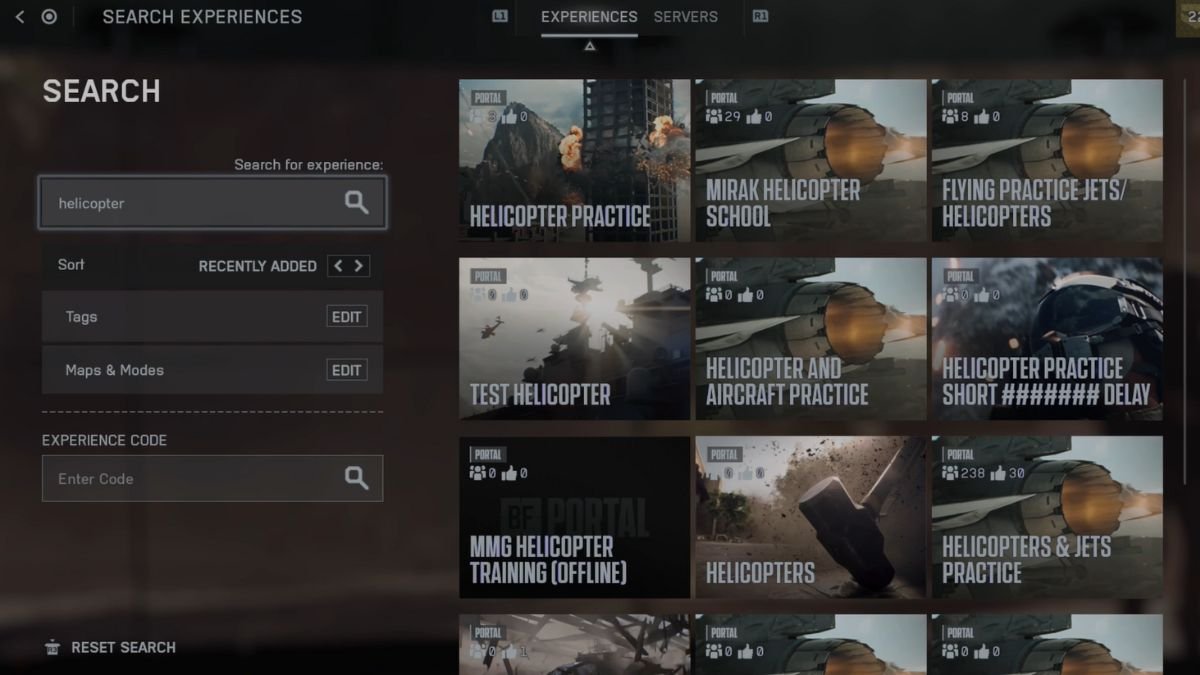
To start a practice lobby, head over to the main menu, select Community from the left side section, select Search Experience, then type in experience for either Helicopter or Jets. Select an experience that suits your needs, then either click on Browse Servers or Host. If you select Browse Servers, then you would have to play on someone else’s server. This is a great way to practice flying with other players, and you get to learn from each other. But the chances of you getting killed are also rather high.
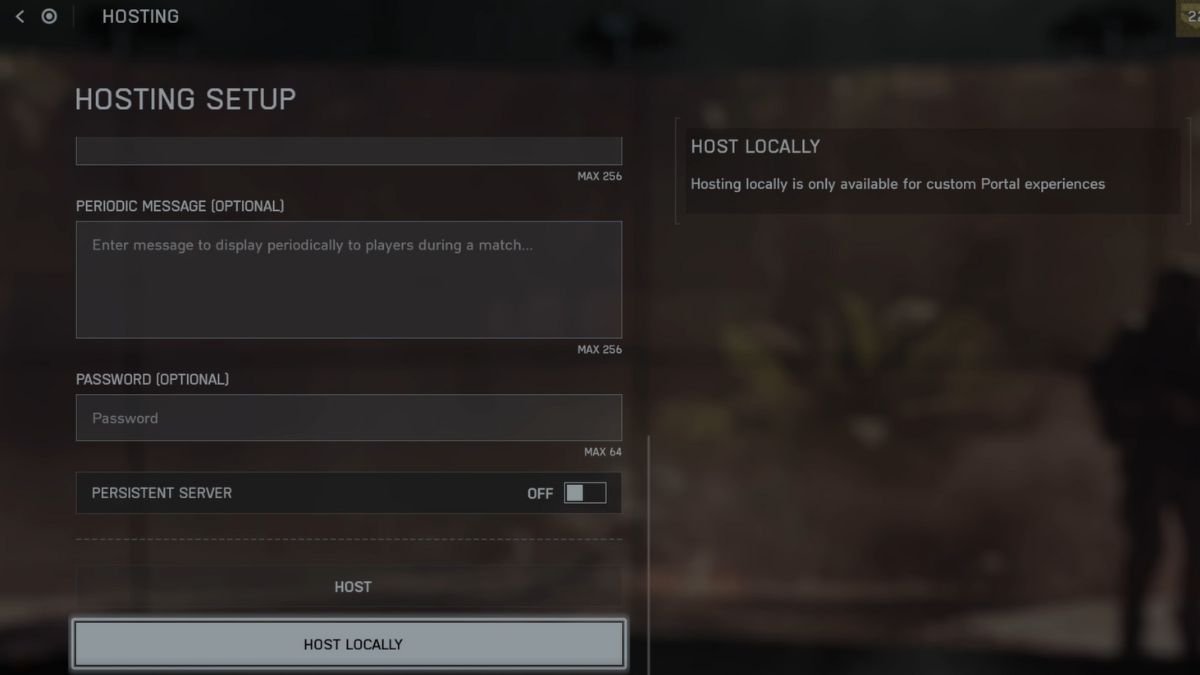
If you wish to practice on your own, try to create a Host server instead. Go through the options to see what you require. Also, you get the option to keep your server up even after you quit the game by enabling Persistent Server. Once you have gone through the menu, select Host to let others join your server, or Host Locally to keep it private.
Once you load the server, if you don’t spot a helicopter or jet nearby, bring up the server menu and select the Redeploy option. Or you could just make a run around the map to locate the nearest jet or helicopter and start taking flight.
Tips for Flying Helicopters
- Utilizing the yaw controls over rolling and pitching will make flying helicopters easier. Use the yaw in combination with other movements to enhance maneuverability.
- Increasing the throttle will lift you higher, and combining it with pitching will help you dive down or up. Use this to move forward or backward. Decreasing your throttle will help you land, but using this is risky and increases the chances of crashing.
- If you don’t use any movement controls, your helicopter will start to hover in the air. This could make you a sitting duck for enemies, so always keep moving.
- To turn your helicopter into an offensive vehicle, utilize gunners and practice stabilizing the chopper to properly line up your attacks.
Tips for Flying Jets
- While starting your jet, try not to stick to flying straight up. Doing so will make the jet difficult to maneuver and also lead to stalling.
- Jets are great at spotting and attacking enemy targets. Since the jet comes with an autocannon, use it to shoot down enemies from a distance.
- Increase the throttle speed whenever necessary to avoid stalling, and use afterburners to give your jet a further boost.
- Practice blending with your terrain and laying low to keep radars off your back.
For more Battlefield 6 guides, we have some on How to Destroy The AAA Gun in Battlefield 6 Mission 2 – The Rock and How to Play Against Bots in Battlefield 6.
