


Running the cash register and return station, which includes getting all the movies back on the shelves, is a lot to do by yourself in Retro Rewind. That’s why you’re going to need to hire at least one employee to help you.
While you can hire an employee quite early in the game, you have to make the decision about who to pick and where to assign them. Each applicant has a list of traits along with the cost of hiring them each day. You want to pay attention to those qualities when you’re looking for somebody to hire, because they impact how they work.
Unlocking Employees
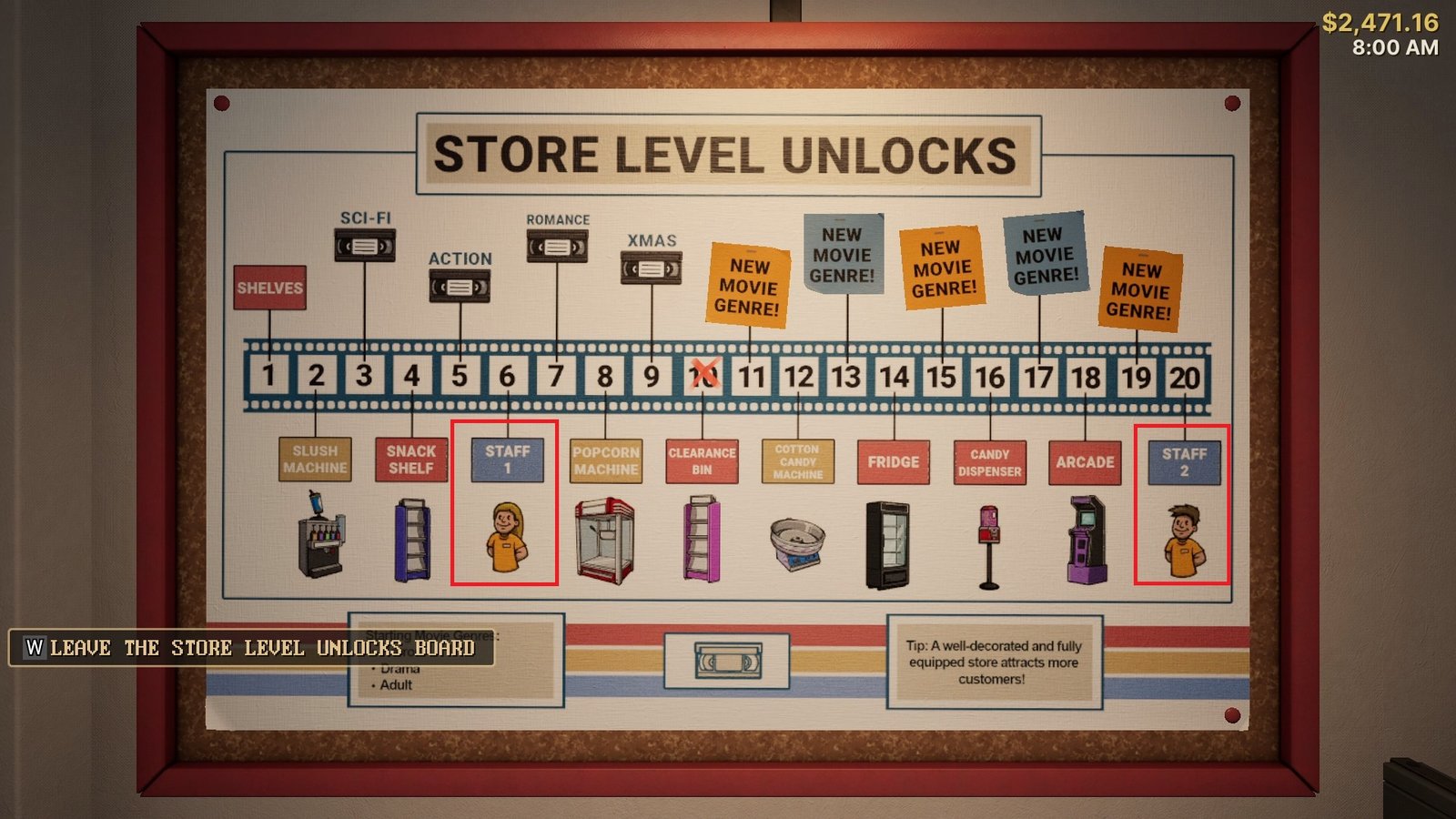
Retro Rewind is a game where most features are unlocked through leveling. Hiring employees is unlocked at Level 6, but you can only hire one person at this point. Hiring a second person isn’t available until Level 20, which takes time to reach.
Basically, the strategy is to make the money you can on your own, which will probably be around $200 a day. While it doesn’t seem like a lot of money, this is actually enough to afford hiring somebody to help you out as soon as you reach Level 6.
When you unlock employees, you start the next day with instructions to pick an applicant. You don’t have to keep the same employee for that entire time. You can fire them and hire another applicant if you find somebody with better traits and a reasonable rate.
Hiring and Managing Employees
Each day gives you new potential applicants to hire. All you need to do is head to the back of the store where there’s a round table in front of the bathroom. On it is a staff book, similar to the catalogue in your office, but this is used to hire and manage your workers.
The book has two tabs for you to use: Applicants and Employees. The Applicant tab shows you the available hires that day, including their traits and pay-per-day rate.
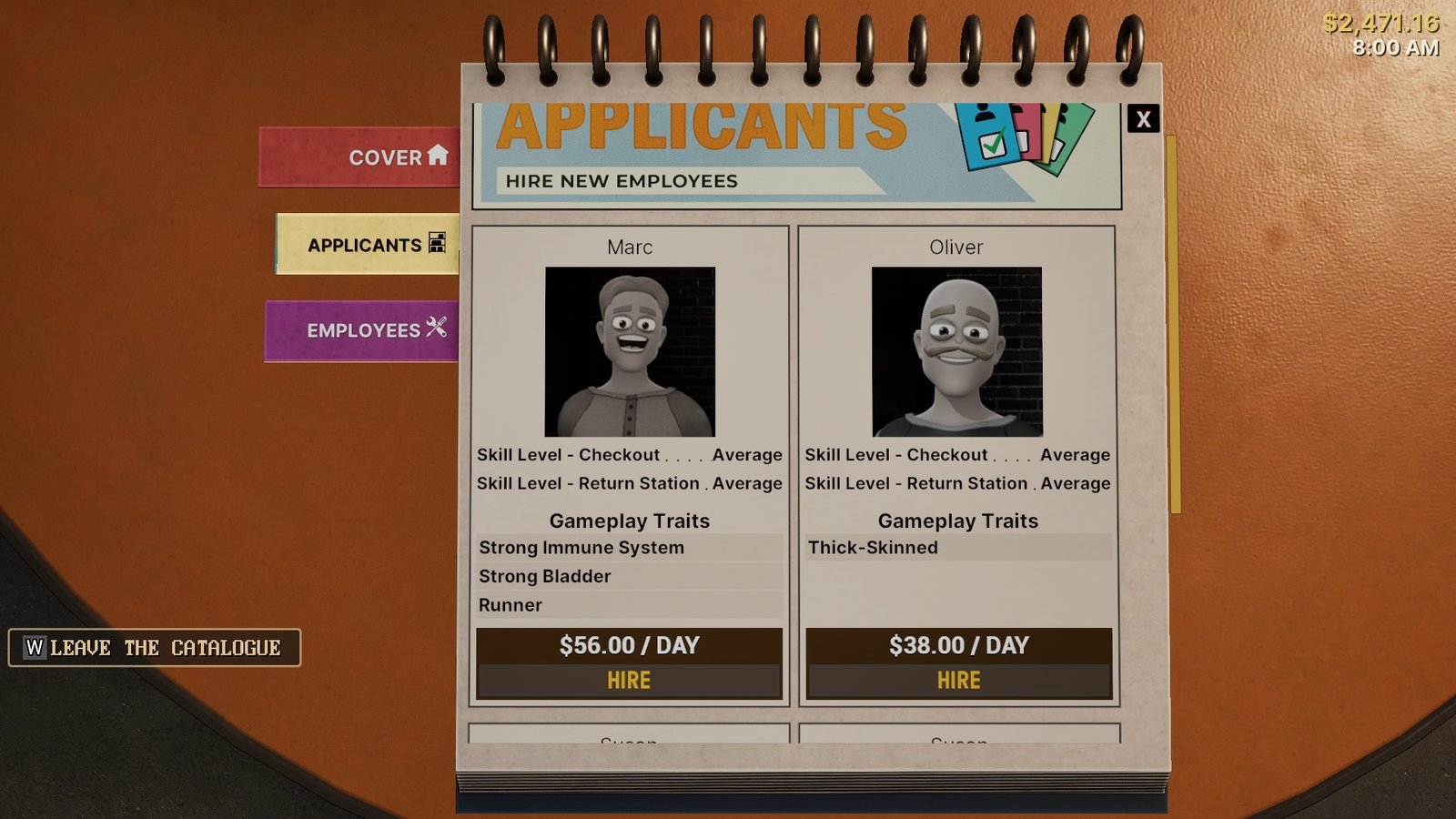
Applicants with more traits are more expensive because they make for better workers. Possible traits include:
- Complaint Handler: Handles customer complaints at the register instead of calling you over.
- Loyal: Won’t ask for a raise.
- Runner: Fast movement speed.
- Strong Bladder: Won’t take bathroom breaks.
- Strong Immune System: Won’t take sick days.
- Thick-Skinned: The gameplay impact of this trait is unclear.
For making money, Loyal, Strong Bladder, and Strong Immune System are the most useful traits. Loyal means you don’t have to worry about paying that worker more. Strong Bladder keeps them at their station instead of taking bathroom breaks, and Strong Immune System means they’ll always show up for their shift instead of forcing you to handle random days on your own.
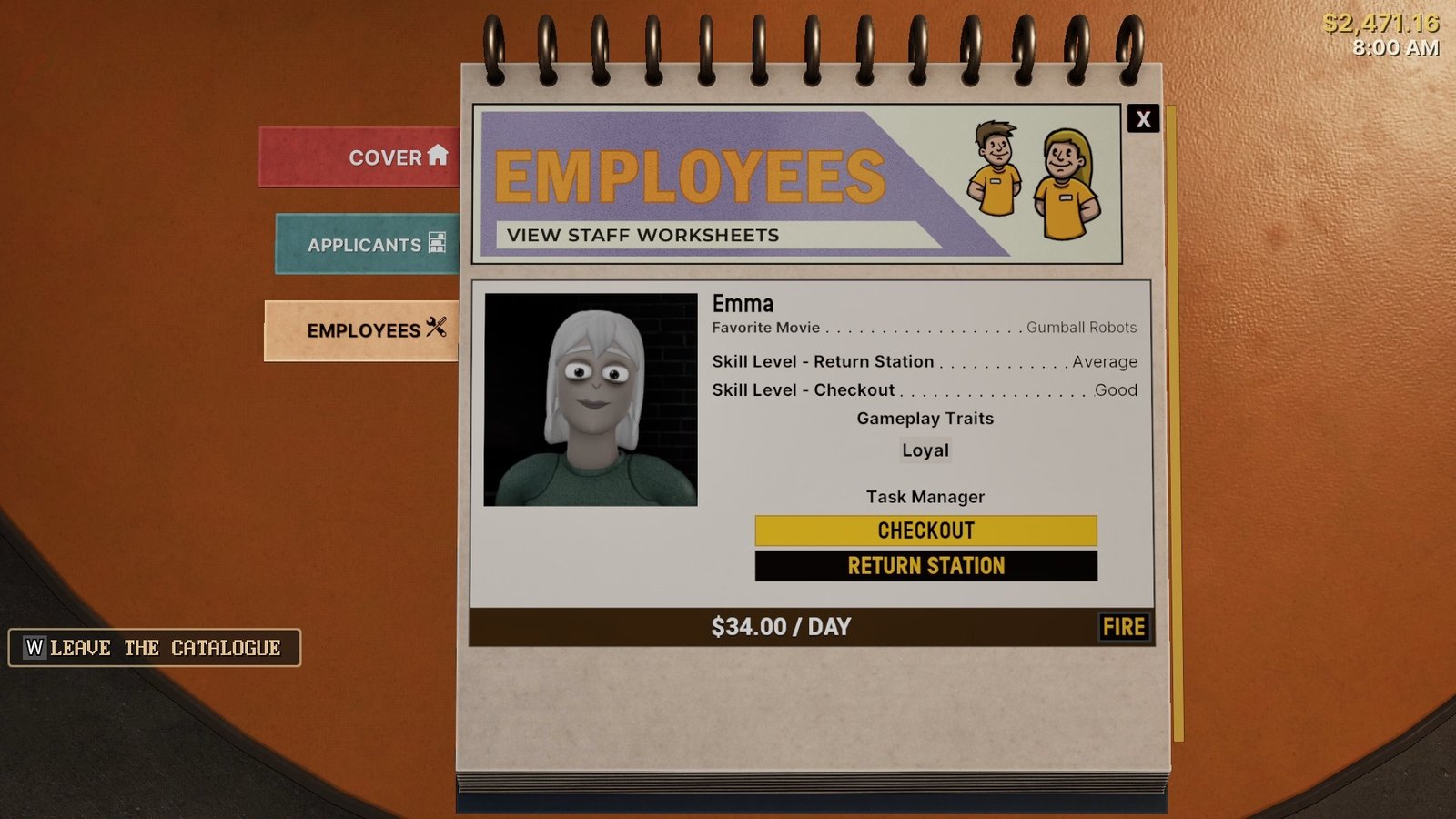
I picked Emma as my first employee for the Loyal trait. At Level 6, I was still struggling with limited money, so Emma’s low pay combined with the fact she won’t ask for a raise made her a good first choice as I continued building up my business.
When you find the person you want, hit the “Hire” open at the bottom of their little bio in the book. They’ll show up at the store automatically at the start of the day.
From here, you can manage them two ways. First, you can speak with them directly to assign them to a station, tell them to go home, or fire them. Second, you can use the staff book again and go into “Employees” to assign them to a station or fire them.
Having an employee takes the burden of one station from you, but you still have to keep an eye on them. Customers will ask to talk to the manager, meaning you have to go over and deal with the issue. Additionally, your employees might fall asleep while working, in which case you have to talk to them to wake them up, or ask to go home because they feel sick.
So, having an employee doesn’t make your store entirely self-sufficient, even for the station you assign them to, as you have to deal with customer complaints at times, employees sleeping on the job, and possibly sick days. However, despite those drawbacks, having somebody help you run the shop makes Retro Rewind much easier.
