

Close Menu

    Subscribe to Updates

    Get the latest creative news from FooBar about art, design and business.

    What's Hot
    Slay the Spire 2 – How To Easily Defeat the Aeonglass Boss
    May 9, 2026
    10 Best Low Stress RTS Games
    May 7, 2026
    Far Far West – All 3 Mysterious Train Wreck Locations
    May 4, 2026
    Facebook X (Twitter) Instagram
    TheGameSlayerTheGameSlayer
    Facebook X (Twitter)
    • Home
    • News
    • Guides
    • Reviews
    • Features
    • Lists
    TheGameSlayerTheGameSlayer
    Home»Guides»How To Make an Online Dynasty in College Football 26
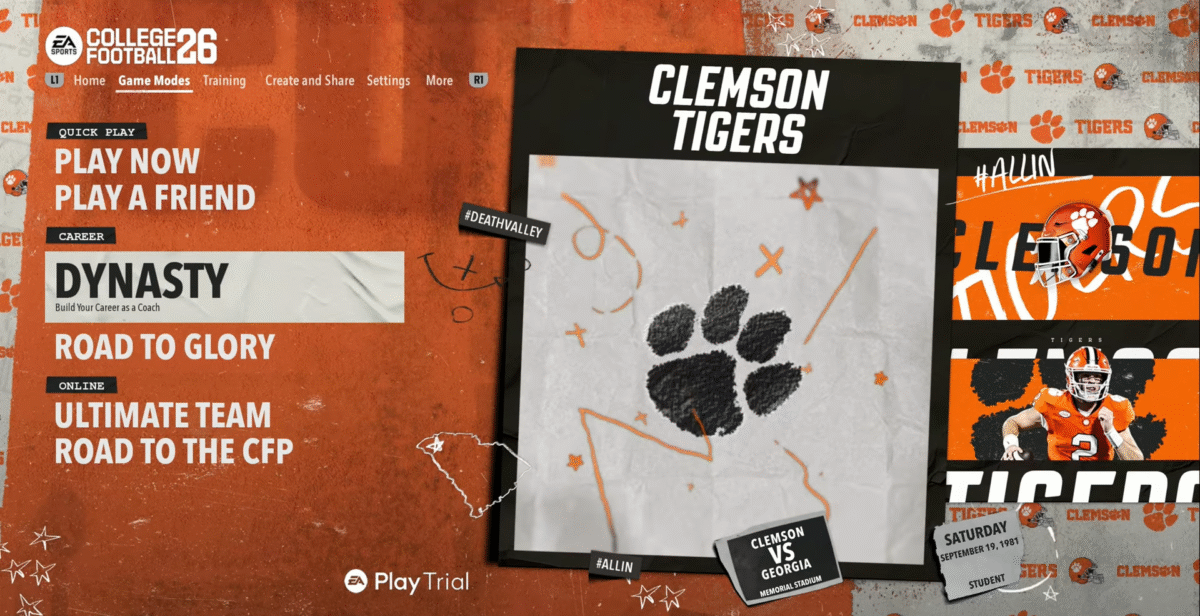
    create online dynasty cfb 26 home
    Image via TheGameSlayer
    Guides

    How To Make an Online Dynasty in College Football 26

    By Aniruddh KaJuly 10, 2025
    Share
    Facebook Twitter Reddit WhatsApp Pinterest LinkedIn

    College Football 26, just like its predecessor, allows players to create their own Dynasty with their preferred team. Whether you’re trying to grind out a single-player Dynasty, or add friends to your league, this guide will show you how to create an online dynasty step by step in College Football 26.

    Creating An Online Dynasty
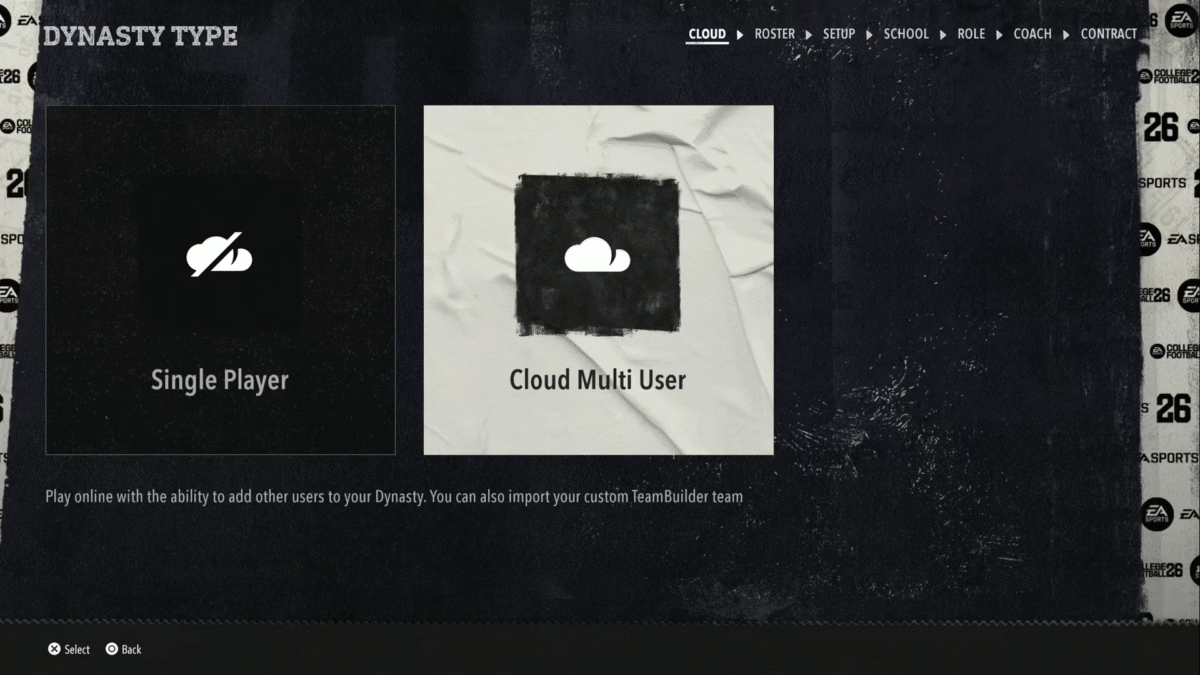
    create online dynasty cfb 26 multi user
    Image via TheGameSlayer

    Once you’re on the homepage or game modes section, click on Dynasty Mode. Select ‘Cloud Multi User’ dynasty. Choose this option to add members to your dynasty, as singleplayer cannot be used for multiple online users if you plan on inviting your friends.

    Select ‘Default Roster’ to use the game’s built-in roster. Whereas selecting ‘Active Roster’ will apply the changes you’ve already made to the game’s roster into your Dynasty Mode.
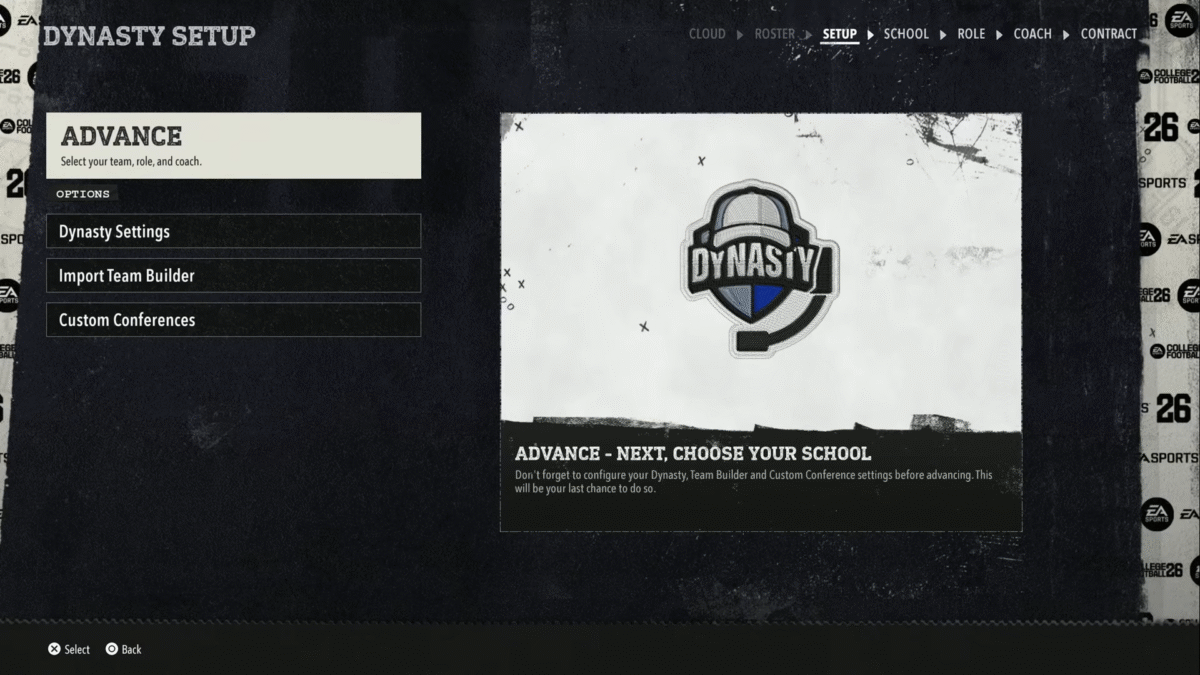
    create online dynasty cfb 26 setup
    Image via TheGameSlayer

    Once you’ve selected your roster, before clicking Advance and selecting your team, head over to the Dynasty Settings to configure different things like League Name, privacy settings, maximum users, etc. If you do decide to go with a private dynasty, you can set a League Password for your friends to join without the risk of randoms joining your team. Once you’ve done all that, head return to the main screen and click Advance.
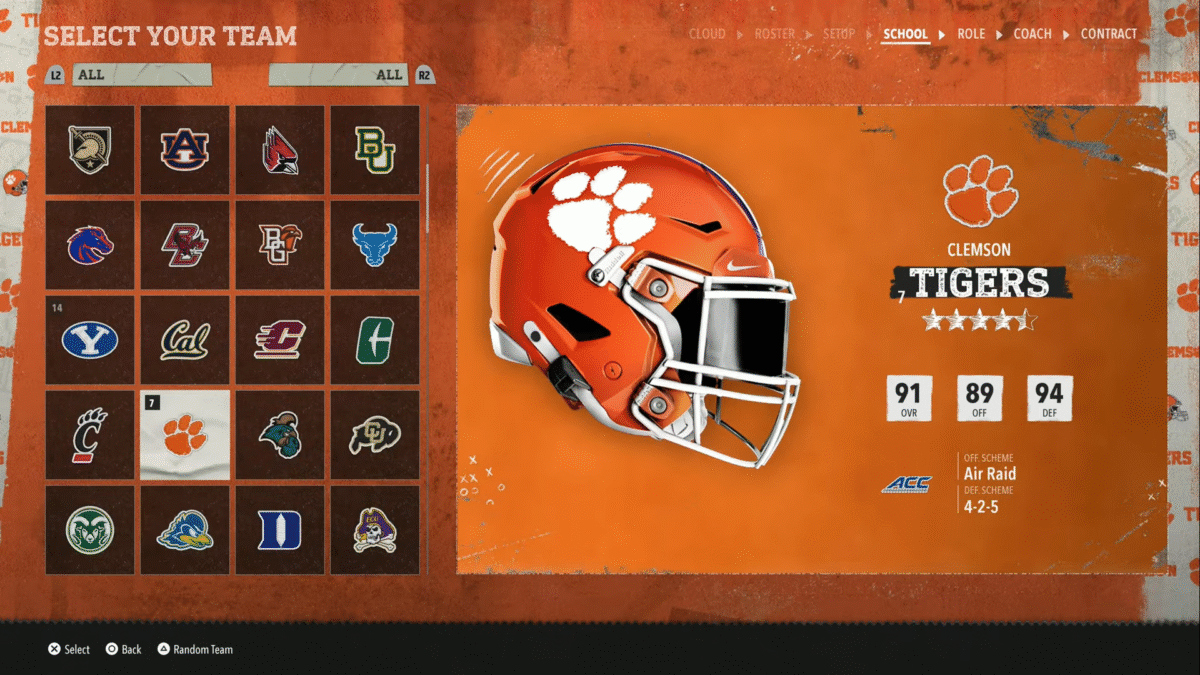
    create online dynasty cfb 26 teams
    Image via TheGameSlayer

    In the next screen, you can select which team you want to be in. You have a bunch of different options, and the stats for each team will show up on the right. Once you’ve selected your team, you can choose which role you want to play. The three roles are:

    • HC – Head Coach
    • OC – Offensive Coordinator
    • DC – Defensive Coordinator

    You can have a maximum of 32 players in your league. You can import TeamBuilder teams to your online dynasty as well. Once imported, it will show up on the screen where you choose your team.

    Check our other guides on the game, like the one here on the best offensive playbooks in FCB 26, or the one here on the Lob Pass, QB Slide & Dive mechanics in CFB 26.

    College Football 26
    Aniruddh Ka

    I enjoy gaming and coding. Spent most of my time on online competitive games trying to rank up, while trying to break through in the gaming industry one article at a time.

    Related Posts

    Slay the Spire 2 – How To Easily Defeat the Aeonglass Boss

    May 9, 2026

    Far Far West – All 3 Mysterious Train Wreck Locations

    May 4, 2026

    Gambonanza – Best Early Game Gambits

    May 3, 2026
    PREFERED SOURCE ON GOOGLE

    Add as your Preferred Source on Google to find us more easily next time in your searches!

    FOLLOW US
    • Facebook
    • Twitter
    • Bluesky
    • Mastodon
    Don't Miss
    Guides
    Slay the Spire 2 – How To Easily Defeat the Aeonglass Boss
    May 9, 2026

    A new update has hit Slay the Spire 2’s beta branch, packed with balance changes,…

    10 Best Low Stress RTS Games

    May 7, 2026

    Far Far West – All 3 Mysterious Train Wreck Locations

    May 4, 2026

    Gambonanza – Best Early Game Gambits

    May 3, 2026

    Neverness to Everness – Pink Paws Heist Guide (Map layouts, Tips & More)

    May 3, 2026

    Far Far West – The Complete Willy Billy Questline

    May 2, 2026

    Neverness to Everness: Miles Apart Quest Guide

    May 1, 2026
    • Home
    • Privacy Policy
    • About Us
    • Contact Us
    • Reviews Policy
    • OPENCRITIC
    © 2026 TheGameSlayer

    Type above and press Enter to search. Press Esc to cancel.

    We use cookies to ensure that we give you the best experience on our website. If you continue to use this site we will assume that you are happy with it.