

Close Menu

    Subscribe to Updates

    Get the latest creative news from FooBar about art, design and business.

    What's Hot
    Metal Gear Solid Master Collection Vol. 2 – How Old is Snake in Every Game
    September 3, 2026
    Crimson Moon Builds Guide: How To Make Your Nephilim Even More Fearsome
    September 2, 2026
    7.0
    Moonlighter 2: The Endless Vault Review – Haggle & Slash
    September 2, 2026
    Facebook X (Twitter) Instagram
    TheGameSlayerTheGameSlayer
    Facebook X (Twitter) Instagram YouTube
    • Home
    • News
    • Guides
    • Reviews
    • Features
    • Lists
    TheGameSlayerTheGameSlayer
    Home»Guides»How to Fix Network Disconnected Error in Once Human
    How TO fix Network Disconnected error in Once Human
    Image via Starry Studio
    Guides

    How to Fix Network Disconnected Error in Once Human

    By Sadik HossainJuly 14, 2024Updated:August 24, 2026
    Share
    Facebook Twitter Reddit WhatsApp Pinterest LinkedIn

    Once Human is the latest entry in the sandbox survival genre, which has been on the rise since its release. Open-world games like these tend to have a lot of bugs, but you might have had a smooth game time till now. Only recently, there has been a bug where you might be seeing a network disconnected message in Once Human whenever you try to enter the game. This isn’t a shocker, really, given the game currently has 206,812 players online and is topping the trending list on Steam. 

    Regarding the “network error, please check your connection” issue, you may have already scoured the whole internet for a solution and found yourself in disarray. Well, you don’t have to worry. We have accumulated the best set of fixes for the network disconnected error in Once Human. 

    Ways to fix “Network error. Please check your connection” in Once Human
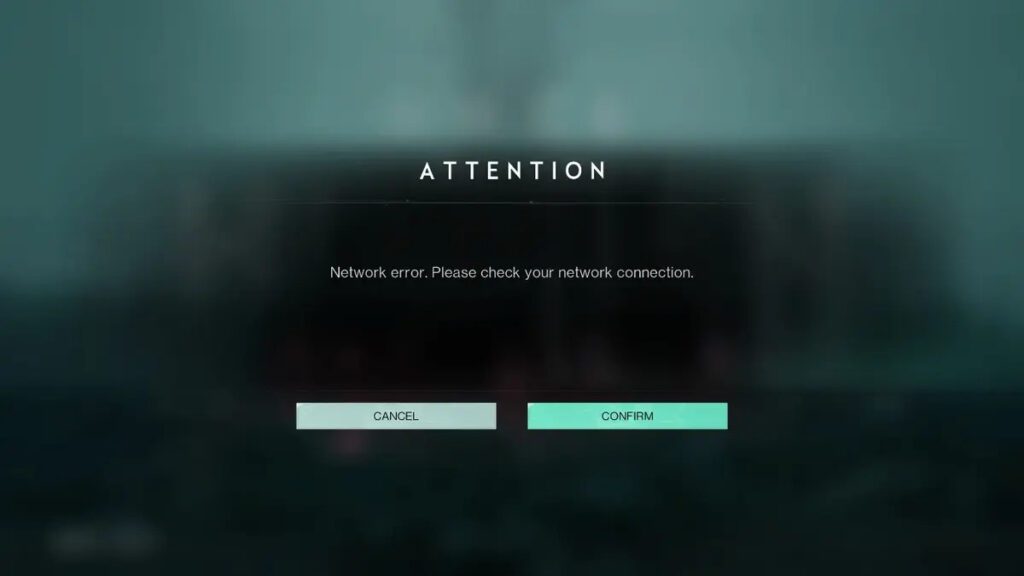
    Image via Starry Studio

    Right after you start Once Human, the game pops a message saying, “Network error, please check your connection.” And no matter how many times you restart your router, the problem remains unsolved. This is because there is a patch released by the developers that fixes the issue, and it only gets downloaded once you get to start the game.

    We have put together a list of all the available fixes online that have been found fruitful, so if one doesn’t work out for you, try to use another.

    Also Read: How to Get Mail in Once Human

    Flush DNS using Command Prompt/ cmd.exe 

    Open Run or press the Windows key + R, then type ‘cmd’ in the Run command box. These should open up the Command Prompt. Afterward, type these commands: “ipconfig /flushdns” and “ipconfig /renew” and enter them. Make sure to type exactly as it is. 

    Use a VPN

    Another fix that is said to have worked for many players is using a VPN. Just download a VPN software and run it before launching the game. You should see the patch start downloading right away. 

    Check Antivirus Settings and Firewall

    The antivirus you are using, or simply your Windows Defender system, might be the one causing the network error issue. Just go to the Firewall and list the game as safe. Also, if you have an antivirus, put the game for exception in its settings. 

    That’s it for “Network error, please check your connection” fixes. Do check out our other guides on Once Human like How To Farm In Once Human. 

    Once Human
    Sadik Hossain

    Sadik holds a degree in Finance, and a passion for video games. He has overseen work at content writing as a General Manager among other things, and now devotes his time to writing video game guides.

    Related Posts

    Crimson Moon Builds Guide: How To Make Your Nephilim Even More Fearsome

    September 2, 2026

    Mortal Shell 2 – Best Eredrim Build

    August 24, 2026

    Mortal Shell 2 – Best Proxima Build

    August 23, 2026
    PREFERED SOURCE ON GOOGLE

    Add as your Preferred Source on Google to find us more easily next time in your searches!

    FOLLOW US
    • Facebook
    • Twitter
    • Instagram
    • YouTube
    Don't Miss
    Features
    Metal Gear Solid Master Collection Vol. 2 – How Old is Snake in Every Game
    September 3, 2026

    Konami has finally released the second part of its eponymous collection on the stealth-action classic franchise to modern consoles—and new players could use some pointers.

    Crimson Moon Builds Guide: How To Make Your Nephilim Even More Fearsome

    September 2, 2026
    7.0

    Moonlighter 2: The Endless Vault Review – Haggle & Slash

    September 2, 2026
    7.5

    Crimson Moon Review — Simplicity As Both A Gift And A Curse

    September 1, 2026
    8.0

    The Blood of Dawnwalker: Blood, Blood, Gallons Of The Stuff

    August 31, 2026

    Limbus Company – Move-In Reg Gregor Explored, New Cosmetic Options Teased

    August 31, 2026

    Limbus Company Move-In Reg Gregor Trailer, Rein/Sora Announcer Revealed

    August 28, 2026
    • Home
    • Privacy Policy
    • About Us
    • Contact Us
    • Reviews Policy
    • OPENCRITIC
    © 2026 TheGameSlayer

    Type above and press Enter to search. Press Esc to cancel.

    We use cookies to ensure that we give you the best experience on our website. If you continue to use this site we will assume that you are happy with it.