


The people are dying, the plague miasma fills the air, and the local families are all too worried about themselves to really do anything about it. But now that you’re in town, it’s time you be the one to bear the weight of the town on your shoulders.
After entering the Town Hall for the first time, you likely saw the Decree Board hanging out in the back room with Young Olgimsky. He’s the one who’s taken it upon himself to issue different decrees to help the town fight against the plague long enough to survive it, make a vaccine, or even make a cure.
However, it’s pretty clear that the younger Olgimsky doesn’t really know what he’s doing, even going so far as to administer a random Steppe cure to people as a vaccine. So, how do you even begin issuing decrees in Pathologic 3?
When Can You Start Issuing Decrees?
Despite being able to interact with the Decree Board the moment you first encounter it, you actually aren’t able to use it just yet. You won’t even be able to use it on Day 5, the first full day you play through in Pathologic 3. Instead, you need to wait until you’ve unlocked the power of time-travel by utilizing the clocks you come across. This happens once you complete Day 5 the first time. After that, you’ll want to travel back to Day 2, and meet with the different families in the Town Hall.
After going into the side room and speaking with all the families, Young Olgimsky will be waiting to speak with you just outside the office door. Here, you can confront him about how his current decrees are only making things worse.
Also Read: Pathologic 3: How to Get the Bundle & Spore From Oyun
You’ve seen what happens by Day 5, and you are able to stop the plague from getting as bad by issuing decrees yourself. If you haven’t already noticed, there are various decrees you might have already earned while casually playing. Once you’ve finished speaking and convinced him to actually stop issuing decrees and hand them over to you, he’ll inform you that there is an assistant in Stillwater who will be able to aid you further.
When you do arrive, there will be a Worm that you can trade with in your laboratory on the side. However, this isn’t the assistant that Young Olgimsky was speaking about. You’ll want to go upstairs and into your quarters for that. When you get upstairs, you’ll notice that a large board that had previously been obscured with a sheet is now visible. This is the Decree Board, and now you’re able to use it to help the town.
How Do Decrees Work?
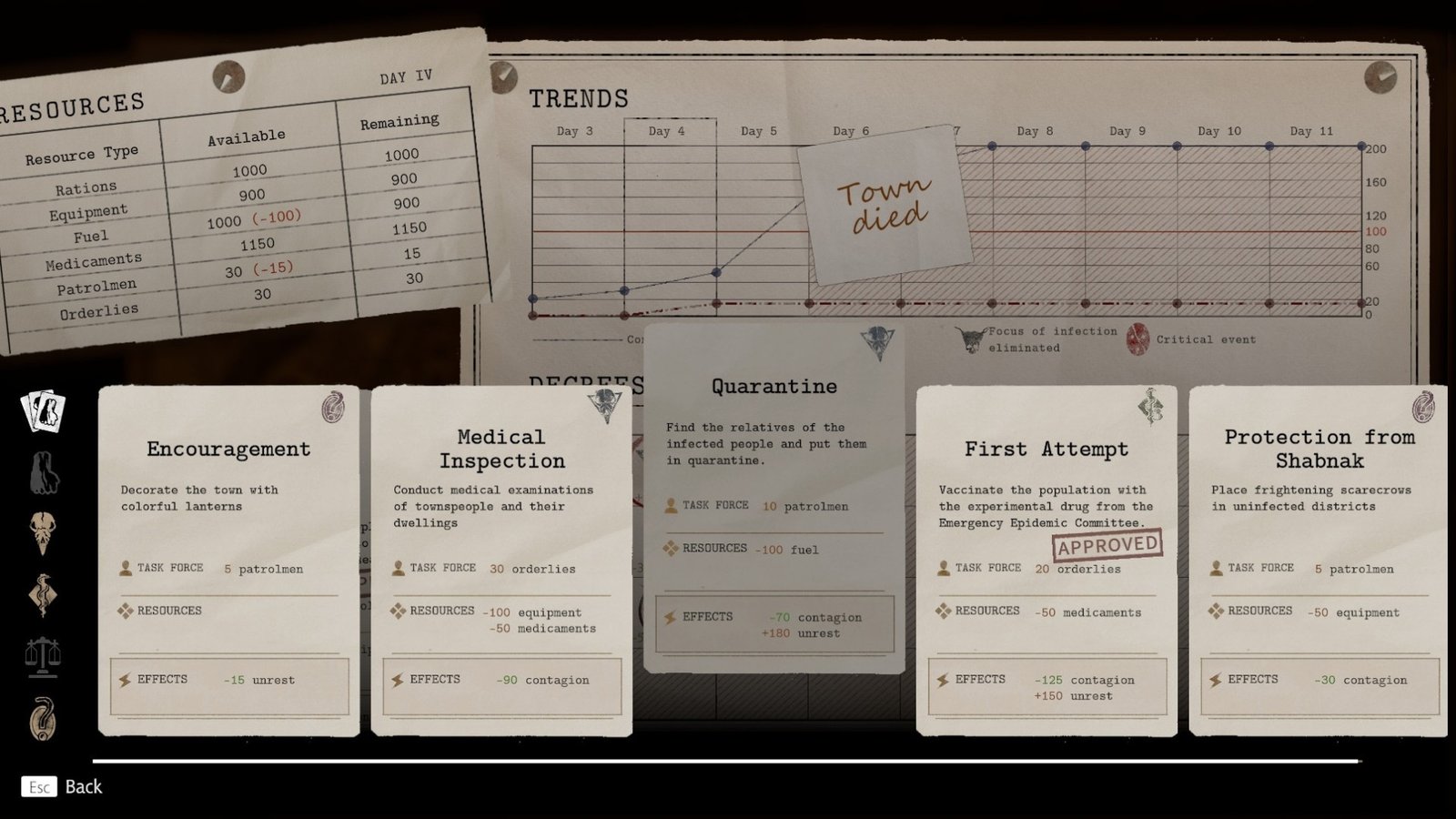
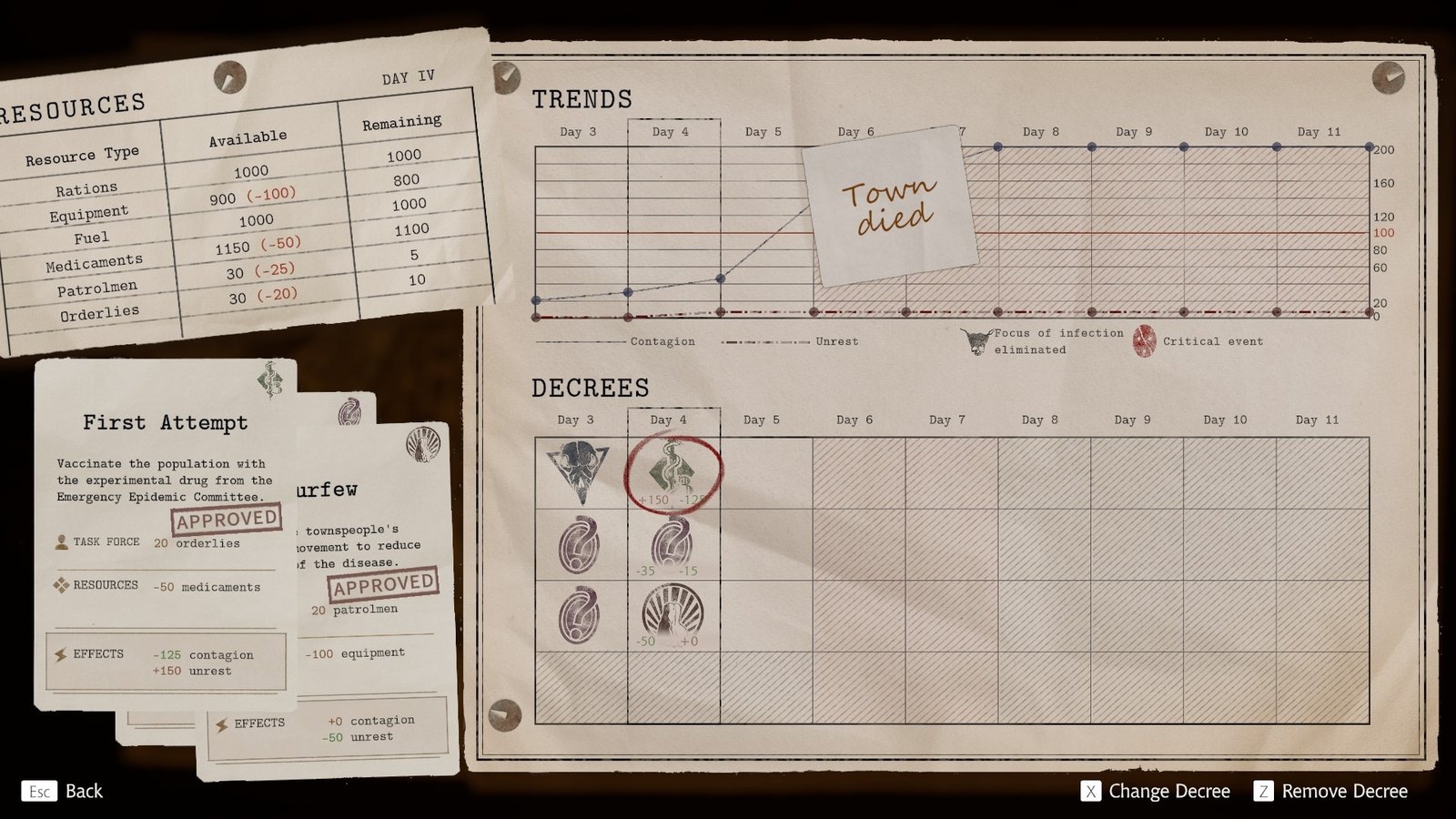
To actually begin issuing decrees, you need to head over to the Decree Board in Stillwater, on the second floor. Go up to it and press the E key to open up the board itself. Once you do, the board will open up and show you the different available days of the plague that they can be plugged into.
Each day is separated by a column that can hold up to three decrees. So, it would be wise to try to break them up so that the residents of the town don’t get overwhelmed. You’ll quite literally select which of three boxes of the specific day you’d like to issue the decree, and a window of different decrees will pop up. Each decree requires different resources, so you’ll also want to watch what you’re spending.
You’ll spend a number of patrolmen, a number of medical resources, and deal with different effects, including unrest and contagion spread. It can be difficult to balance, but as you progress, you’ll find new decrees that can end up being far more helpful than others.
