

What is the point of playing a game on PC if you are not going to use any mods? Scroll through any PC master race forums, and you will find mods being the number one reason for many to prefer PC over consoles.
You are free to download any mod from the mod page at any time without facing any limitations. While other third-party websites are available that offer mods, Paralives comes with mods as a Workshop option. Which means you can download the mods without having to create a new account on a website.
Are you ready to make your game more fun by opening up to a whole new set of customizable options? Here is how to download and enable them in Paralives.
Enabling and Disabling Mods in Paralives
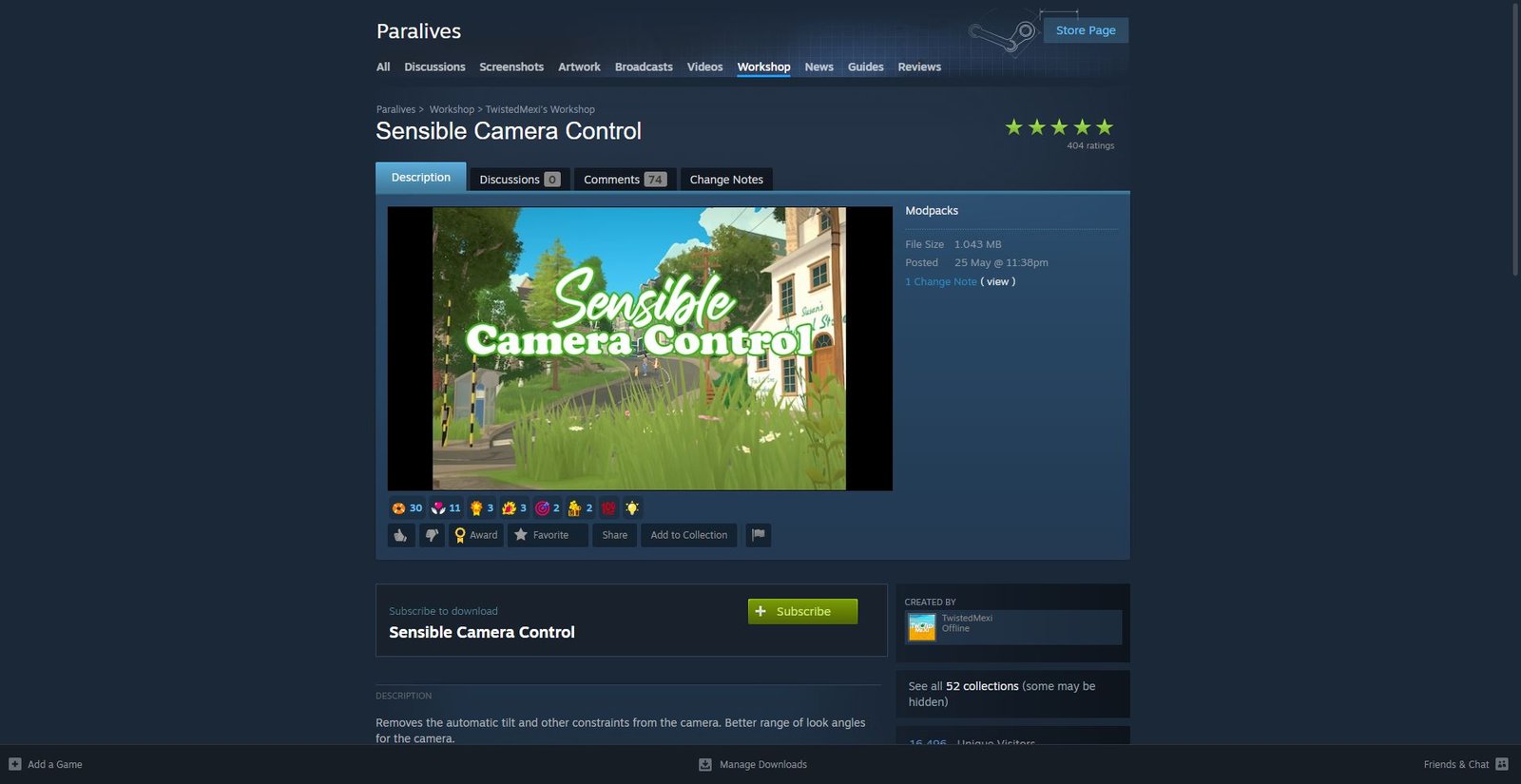
As I mentioned earlier, Paralives has a mod function built in, which allows us to download and enable mods without having to go to any third-party mod websites. On Steam, you will see all the mods under the function called “Workshop“. This is where the magic happens.
- First, select Paralives on your Steam Library, and click on Workshop on the toolbar. You will find the option under the Play option, next to the Guide selection on the toolbar.
- Clicking on the Workshop directs Steam to take you to the mod page for Paralives. Here you will see countless mods made by fellow Paralives fans. On the right panel, you can select between Top-rated and Top downloaded mods if you want to download the essential mods.
- Now, click on any mod in the Workshop page. For this article, I’ll choose the “Sensible Camera Control” mod. Head to the Sensible Camera Control mod and select the Subscribe option to download. You can also click on the “+” icon on a mod to add it immediately to your game.
Note: You can view the mod’s file size, author, and date on the right side of the mod in the Workshop page. If you want to know more about the mod, scroll down on the mod’s page to see all the stuff the mod is designed to perform.
Also, I can’t stress this enough – do create a backup of your save file for Paralives before tinkering with any of the mods.
- Once you hit Subscribe or the “+” button, the Sensible Camera Control mod will begin downloading. You can keep track of the mod download progression on the download bar at the bottom of Steam. The download for any Workshop mod will appear on the same screen as game downloads.
Once it’s downloaded, launch Paralives. In the game’s main menu, select Mods to head to the mod page. Here you will see the downloaded mod “Sensible Camera Control” appearing on the mod screen. Click on the mod to enable it and load the save file to enjoy your game.
Disabling/ Uninstalling Mod in Paralives
Disabling the mod works the same way as enabling it. While you can disable it, you also have the option to remove it from the game.
- Head to the Mod option in the main menu and uncheck the downloaded mod “Sensible Camera Control” to disable it. Now, when you load your game, you will not see the “Sensible Camera Control” effect in your game. This disables the mod for the game, but it doesn’t uninstall the mod. This is perfect if you want the mod later on in the game, but not at the current moment.
- If you want to remove the mod entirely, head to the Workshop, click on Your Files> Subscribed Items under your profile on the right, choose the “Sensible Camera Control” mod, and select Unsubscribe to remove it entirely from the game.
That’s it, now download as many mods as possible to make Skyrim modders jealous. Since we are on Paralives, are you having trouble maintaining your kid’s grade? Then, check out the article on how to do homework in Paralives.
