

Close Menu

    Subscribe to Updates

    Get the latest creative news from FooBar about art, design and business.

    What's Hot
    Subnautica 2 – How to Investigate Tadpole Pens
    May 17, 2026
    Subnautica 2 – Complete guide to Turning on Power in Alien Ruins
    May 17, 2026
    Subnautica 2 – How To Get & Use Growbeds
    May 17, 2026
    Facebook X (Twitter) Instagram
    TheGameSlayerTheGameSlayer
    Facebook X (Twitter)
    • Home
    • News
    • Guides
    • Reviews
    • Features
    • Lists
    TheGameSlayerTheGameSlayer
    Home»Guides»Subnautica 2 – How To Get & Use Growbeds
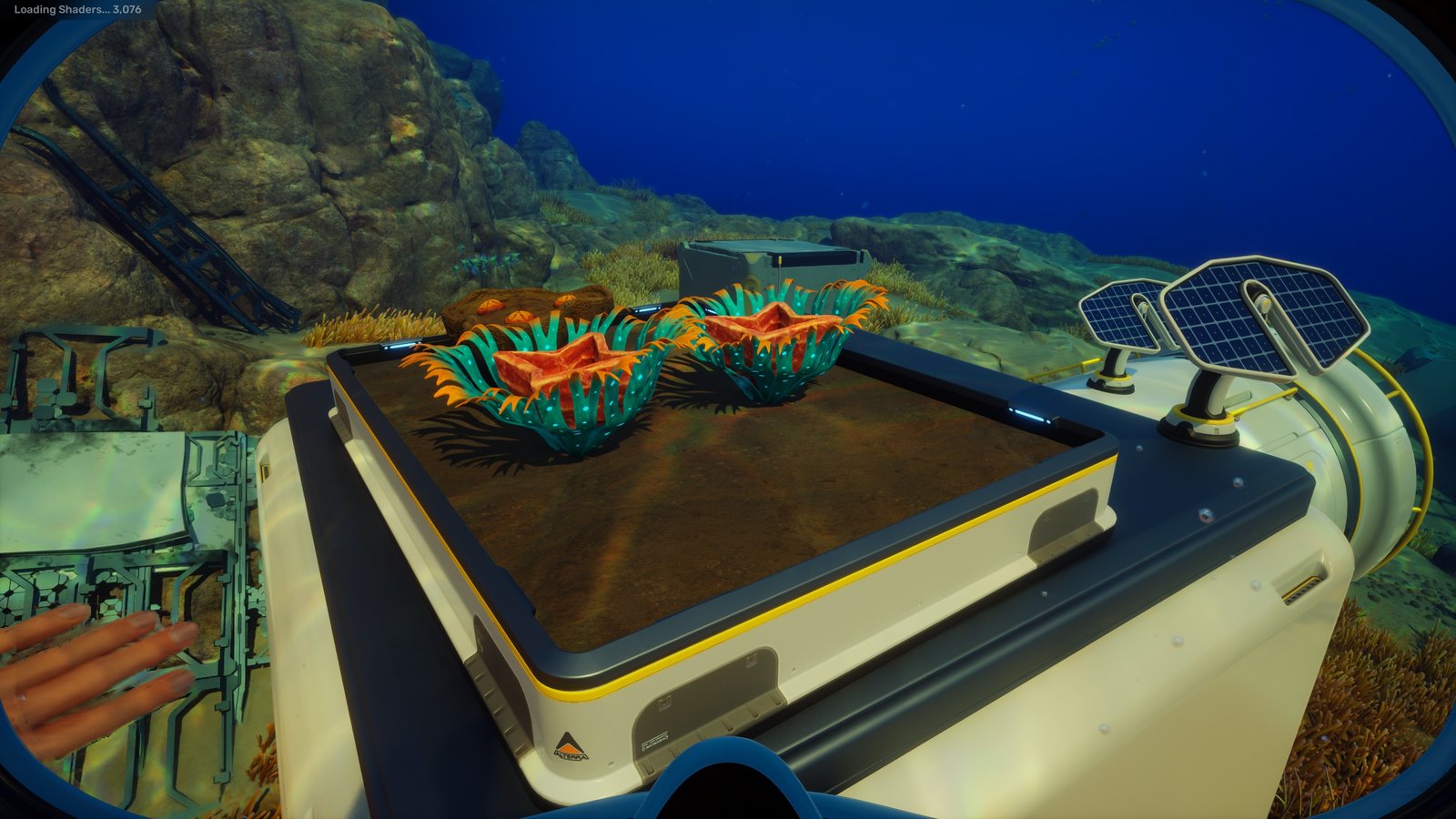
    Plants in a Growbed in the game Subnautica 2
    Image via TheGameSlayer | Unknown Worlds Entertainment
    Guides

    Subnautica 2 – How To Get & Use Growbeds

    By Kegan MooneyMay 17, 2026Updated:May 17, 2026
    Share
    Facebook Twitter Reddit WhatsApp Pinterest LinkedIn

    Living under the sea isn’t exactly easy in Subnautica 2. There’s a lack of food, ironically, there’s a lack of water, and there are giant sea-monsters hell-bent on hunting you down. The Growbed is one of the most useful blueprints to unlock early on in Subnautica 2, as it can start to make surviving that little bit easier.

    Where to Get Growbed Blueprints in Subnautica 2

    The first step in getting the Growbed in Subnautica 2 is to acquire its blueprints. To find the blueprints, head directly east from the lifepod. You will have to pass the Collector Leviathan, so make sure that you’re prepared to evade it, and keep on heading east until you hit the alien ruins.
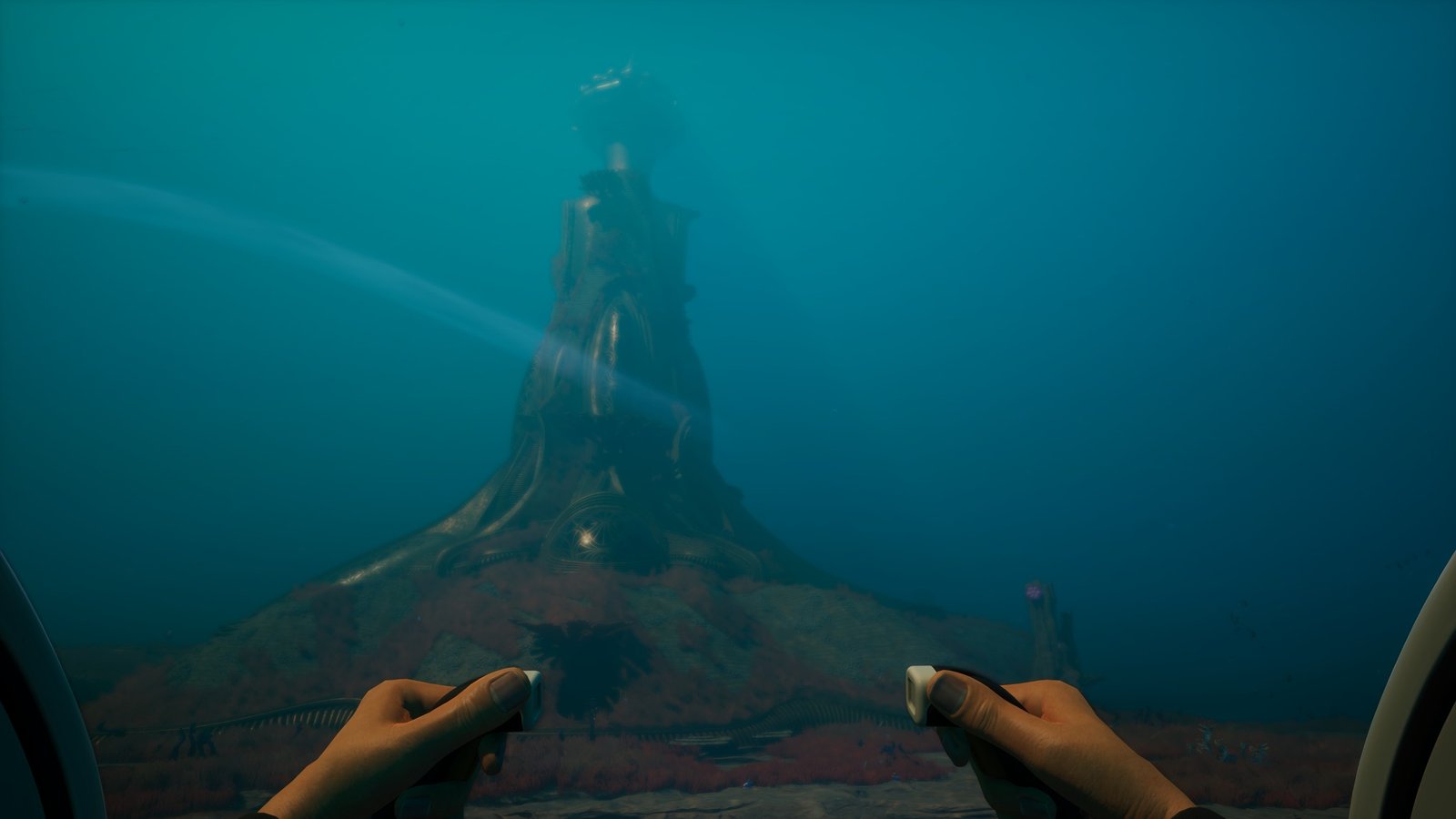
    A large alien tower under the sea in Subnautica 2
    Image via TheGameSlayer | Unknown Worlds Entertainment

    Once you’ve found the alien tower shown above, you’re getting close. Head on over to it and start heading northeast, looking at the platforms below until you see some human ruins.

    If you can’t find it, keep going around the tower and looking at the platforms below until you do find it. Or, head on over to: -210294, 428358, -12585, where you should find the abandoned underwater building with a Growbed on the floor, and another on the roof of the building.
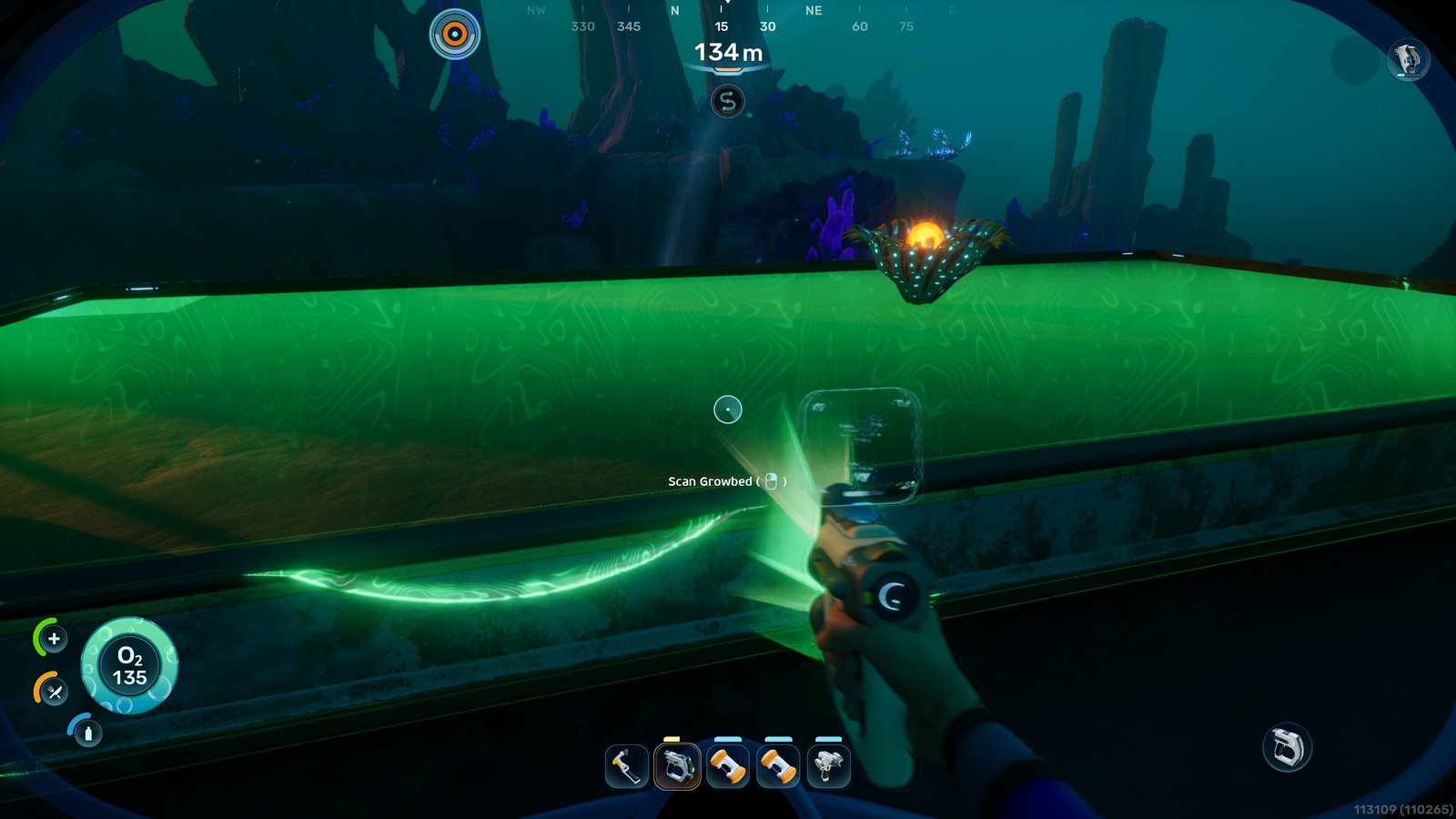
    A building with growbeds on top, and a human scanning the growbed, in the game Subnautica 2.
    Image via TheGameSlayer | Unknown Worlds Entertainment

    Scan both Growbeds, and you will unlock the blueprint, letting you build them back at your base.

    How to Use the Growbed

    Now that you’ve found out how to unlock the Growbed blueprint, it’s time to start planting. Head back to your base and build your first Growbed. Before you go running to build your farm inside your base, these are external Growbeds; they only work outside.
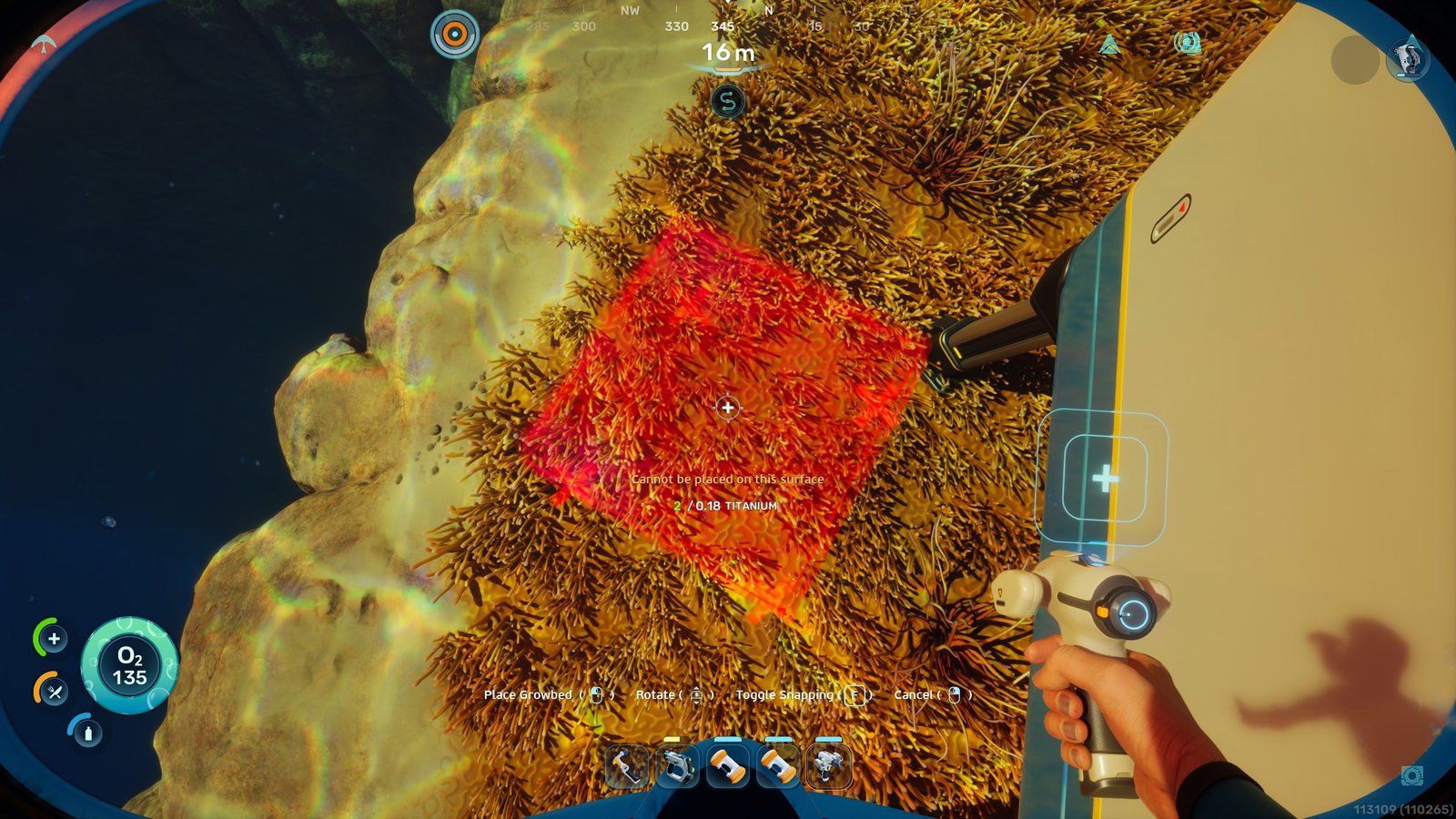
    A red square showing a player that they are building a Growbed in the wrong place in Subnautica 2.
    Image via TheGameSlayer | Unknown Worlds Entertainment

    Another thing to take note of is that they also need to be built on a building, and they won’t work if you try building them on the ground. Which is quite odd considering one of the ones we scanned to unlock the blueprint was, in fact, on the ground itself.
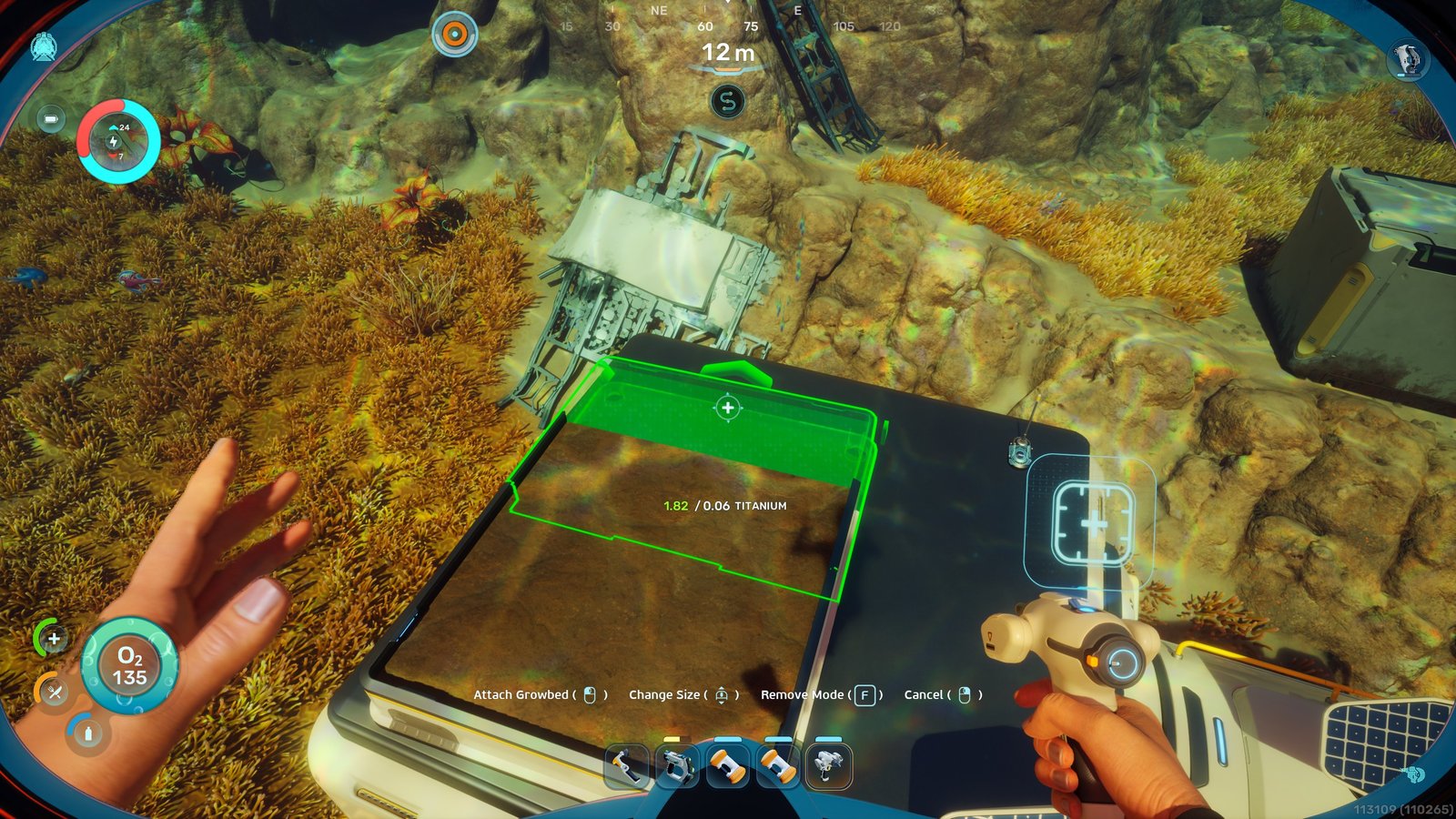
    Someone building a growbed on top of a building in the game Subnautica 2.
    Image via TheGameSlayer | Unknown Worlds Entertainment

    Once you’ve placed down the first Growbed, instead of building more, you will be given the option to simply make the first one you built bigger, saving you from needing to plan out where to put multiple Growbeds.

    How to Plant in the Growbed

    In most survival games, you collect seeds around the map, and simply press E (or the action button, depending on what you’re playing on), and that will automatically plant the seed in the Growbed.

    With Subnautica 2, you need to use your Habitat Constructor to plant the seeds as if you were placing down a building.
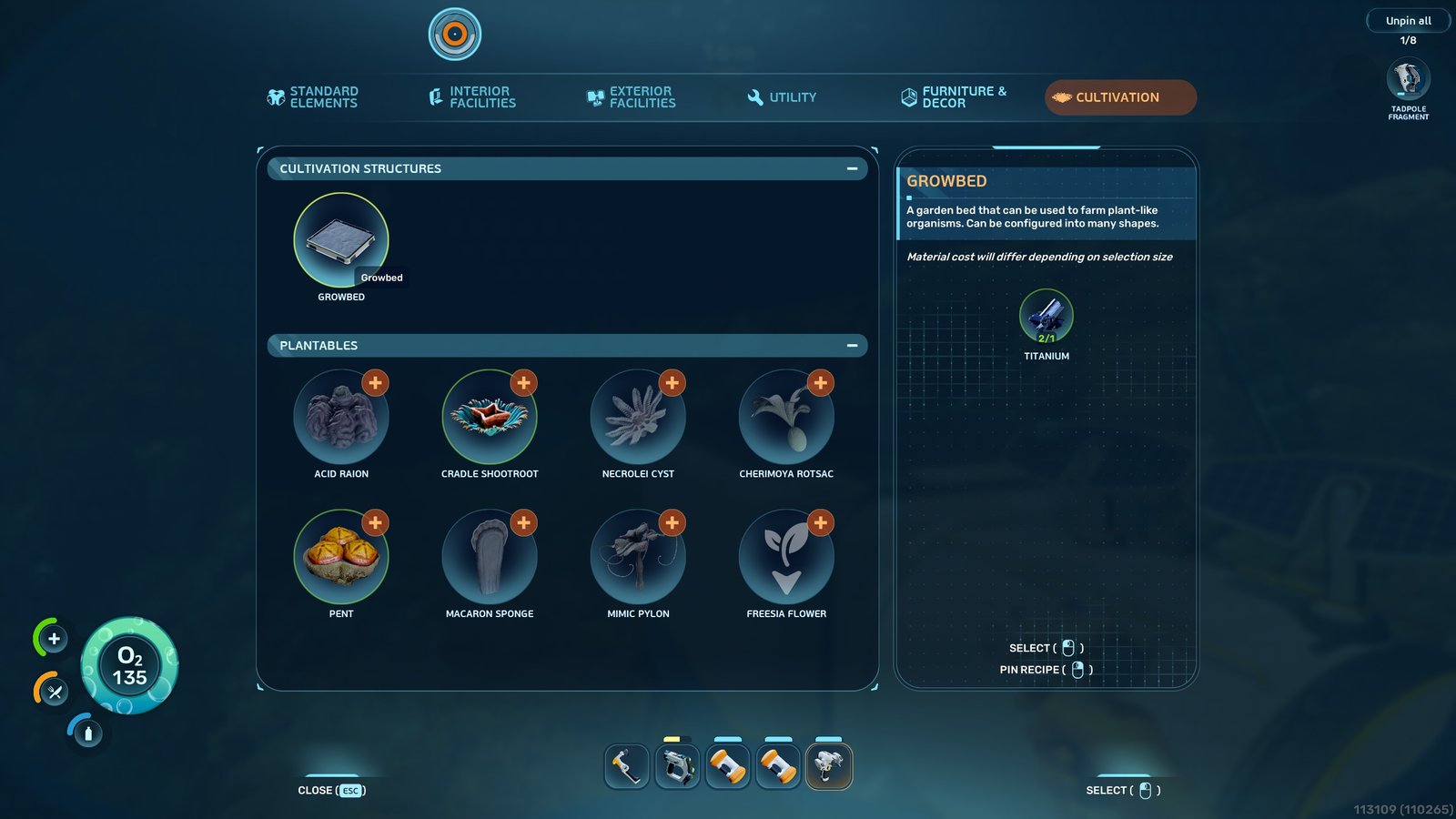
    A list of placeable seeds in Subnautica 2.
    Image via TheGameSlayer | Unknown Worlds Entertainment

    Simply select the seed you want to place into the planter, and the location where you want it to go, and continue as if you were placing a building part. Once it is placed, all you need to do is wait for the plant to start growing.
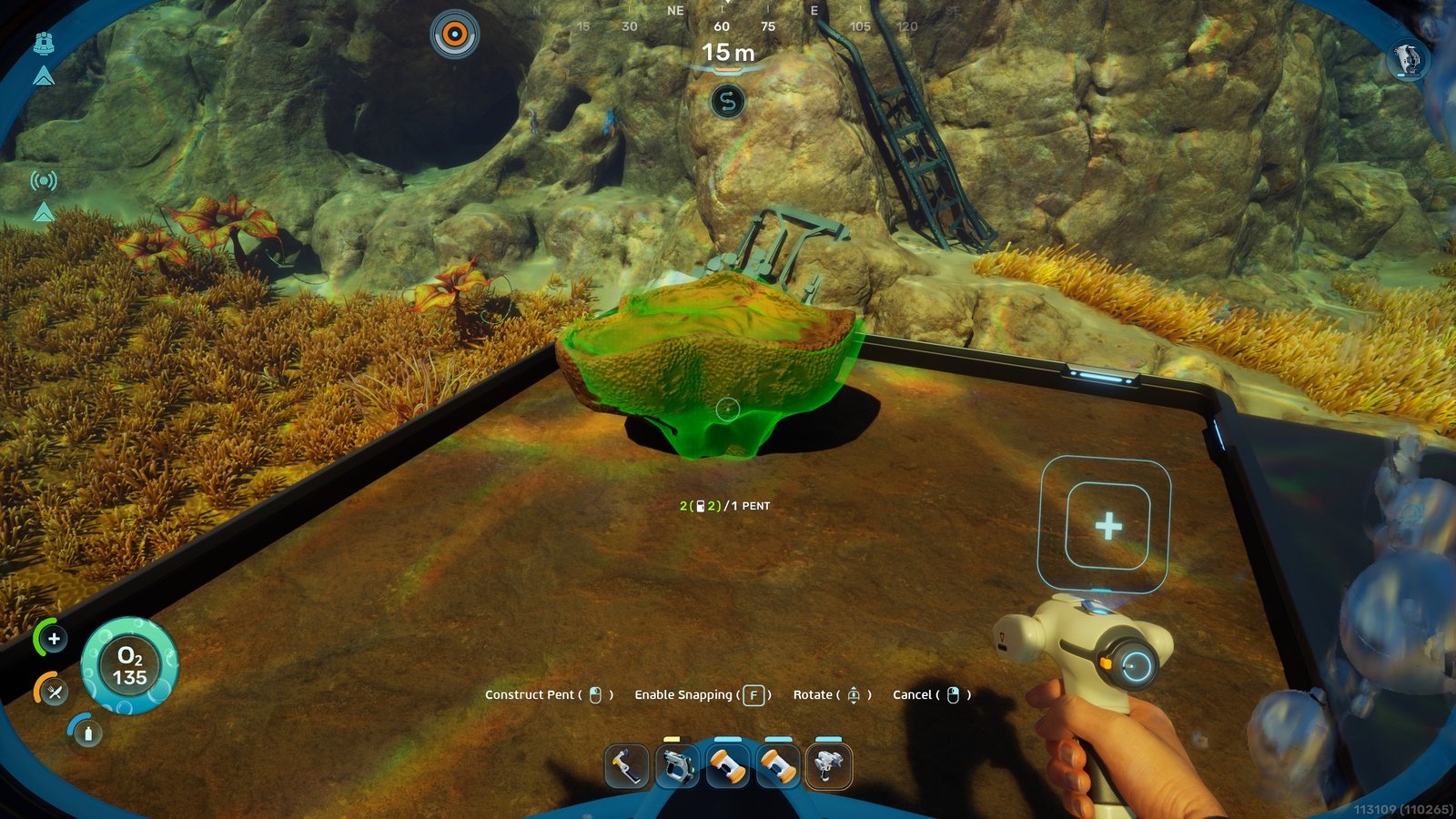
    A plant being placed in a Growbed in Subnautica 2
    Image via TheGameSlayer | Unknown Worlds Entertainment

    As soon as the plants are fully grown, you can simply hit them with the Survival Multitool to collect the resources. If you’re not sure how much growing they’ve got left to do, simply get really close to them, and you’ll see a percentage showing you.

    Subnautica 2
    Kegan Mooney
    • Website
    • LinkedIn

    Kegan is a freelance tech and gaming writer/editor with years of experience in the industry. His work has features on IGN.com, PCgamer, LADbible, and many more. He has a passion for survival games, especially ones where he can unlock his creative side by building towering structures.

    Related Posts

    Subnautica 2 – How to Investigate Tadpole Pens

    May 17, 2026

    Subnautica 2 – Complete guide to Turning on Power in Alien Ruins

    May 17, 2026

    Subnautica 2 – All Leviathans & Their Locations

    May 17, 2026
    PREFERED SOURCE ON GOOGLE

    Add as your Preferred Source on Google to find us more easily next time in your searches!

    FOLLOW US
    • Facebook
    • Twitter
    • Bluesky
    • Mastodon
    Don't Miss
    Guides
    Subnautica 2 – How to Investigate Tadpole Pens
    May 17, 2026

    With so many places to go in Subnautica 2, it’s no surprise that some of…

    Subnautica 2 – Complete guide to Turning on Power in Alien Ruins

    May 17, 2026

    Subnautica 2 – All Leviathans & Their Locations

    May 17, 2026

    Subnautica 2 – All Biobed Adaptation Locations (Endurance & Dexterity)

    May 17, 2026

    Subnautica 2 – Where to start when building a base

    May 16, 2026

    Subnautica 2 – Where To Find Celestine & What Its Used For

    May 15, 2026

    Directive 8020 – How To Save The Real Anders And Avoid The Fake

    May 14, 2026
    • Home
    • Privacy Policy
    • About Us
    • Contact Us
    • Reviews Policy
    • OPENCRITIC
    © 2026 TheGameSlayer

    Type above and press Enter to search. Press Esc to cancel.

    We use cookies to ensure that we give you the best experience on our website. If you continue to use this site we will assume that you are happy with it.