

Close Menu

    Subscribe to Updates

    Get the latest creative news from FooBar about art, design and business.

    What's Hot
    Subnautica 2 – Where to find and bioscan a Sandspear fish
    May 18, 2026
    Subnautica 2 – Do Resources Respawn & How Long Does It Take
    May 18, 2026
    Subnautica 2 – How To Upgrade The Sonic Resonator And Craft The Feedback Resonator
    May 18, 2026
    Facebook X (Twitter) Instagram
    TheGameSlayerTheGameSlayer
    Facebook X (Twitter)
    • Home
    • News
    • Guides
    • Reviews
    • Features
    • Lists
    TheGameSlayerTheGameSlayer
    Home»Guides»How to Increase Movement Speed in Heroes of Might and Magic: Olden Era
    A screenshot of the movement in Heroes of Might and Magic: Olden Era (Demo)
    Image via Steam
    Guides

    How to Increase Movement Speed in Heroes of Might and Magic: Olden Era

    By Aaryan AdityaOctober 11, 2025
    Share
    Facebook Twitter Reddit WhatsApp Pinterest LinkedIn

    If you’ve just started playing Heroes of Might and Magic: Olden Era, you might’ve noticed that the default movement and battle animations feel unusually slow. It can make traveling across the map or fighting battles take longer than they should.

    Thankfully, there’s a simple fix for this once you know where to look. You don’t need any mods or external tools, just a quick settings adjustment inside the game itself.

    Heroes of Might and Magic: Olden Era – How to Increase Movement Speed

    You can increase the Movement Speed by accessing Menu -> Additional Settings -> Battle Animation Speed. The option to increase movement and combat speed is actually hidden inside the game’s Additional Settings tab. Once you know where it is, changing it only takes a few seconds.

    This design choice can make certain options easy to overlook at first, but once you know where to find them, it’s simple to tweak your experience. It’s a small learning curve, but it helps you understand how the game organizes its settings for better control later on.

    Accessing the Speed Settings
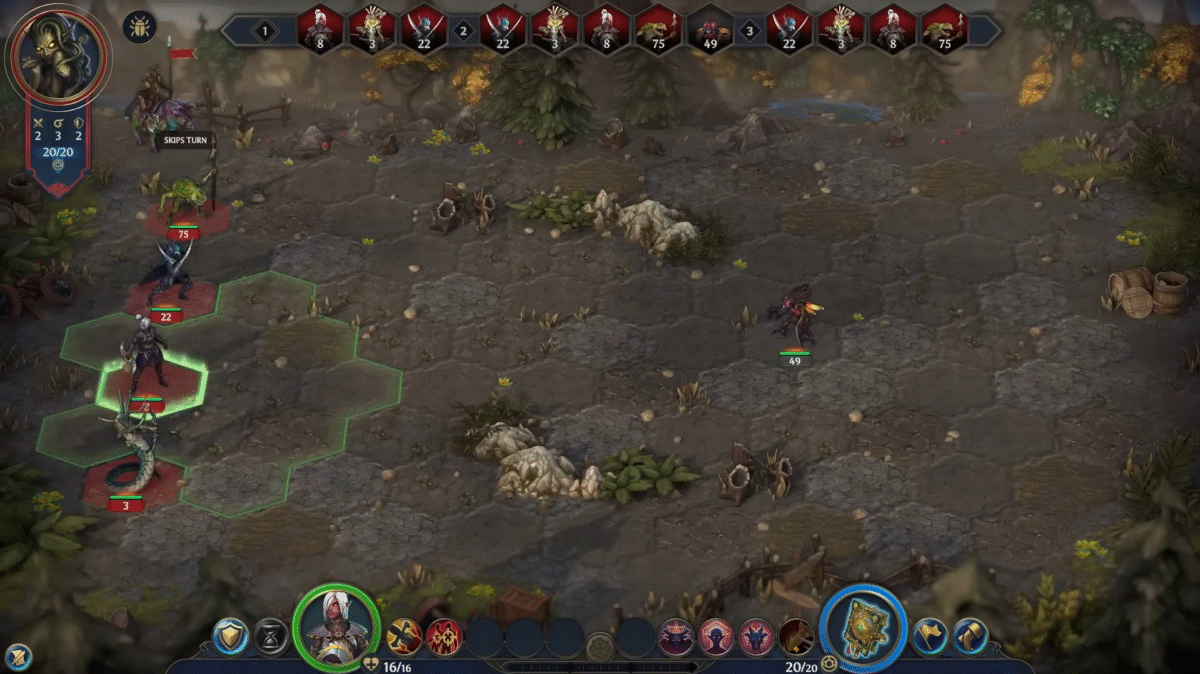
    An overview of the gameplay in Heroes of Might and Magic: Olden Era (Demo)
    Image via Steam

    To adjust the movement and battle speed, you need to open the in-game settings menu. While playing, press the ESC key on your keyboard. This will bring up the pause menu, where you’ll see a few options at the top of the screen. There are two main tabs here, Basic and Additional.

    Most players open only the Basic tab and miss the Additional section entirely, which is where the speed controls are located. Click on Additional, and you’ll find sliders that control animation speed.

    Adjusting Map and Battle Speeds
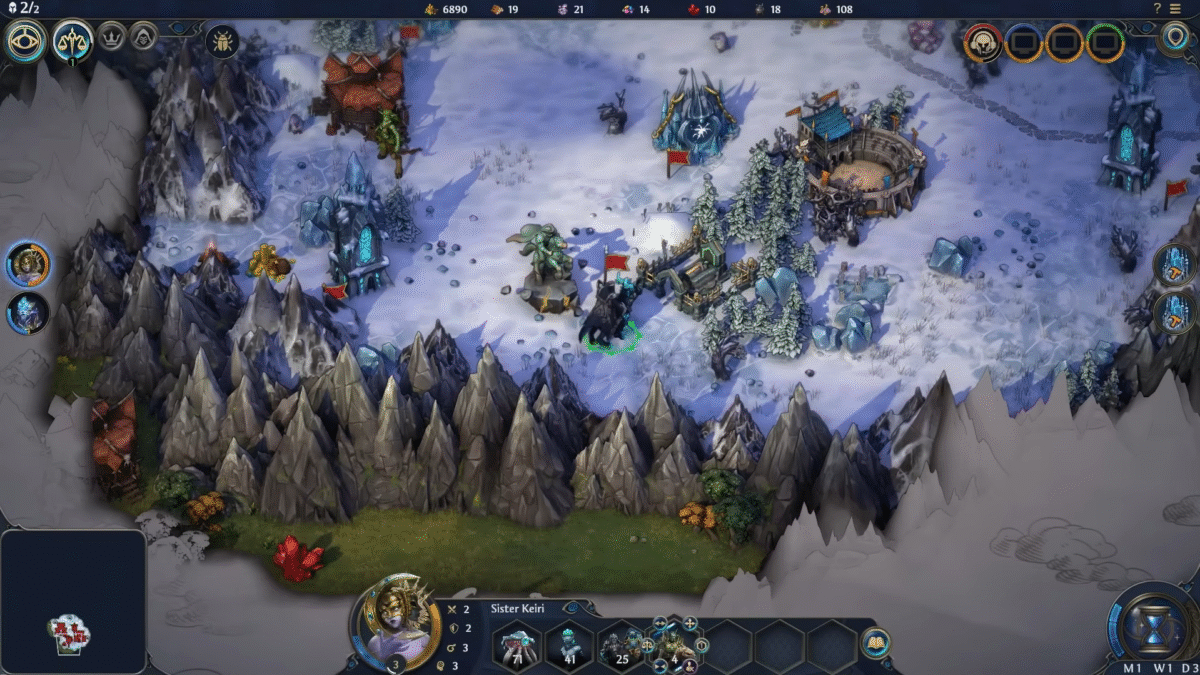
    An overview of the map in Heroes of Might and Magic: Olden Era (Demo)
    Image via Steam

    Inside the Additional tab, look for two sliders labeled Map Animation Speed and Battle Animation Speed. These control how fast units move on the overworld map and how quickly animations play out during combat.

    Move the sliders to the right to increase the speed. The further you slide them, the faster your characters will move and the quicker battle animations will play. You can test different values until you find a pace that feels comfortable to you.

    Once adjusted, the changes take effect immediately, there’s no need to restart the game. This makes it easy to tweak the settings while you play.

    Extra Tips for Faster Gameplay

    If you want to speed up only certain parts of the game without changing the global speed settings, you can try a few tricks. For example, some players prefer to hold down the left mouse button during battles to make animations play out faster.

    This doesn’t skip the action but makes it flow more smoothly without permanently changing your settings. If you’re playing in one of the game’s new modes focused on hero battles, the pacing may already feel faster compared to the main map mode. This can be a good option if you find the exploration sections too slow.

    This small change can really transform how Heroes of Might and Magic: Olden Era feels to play. It makes exploration for rare materials like Alchemical Dust smoother and battles much quicker, keeping the overall gameplay flow more engaging.

    Heroes of Might and Magic: Olden Era
    Aaryan Aditya
    • LinkedIn

    Aaryan Aditya is a gaming writer specializing in crafting accessible guides and features for gacha, RPG, and action titles - be it breaking down boss mechanics or exploring open-world secrets. Outside of writing, he’s a trained dancer, and skilled video and music editor.

    Related Posts

    Subnautica 2 – Where to find and bioscan a Sandspear fish

    May 18, 2026

    Subnautica 2 – Do Resources Respawn & How Long Does It Take

    May 18, 2026

    Subnautica 2 – How To Upgrade The Sonic Resonator And Craft The Feedback Resonator

    May 18, 2026
    PREFERED SOURCE ON GOOGLE

    Add as your Preferred Source on Google to find us more easily next time in your searches!

    FOLLOW US
    • Facebook
    • Twitter
    • Bluesky
    • Mastodon
    Don't Miss
    Guides
    Subnautica 2 – Where to find and bioscan a Sandspear fish
    May 18, 2026

    The Sandspear is a dangerous fish. Here’s how to find and bioscan a Sandspear in Subnautica 2.

    Subnautica 2 – Do Resources Respawn & How Long Does It Take

    May 18, 2026

    Subnautica 2 – How To Upgrade The Sonic Resonator And Craft The Feedback Resonator

    May 18, 2026
    10.0

    Zero Parades: For Dead Spies Review

    May 18, 2026

    Subnautica 2 – How to Investigate Tadpole Pens

    May 17, 2026

    Subnautica 2 – Complete guide to Turning on Power in Alien Ruins

    May 17, 2026

    Subnautica 2 – How To Get & Use Growbeds

    May 17, 2026
    • Home
    • Privacy Policy
    • About Us
    • Contact Us
    • Reviews Policy
    • OPENCRITIC
    © 2026 TheGameSlayer

    Type above and press Enter to search. Press Esc to cancel.

    We use cookies to ensure that we give you the best experience on our website. If you continue to use this site we will assume that you are happy with it.