

Close Menu

    Subscribe to Updates

    Get the latest creative news from FooBar about art, design and business.

    What's Hot
    Paralives – How to Fix Stuck Parafolk Issue
    June 2, 2026
    Heartopia – The Complete Guide to Hide & Seek Party
    June 2, 2026
    Limbus Company – Best Refraction Railway Line 6 Build
    June 2, 2026
    Facebook X (Twitter) Instagram
    TheGameSlayerTheGameSlayer
    Facebook X (Twitter)
    • Home
    • News
    • Guides
    • Reviews
    • Features
    • Lists
    TheGameSlayerTheGameSlayer
    Home»Guides»Fallout 76: How To Change C.A.M.P Fast Travel Point
    Guides

    Fallout 76: How To Change C.A.M.P Fast Travel Point

    By Kirthana KMarch 18, 2025
    Share
    Facebook Twitter Reddit WhatsApp Pinterest LinkedIn

    Your makeshift C.A.M.P in Fallout 76 lets you own a portable base that offers several features. Mostly, players would have used their C.A.M.P to turn it into a vendor stall and sell items to other players. If you are inviting other players to your base or are traveling to your C.A.M.P after your journey, you would have realized that the fast travel spawn point isn’t exactly where it’s supposed to be. This guide will cover how to change the fast travel spawn point of your Fallout 76 C.A.M.P.

    How To Change Fast Travel Spawn Point In C.A.M.P

    Image via TheGameSlayer

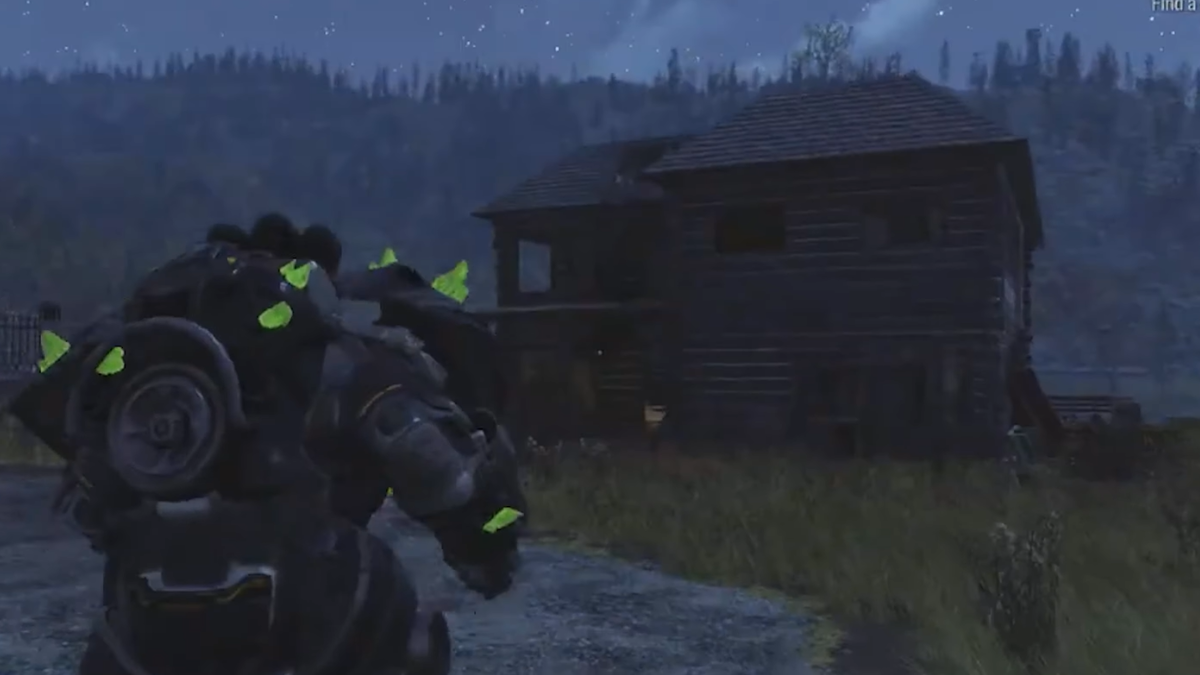
    To fix your fast travel spawn point, all you need to do is find out where your My C.A.M.P device is located. Once you do that, head into your build menu and pick up the apparatus.

    Next, you need to find a good area within your C.A.M.P to place the device in, as this will impact your spawn point. The general rule of thumb while deciding where the C.A.M.P device should be placed is that you will spawn around 6x foundation tiles width north and 2x tiles width east. This is technically 10 meters northeast from the device. With that in mind, measure out your spawn location and place your C.A.M.P device southwest of that direction.

    Image via TheGameSlayer

    Also, the direction you face while placing your device will determine the direction you face while spawning. If you want to face north when you fast travel to your base, then you need to face north while setting down the C.A.M.P device. You can also place the device on the top floors of your base if you have a multi storied C.A.M.P.

    Testing Out The Spawn Location

    To test out your fast travel spawn location after setting up your C.A.M.P device, open your map and select the base that you wish to travel to. If you spawn exactly where you were supposed to be, then you don’t have to do anything else. Otherwise, keep tweaking the device location until you are happy with where you spawn. This can be done across multiple base C.A.M.Ps to set your fast travel spawn location.

    If you are looking for more Fallout 76 guides, you can check out our guides on  4-Star Legendary Items, unlocking the Brewing Station & Fermenter, and everything on Caravans to know more.

    Fallout 76
    Kirthana K
    • LinkedIn

    Her lifelong passion of gaming led her to writing about them, bringing words to life and compiling comprehensive game guides that are quick and easy to follow. If not writing, you can catch her exploring Teyvat or the Palpagos Islands.

    Related Posts

    Paralives – How to Fix Stuck Parafolk Issue

    June 2, 2026

    Heartopia – The Complete Guide to Hide & Seek Party

    June 2, 2026

    Limbus Company – Best Refraction Railway Line 6 Build

    June 2, 2026
    PREFERED SOURCE ON GOOGLE

    Add as your Preferred Source on Google to find us more easily next time in your searches!

    FOLLOW US
    • Facebook
    • Twitter
    • Bluesky
    • Mastodon
    Don't Miss
    Guides
    Paralives – How to Fix Stuck Parafolk Issue
    June 2, 2026

    Sometimes things are beyond your control; one of those things is the system behind early…

    Heartopia – The Complete Guide to Hide & Seek Party

    June 2, 2026

    Limbus Company – Best Refraction Railway Line 6 Build

    June 2, 2026

    Where Winds Meet – Imperial Service Area All Collectibles

    June 2, 2026

    Gothic 1 Remake – 8 Games Inspired By The Original Gothic

    June 1, 2026

    007 First Light – Find Valhalla Keys

    June 1, 2026

    007 First Light – How to get into the CCTV Room

    May 30, 2026
    • Home
    • Privacy Policy
    • About Us
    • Contact Us
    • Reviews Policy
    • OPENCRITIC
    © 2026 TheGameSlayer

    Type above and press Enter to search. Press Esc to cancel.

    We use cookies to ensure that we give you the best experience on our website. If you continue to use this site we will assume that you are happy with it.