

Close Menu

    Subscribe to Updates

    Get the latest creative news from FooBar about art, design and business.

    What's Hot
    Resident Evil 9 Party Attendees Spark DLC Rumours
    April 26, 2026
    Final Fantasy XIV is Using AI “to Much Success, and By Much Success, I Mean No Success”
    April 26, 2026
    Final Fantasy XIV Wants You to Get in the EVA
    April 25, 2026
    Facebook X (Twitter) Instagram
    TheGameSlayerTheGameSlayer
    Facebook X (Twitter)
    • Home
    • News
    • Guides
    • Reviews
    • Features
    • Lists
    TheGameSlayerTheGameSlayer
    Home»Guides»How To Get Clearance To Elevator in Borderlands 4 
    Guides

    How To Get Clearance To Elevator in Borderlands 4 

    By Kirthana KSeptember 12, 2025
    Share
    Facebook Twitter Reddit WhatsApp Pinterest LinkedIn

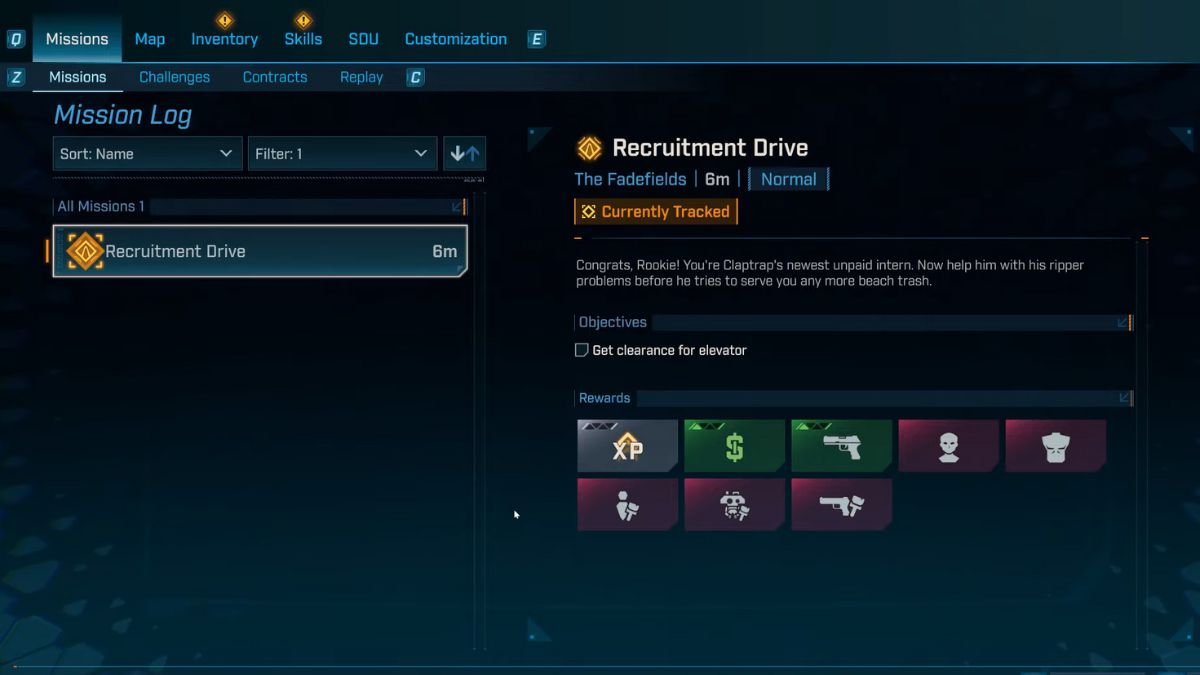
    For the Recruitment Drive quest in Borderlands 4, you receive an objective from Claptrack to get the elevator clearance. While this may look simple on paper, you don’t get any indicators on where you should go to get this clearance. If you are stuck on this mission objective, then this guide will help you locate the clearance to the elevator in Borderlands 4.

    Get Elevator Clearance in Borderlands 4 Explained
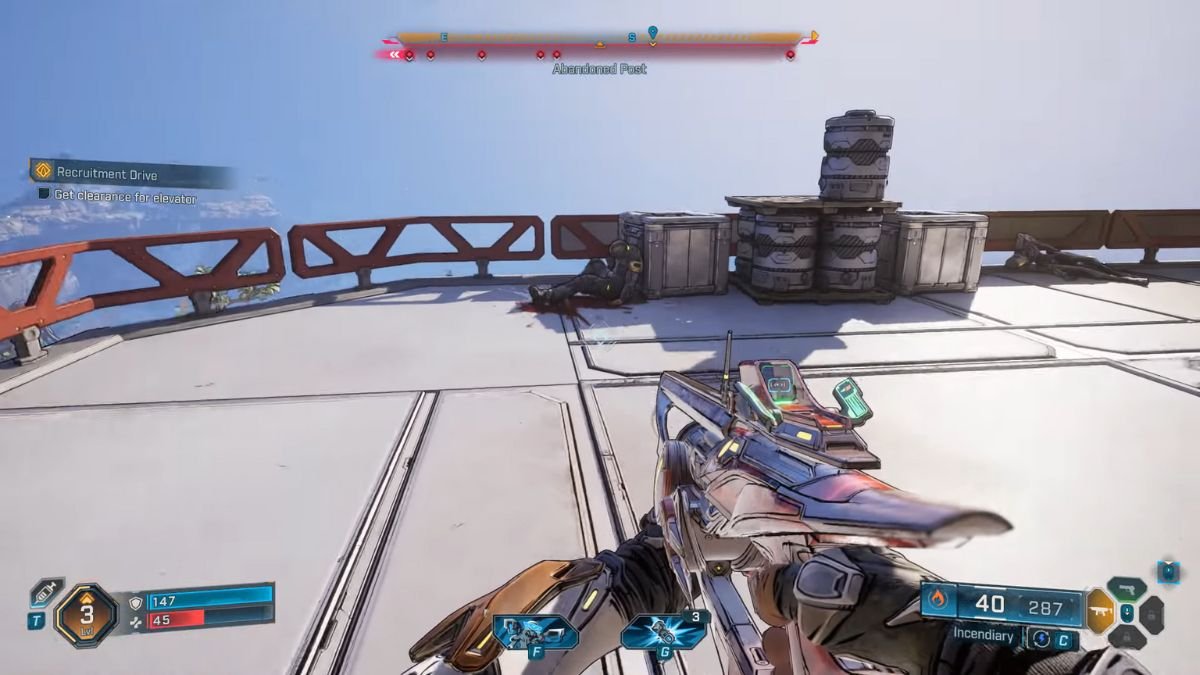
    Image via TheGameSlayer

    The elevator clearance is found on the corpse in front of the elevator. Just turn around from the elevator to collect the Bolt off the body slouched against the crate beside the railing. Taking the elevator gets you to Claptrap’s safehouse(one of the 4 safehouses in FadeFields), and is one of the last few steps to do before you complete the Recruitment Drive quest. Since this quest is just the second quest in the game, you might still be learning the ropes here. 
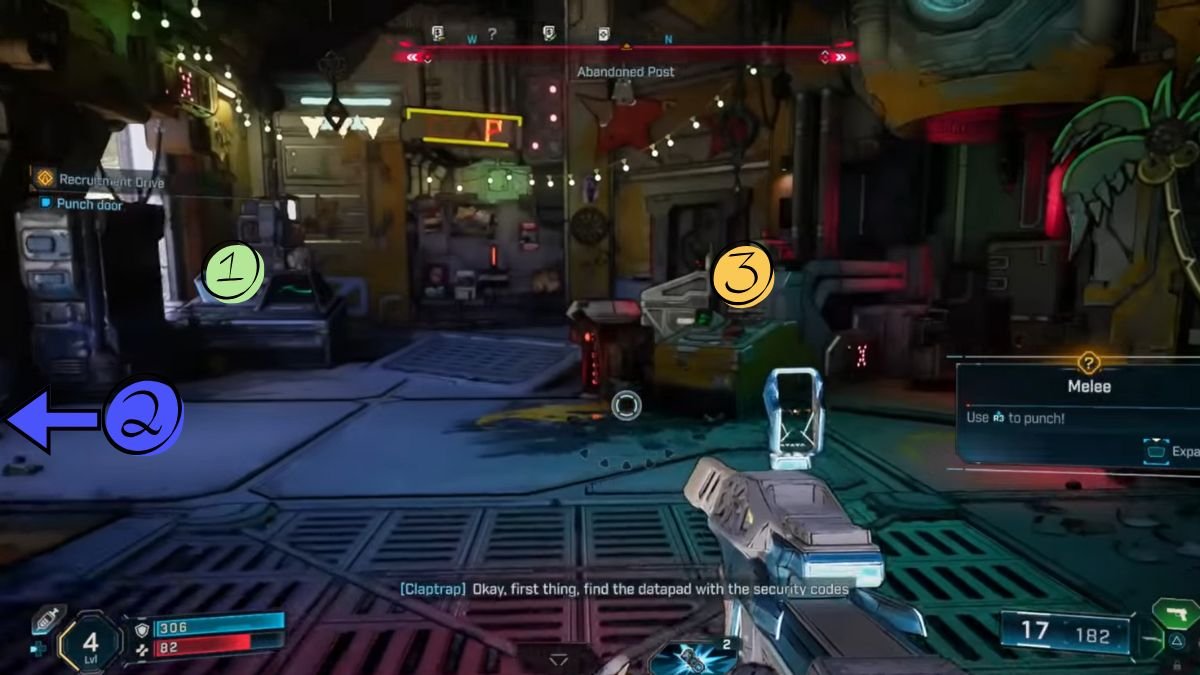
    Image via TheGameSlayer

    Your next step after freeing Claptrap from the elevator is to help it unlock the safehouse door. Go to the left of the elevator to find the door jammed, and Claptrap will ask you to punch it. Do just that, then head inside to find the datapad with the security codes to turn the safehouse into your own. Check out the steps below to know how to complete this objective too.

    1. Head straight from the door towards the console ahead and pick up the datapad on the left side of the console. 
    2. To the left of the main door is a terminal; interact with it to allow ECHO-4 to capture it.
    3. After Claptrap’s dialog, press the button on the smaller console to the right side of the main door, beside the Abandoned Post sign.

    You have now unlocked your first fast travel point in Borderlands 4, and there are more such points to unlock as you progress through the game. This would be the perfect time for you to get a sense of how Enhancements work in the game.

    Borderlands 4
    Kirthana K
    • LinkedIn

    Her lifelong passion of gaming led her to writing about them, bringing words to life and compiling comprehensive game guides that are quick and easy to follow. If not writing, you can catch her exploring Teyvat or the Palpagos Islands.

    Related Posts

    Windrose – How to Get the Conquistador’s Armor

    April 23, 2026

    Windrose – How to Remove a Death Marker

    April 23, 2026

    Pragmata – The Complete Training Sim Guide

    April 20, 2026
    PREFERED SOURCE ON GOOGLE

    Add as your Preferred Source on Google to find us more easily next time in your searches!

    FOLLOW US
    • Facebook
    • Twitter
    • Bluesky
    • Mastodon
    Don't Miss
    News
    Resident Evil 9 Party Attendees Spark DLC Rumours
    April 26, 2026

    Geoff’s presence at the Resident Evil 9 party sparks DLC rumours.

    Final Fantasy XIV is Using AI “to Much Success, and By Much Success, I Mean No Success”

    April 26, 2026

    Final Fantasy XIV Wants You to Get in the EVA

    April 25, 2026

    Windrose – How to Get the Conquistador’s Armor

    April 23, 2026

    Windrose – How to Remove a Death Marker

    April 23, 2026
    7.0

    REPLACED Review

    April 23, 2026
    7

    Tides of Tomorrow Review

    April 21, 2026
    • Home
    • Privacy Policy
    • About Us
    • Contact Us
    • Reviews Policy
    • OPENCRITIC
    © 2026 TheGameSlayer

    Type above and press Enter to search. Press Esc to cancel.

    We use cookies to ensure that we give you the best experience on our website. If you continue to use this site we will assume that you are happy with it.