

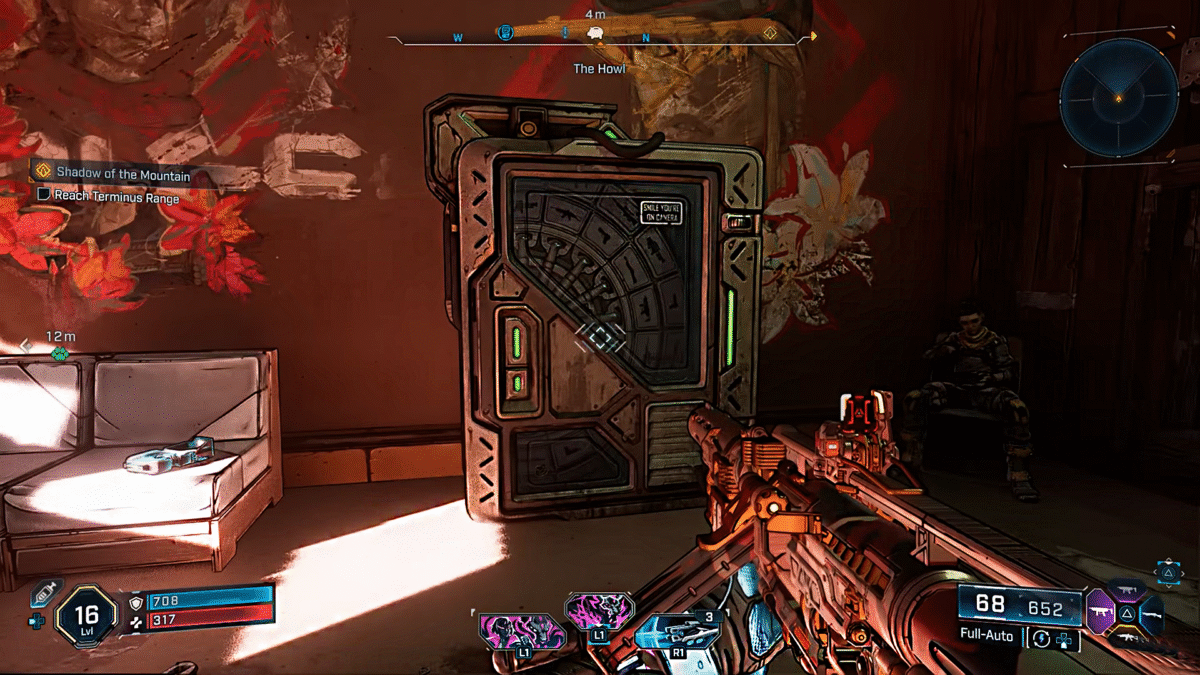
The Banks serve a key purpose in Borderlands 4, especially if you are looking to test out several builds. Consider them as a storage space that can be shared between all of your characters. Suppose you found a weapon that you have no use for in the game, but would be just the perfect weapon for that other character you were planning to work on. The bank will allow you to swap gears between characters. Here is an extensive look into how banks work in Borderlands 4.
How To Swap Weapons Between Your Characters in Borderlands 4
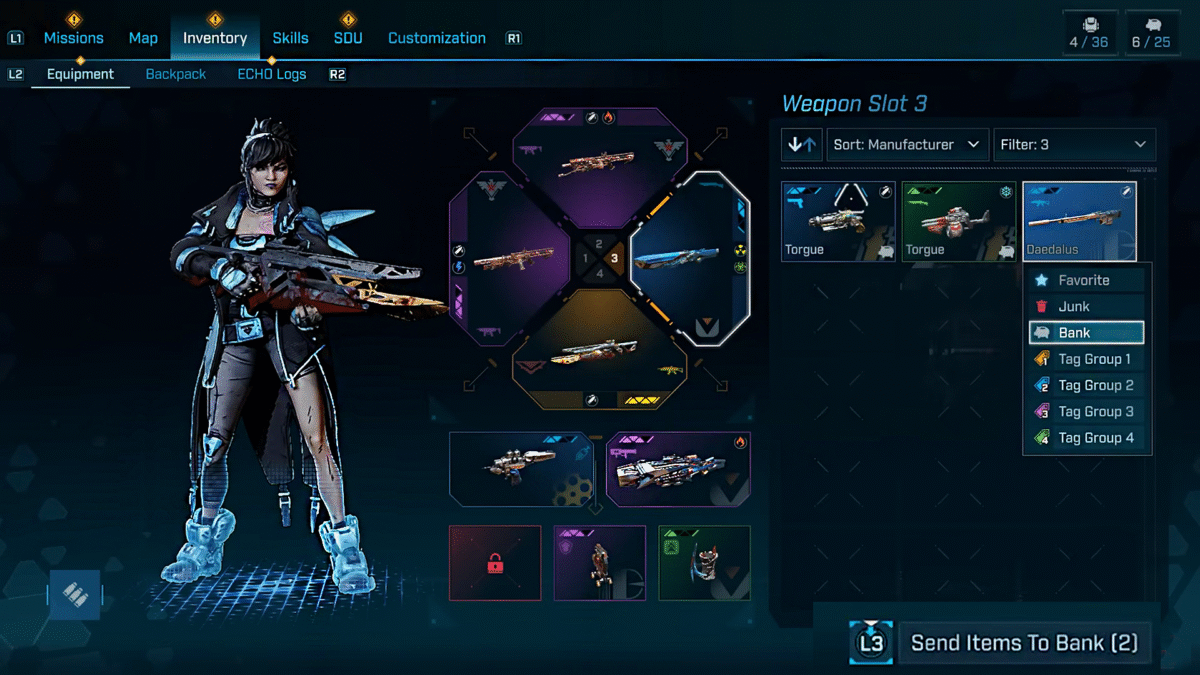
You can swap equipment between characters by depositing that weapon in a bank. When you then start playing as a different character, all the equipment stored at the bank will be available to you. Do note that the other character must be at the same level as the gun to equip it. You can’t just deposit a level 22 weapon, log in to your level 5 character, and expect that gun to work.
#1 Deposit Option:
- Here, you need to physically get to the bank located in Faction Towns. When you are hovering your mouse over these towns, look for a piggy bank icon under the Contains section. If a town has the icon, then it contains a bank in it.
- Now, get to the bank in the area, which will be in the shape of a vending machine with a vault door on the front. Interact with the bank to either Deposit or withdraw weapons.
- Deposit: It allows you to store your weapon in the bank.
- Withdraw: When you want to take the gun out of the bank to your inventory.
Note: All banks share the same loot. A character in a different faction town using a different bank will have access to the same loot stored inside the bank. You don’t have to go to the same spot or access the same bank to get the equipment.
Also Read: Borderlands 4 – All 3 Orb Locations at Harper’s Hideaway Evocarium
#2 Deposit Option (Faster):
The second option is far easier and more convenient compared to the first method. But it has its downsides.
- You can send weapons directly to your bank; just press the “Send Items to Bank “icon at the bottom right corner of the screen. If you want to deposit multiple guns, then first “Mark” them and then send the items; you will see the number of marked items next to the Send Items to Bank option.
Note: You can only deposit guns via the inventory shortcut. If you want to make a withdrawal, then you must access the bank physically and choose Withdraw to get the weapon.
How To Increase Bank Storage Slots In Borderlands 4
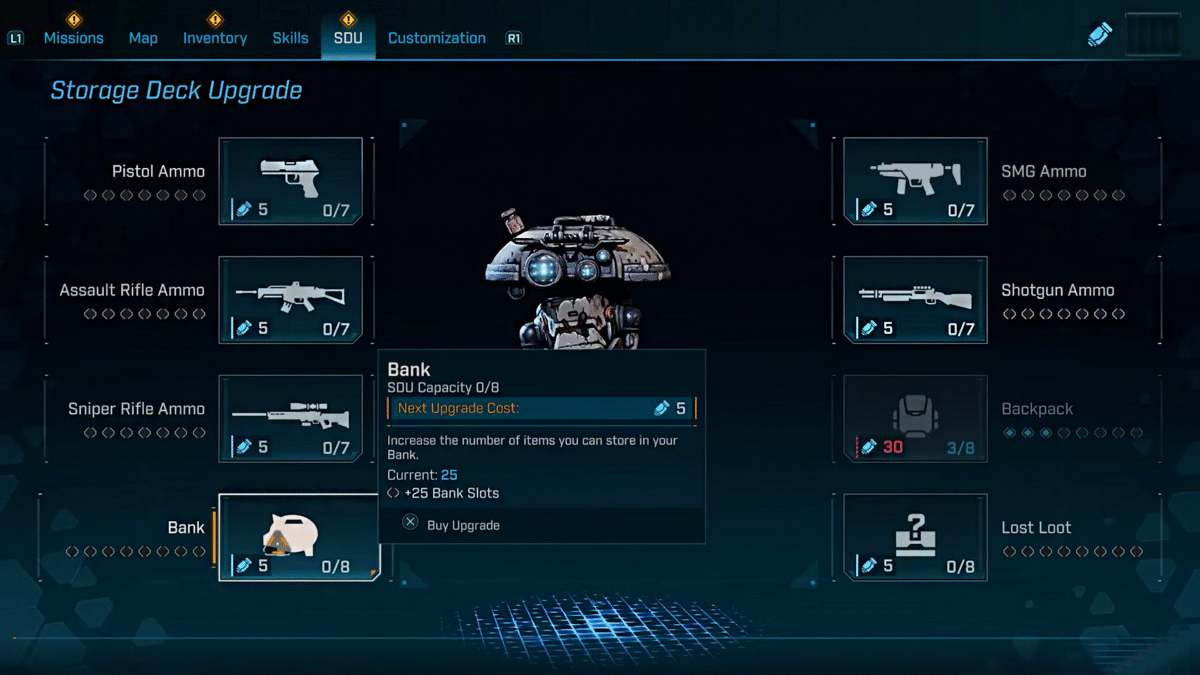
You increase bank storage slots by spending SDU Tokens. Head over to the SDU section of the menu, at the bottom left, you will see the Bank option with SDU capacity at 8. This means you can upgrade the Bank 8 times to reach the highest slots.
You can earn SDU tokens by finishing a number of tasks, discovering silos and safehouses, finishing vaults, and so on. The type of task will have an effect on the amount of SDU Tokens you earn in the game. When you discover a Myth of the Vault symbol, you will earn 5 SDU Tokens, but when you capture a Safehouse, the amount will increase to 40 SDU Tokens.
Once you increase the bank slots in Borderlands 4, you will be free to store multiple weapons in the bank to give access to them to all of your characters. So if you get lucky on one character, luck can also be shared with the others.
