Close Menu

    Subscribe to Updates

    Get the latest creative news from FooBar about art, design and business.

    What's Hot
    The Call of Duty Movie Rejected Spielberg for a Guy Who Hates Videogames
    April 29, 2026
    Pokemon TCG Pocket Pulsing Aura: 13 of the Strongest Cards from the Latest Set
    April 28, 2026
    Fortnite to Start Self-Refund Campaign Over D4vd Items Tomorrow
    April 27, 2026
    Facebook X (Twitter) Instagram
    TheGameSlayerTheGameSlayer
    Facebook X (Twitter)
    • Home
    • News
    • Guides
    • Reviews
    • Features
    • Lists
    TheGameSlayerTheGameSlayer
    Home»Guides»FANTASY LIFE i: The Girl Who Steals Time: Day & Night Cycle Explained
    Guides

    FANTASY LIFE i: The Girl Who Steals Time: Day & Night Cycle Explained

    By Kirthana KMay 19, 2025
    Share
    Facebook Twitter Reddit WhatsApp Pinterest LinkedIn

    FLi is a fun, cozy RPG where you are tasked with learning how to work through different Lives and embarking on an open-world adventure. There is a lot to look forward to, and each day offers a different adventure. While doing some tasks, if you don’t have the patience to sit through an entire day, you can always learn how to change time and move through the day and night cycle. This guide will explain how to change time in FLi The Girl Who Steals Time.

    How To Change Time in FLi: The Girl Who Steals Time
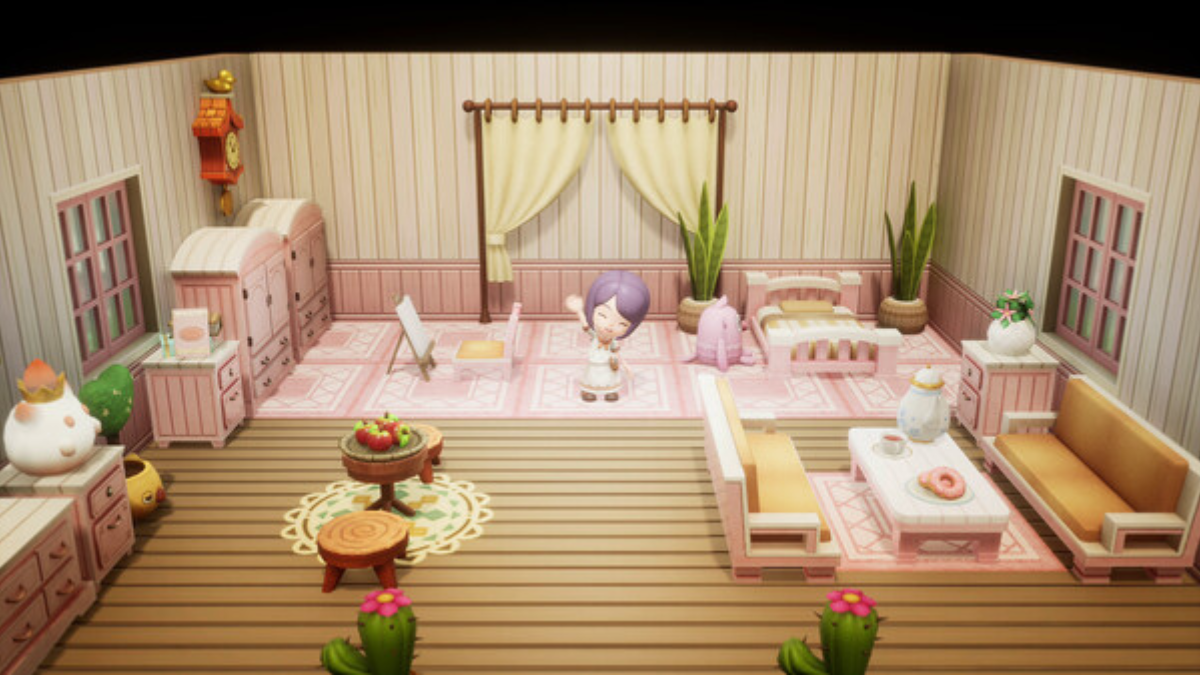
    Image via TheGameSlayer

    The only way to change time in FLi is to find a bed and rest. This is especially useful when you encounter a job that will require you to continue to the next day. Or you might be waiting for a store item that only refreshes after a new day has begun. These obstacles can hamper your gameplay experience, as you need to find a way to skip time and get to completing the task at hand quickly. 

    There are two ways to rest in the game, and we have detailed them both below.

    Resting at Campsites

    If you are out exploring the wilderness, then you wouldn’t have time to head back to your home to rest. Instead, what you can do is locate campsites strewn randomly in the overworld and use it to sleep. You can also rest at any inn in any village to rest and change time. Resting also replenishes any lost health, which is a great way to heal while out in the open.

    Sleeping at Home

    The easiest way to change time is to just head home and sleep. You can interact with your room and choose to sleep to pass the time, and once you wake up, it will either be day or night, depending on when you went to bed. But this method will require you to not stray too far away from your home, so you have to stay close by or find ways to come home quickly if you wish to use your bed exclusively.

    Why Changing Time Matters

    Image via TheGameSlayer

    Changing time is crucial for certain tasks or objectives in the game. Some monsters or bosses that you are required to hunt will only appear during certain times of the day. Other times, you might want to access the store to collect some items. If it is nighttime, the stores are closed, so you need to rest and quickly reset the time to day to get the stores to open. 

    Also, some NPCs will appear only during certain times of the day, and some quests will require a change in time too. Besides all this, fishing and gathering resources are also affected by the change in time, as some fish or resources only spawn during the daytime or night. Keeping all this in mind, you need to plan ahead and find the nearest campsite, inn, or head home to rest if you want to continue on with your adventure. 

    FANTASY LIFE i: The Girl Who Steals Time
    Kirthana K
    • LinkedIn

    Her lifelong passion of gaming led her to writing about them, bringing words to life and compiling comprehensive game guides that are quick and easy to follow. If not writing, you can catch her exploring Teyvat or the Palpagos Islands.

    Related Posts

    Pokemon TCG Pocket Pulsing Aura: 13 of the Strongest Cards from the Latest Set

    April 28, 2026

    Windrose – How to Get the Conquistador’s Armor

    April 23, 2026

    Windrose – How to Remove a Death Marker

    April 23, 2026
    PREFERED SOURCE ON GOOGLE

    Add as your Preferred Source on Google to find us more easily next time in your searches!

    FOLLOW US
    • Facebook
    • Twitter
    • Bluesky
    • Mastodon
    Don't Miss
    News
    The Call of Duty Movie Rejected Spielberg for a Guy Who Hates Videogames
    April 29, 2026

    Most games are getting the movie treatment, and of course, Call of Duty is falling…

    Pokemon TCG Pocket Pulsing Aura: 13 of the Strongest Cards from the Latest Set

    April 28, 2026

    Fortnite to Start Self-Refund Campaign Over D4vd Items Tomorrow

    April 27, 2026

    Resident Evil 9 Party Attendees Spark DLC Rumours

    April 26, 2026

    Final Fantasy XIV is Using AI “to Much Success, and By Much Success, I Mean No Success”

    April 26, 2026

    Final Fantasy XIV Wants You to Get in the EVA

    April 25, 2026

    Windrose – How to Get the Conquistador’s Armor

    April 23, 2026
    • Home
    • Privacy Policy
    • About Us
    • Contact Us
    • Reviews Policy
    • OPENCRITIC
    © 2026 TheGameSlayer

    Type above and press Enter to search. Press Esc to cancel.

    We use cookies to ensure that we give you the best experience on our website. If you continue to use this site we will assume that you are happy with it.