


Arknights Endfield’s focus on industry is a major shake-up to the typical Gacha formula, and is introduced slowly over the course of the story. One of those quests comes right after you finish finalizing the situation in the Hub, known as Paving the Way.
Paving the Way throws a lot of mechanics at you: making Mining Rigs, Gear Facilities, unlocking blueprints, and so on. It is a long quest, but a pretty useful one that helps lay out key game mechanics step by step to make sure you understand everything. What you learn here will be paramount to developing later game armors and gear, so let’s make sure it’s all understood!

Also Read
Starting Paving the Way
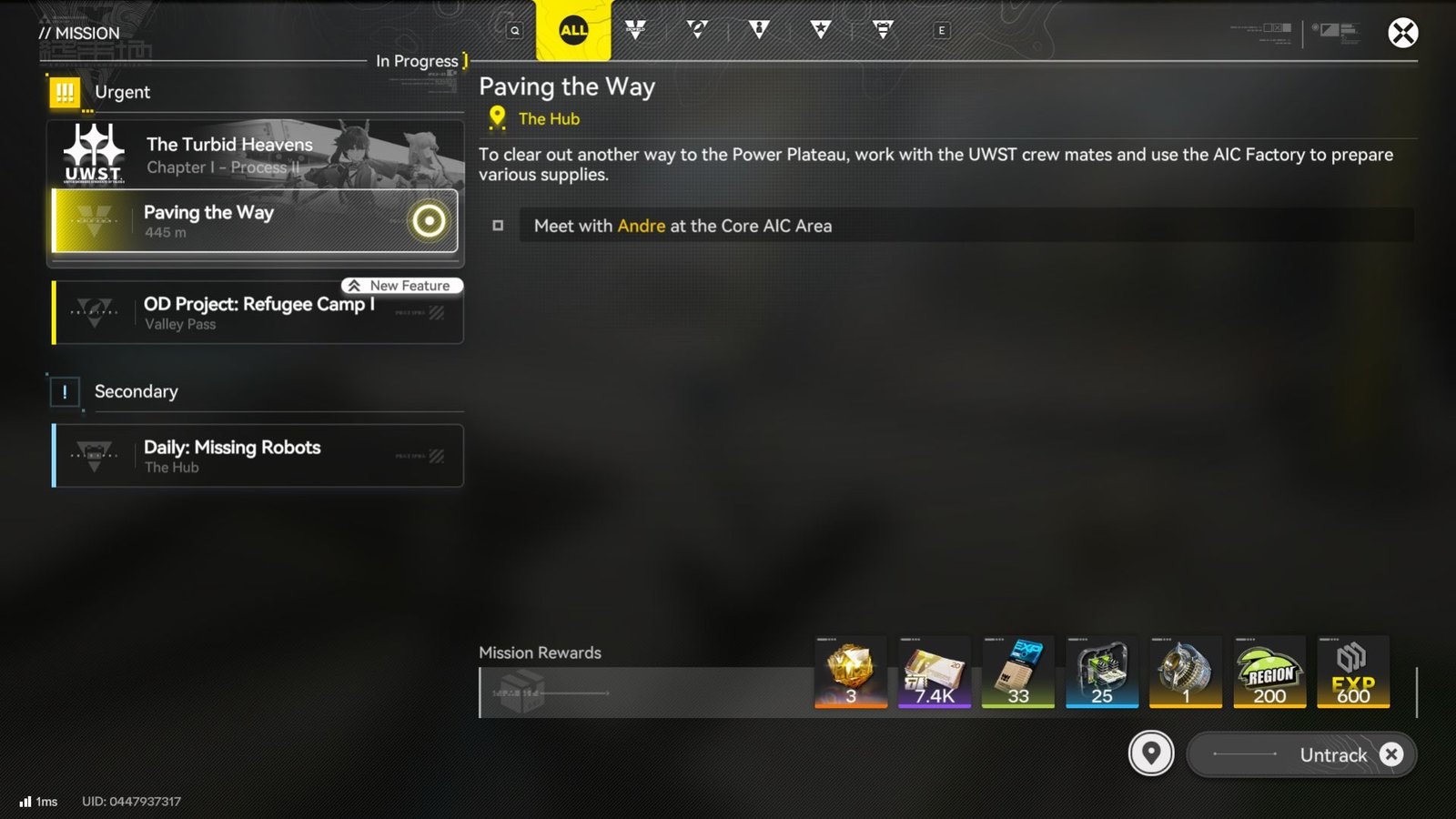
To begin, simply follow through the main story until Andre asks for you at the Core AIC Area. He’ll begin to introduce the AIC Factory Plan, Endfield’s Facility tech tree. The tech tree is seperated into 5 different trees, each focused on a different purpose.
Whether you follow the recommended path or branch off, each tab will cost one Basic AIC Index. These Indexes come from Protocol Dataloggers, marked by the inflatable tube men found at each. Each you find will give you one Index, to be traded in for any one Facility on the tree.
One of the early steps in this mission is to mine Originium and Amethyst Ores, and this can only be done if you get the Electric Mining Rig set up done in the right way.
How to Place & Set up the Electric Mining Rigs Correctly
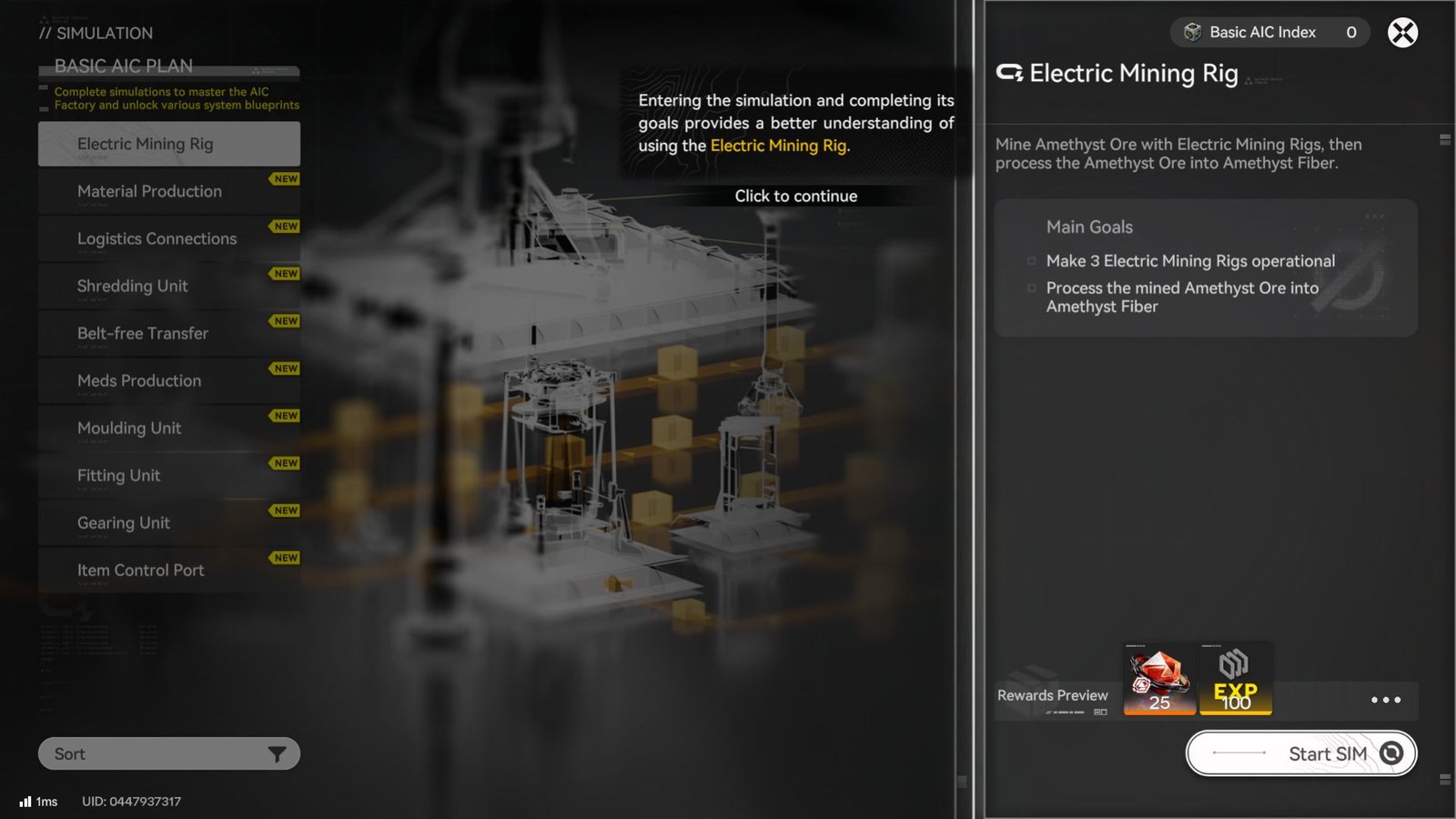
The first two objectives of this quest involve helping Andre set up Electric Mining Rigs to farm Amethyst and Originium Ore. These are eventually used to make Mining Gear equipment later in the quest.
Setting up an Electric Mining Rig correctly has three steps:
- placing the Rigs (you will need 2 of these) at the right spots,
- placing up an Electric Pylon to power the Rig
- connecting the Electric Pylon to the Relay Tower
You can either place the Rigs first, or the Pylon – that does not matter. However, the Rigs will only start working once you have completed Step 3. The process remains the same for both the Originium and Amethyst deposits. The Originium deposits, and hence the setup for the Electric Mining Rig for these will be to the south of the Automation core, while to convert Amethyst ore into Amethyst Fiber, go to the west, up a hill.
Set up two Electric Mining Rigs, one on each of the open nodes. These should be placed right in the middle of the ore deposits.
Next, plant an Electric Pylon between the two, ensuring that both are in radius(you will know this if the blue coloured boundary covers the entire mining area)
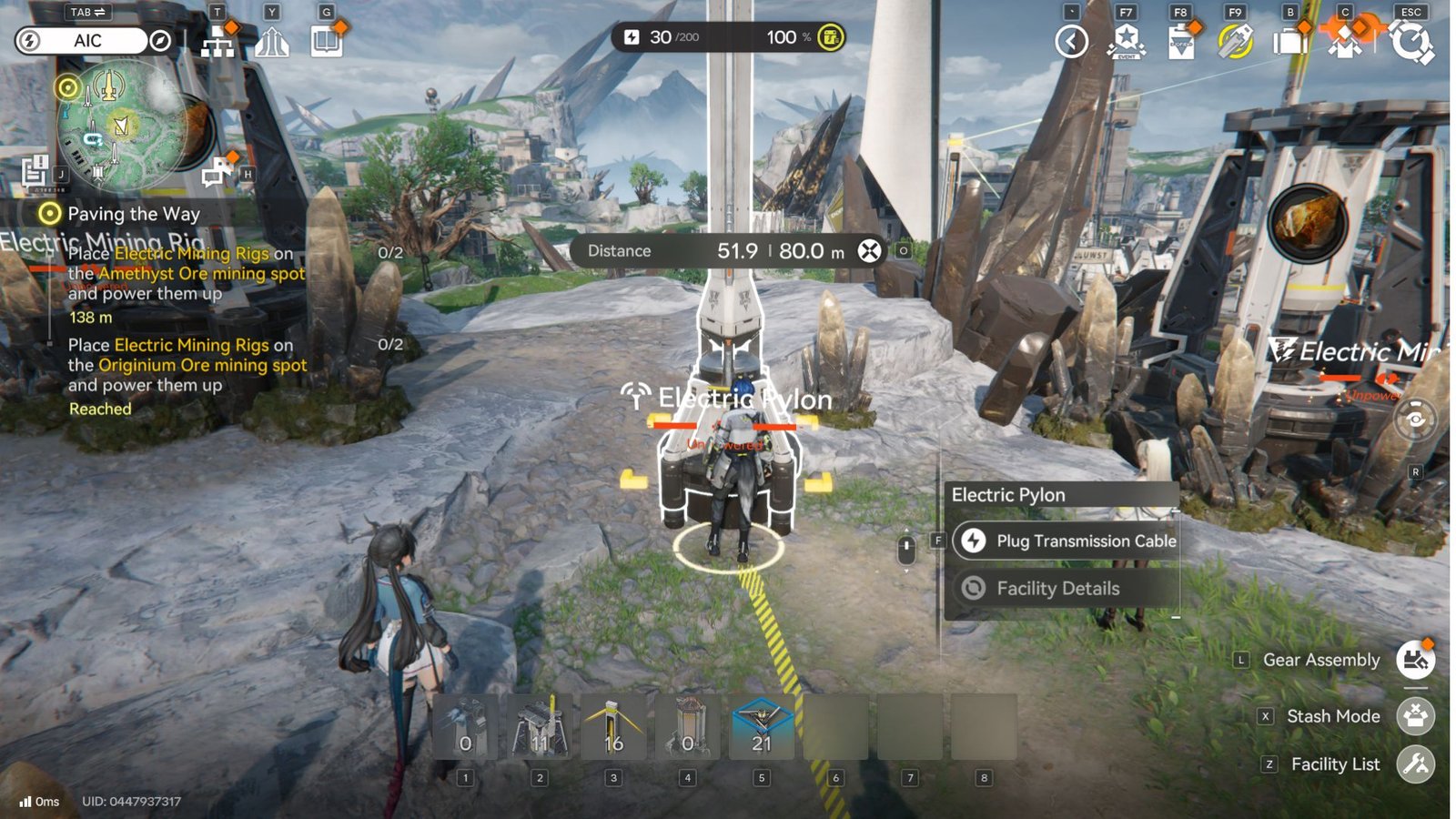
Now, go to the Relay Tower, select Start Transmission, and connect it to the Electric Pylon. This then powers up the Electric Mining Rig, and you are good to go. Select ‘Storage Mode’, to then stack up and collect the final output.
How To Replace A Portable Originium Rig with an Electric Mining Rig
If you have placed a Portable Originium Rig, which you now want to replace with an Electric one, use the Stash Mode. This then frees up that particular mining spot to place an Electric Mining Rig. These are the exact steps to do this:
- Press Tab, and then X to stash the current Rig
- Press F to confirm (the rig that you have currently selected to be stashed will show on screen as red)
- Press X to exit the Stash Mode
- You can now put up the Electric Mining Rig (provided you have the materials for it)
Hand over the ore to Andre to complete this part of Paving the Way quest. You now have to go speak to Vannikov, one of the crew members, who asks you to use the AIC Factory to assemble equipment for the crew.
How To Use The Set up Gearing Units (Assemble Equipment for the Crew)
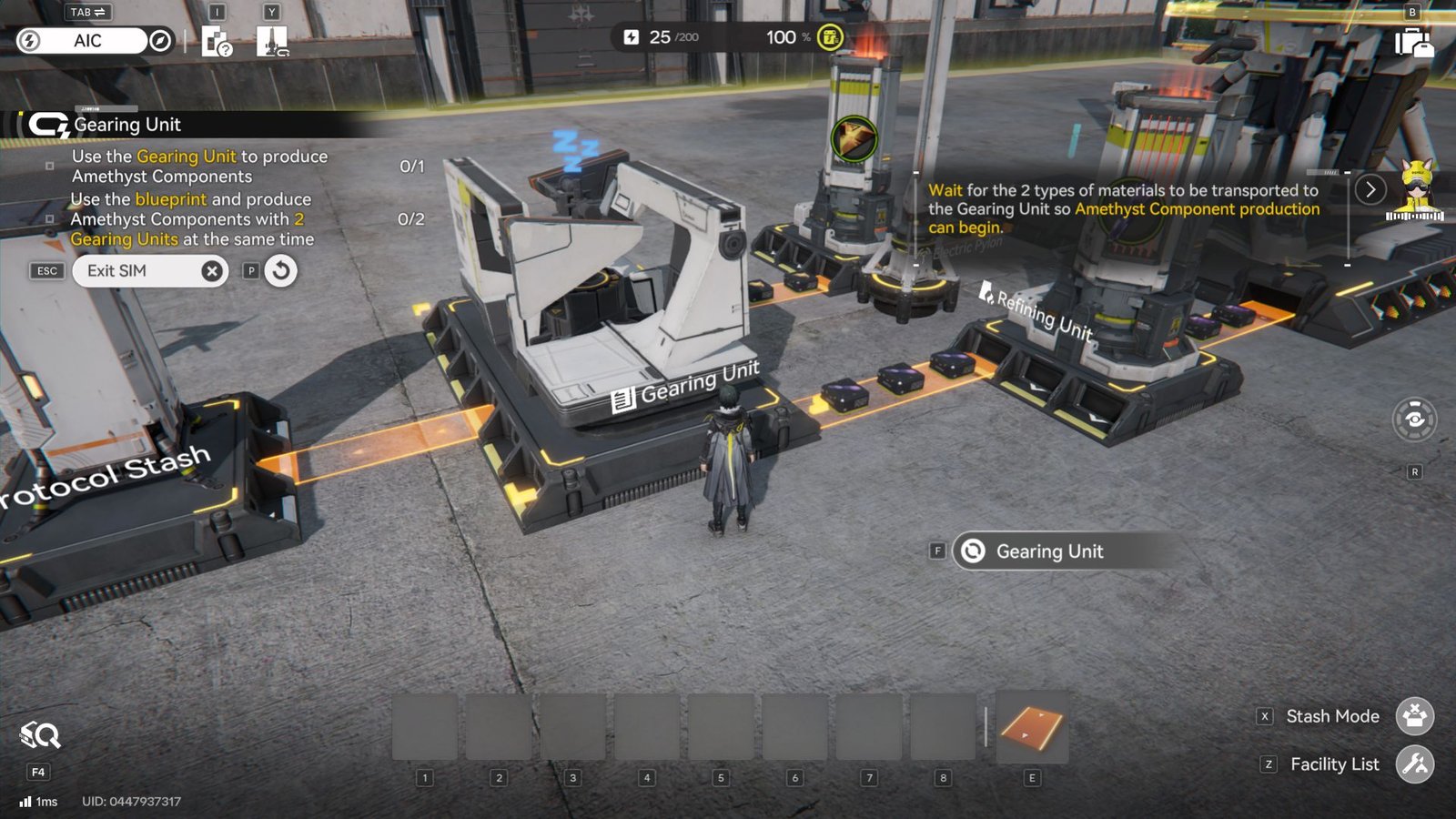
You’re forced to proceed through one Simulation, namely the Gearing Unit’s. The Gearing Unit is a Facility focused on turning refined resources into usable materials for Gear and Armor. Its setup is a bit more complicated, which is why Endfield introduces the Facility Blueprint.
As shown by the blueprint below, the Gearing unit functions via two Refining Units supplying it with proper materials, then outputting the finalized Gear material.
With an Automation Core’s access to your stash, connect the two Refining Units via conveyor belts to output ports on the Automation Core. Then, connect the Refining Units’ output ports to the Gearing Unit itself.
As long as the Gearing Unit is supplied with the refined materials, it will continue to construct Gear materials, in this case, Amethyst Components.
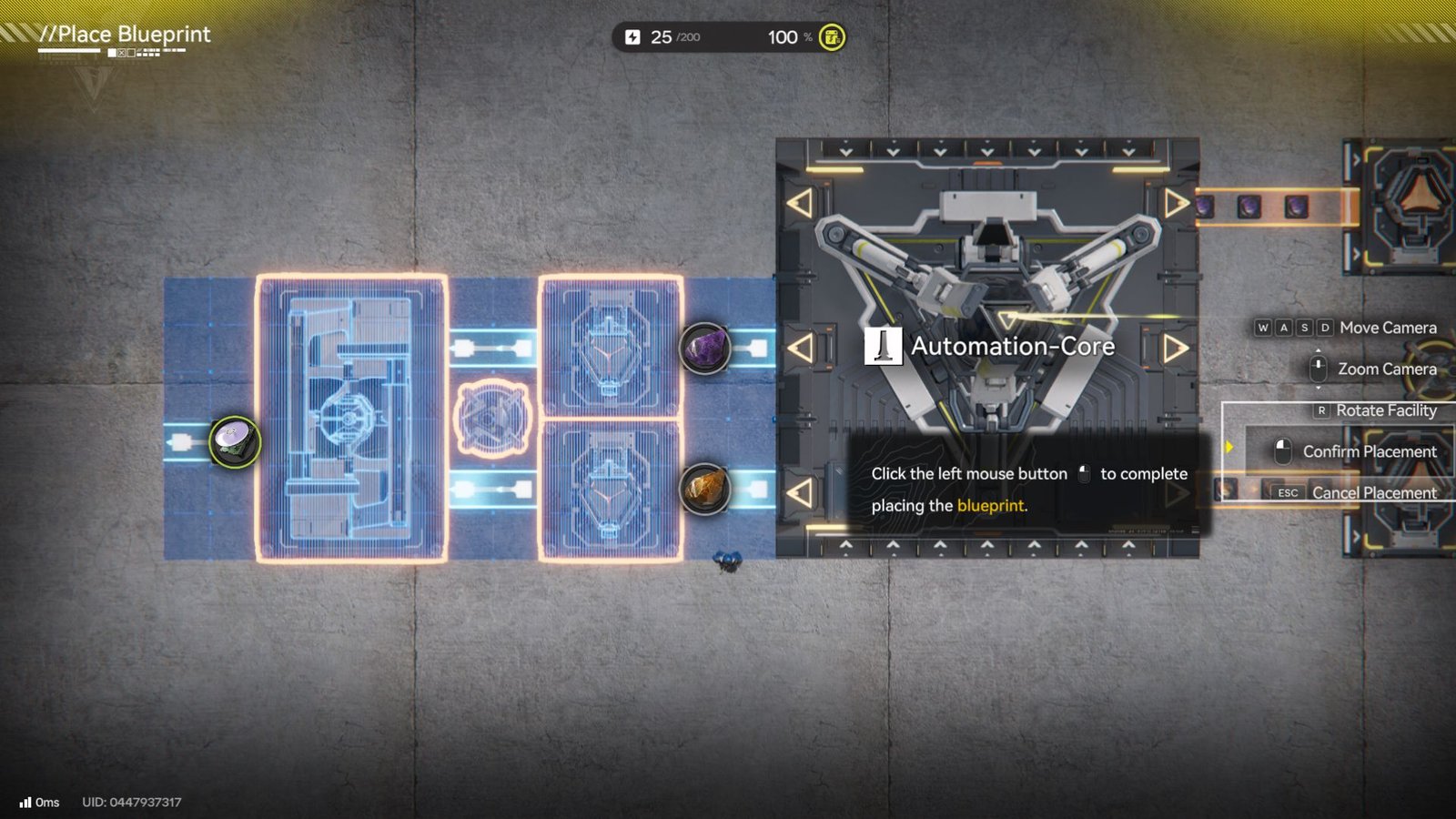
Once you’ve completed the Simulation for the Gearing Unit, you’ll unlock the blueprint for Amethyst Components, allowing you to construct them in any Gearing Unit.
Pro Tip: Plenty of very useful blueprints are locked behind Simulation completion, so make sure to complete as many as possible to maximize your potential output. Facility Blueprints charge you for the full construction of several Facilities to construct them in a specific layout.
Andre will then ask you to build four Mining Suits and Gear that requires Amethyst Components in their construction. Use your newfound understanding of the Gearing Unit to mirror the Simulation’s construction, or use a blueprint to automatically construct it.
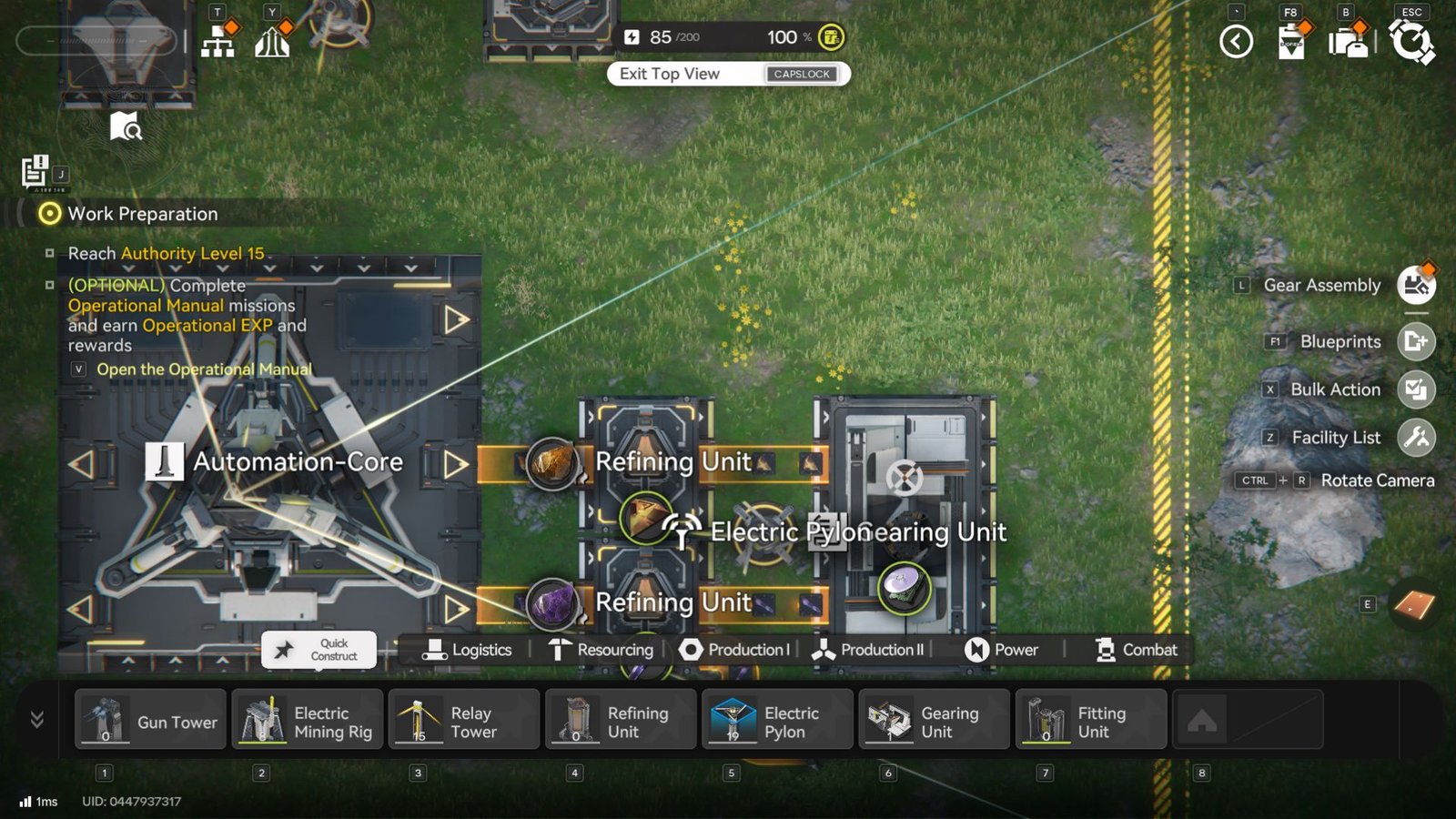
I found shifting to an overhead view to be very helpful to see how my base is turning out or what changes can be made to optimize it. You can press Caps Lock while in construction mode to change to this view.
Once you have the required Components, craft the Mining Suits and turn them in to Andre to end the quest and move on further in Endfield’s story! You’ll need to raise your Authority Level, so keep the lessons here in mind to optimize your grind across Talos-II.
