

Close Menu

    Subscribe to Updates

    Get the latest creative news from FooBar about art, design and business.

    What's Hot
    Paralives – How to Add Stairs & Basement
    June 4, 2026
    Paralives – How to Find, Track & Delete NPCs
    June 3, 2026
    Deep Rock Galactic: Rogue Core Early Access Impressions So Far
    June 3, 2026
    Facebook X (Twitter) Instagram
    TheGameSlayerTheGameSlayer
    Facebook X (Twitter)
    • Home
    • News
    • Guides
    • Reviews
    • Features
    • Lists
    TheGameSlayerTheGameSlayer
    Home»Guides»Windrose – How to Build A Wharf
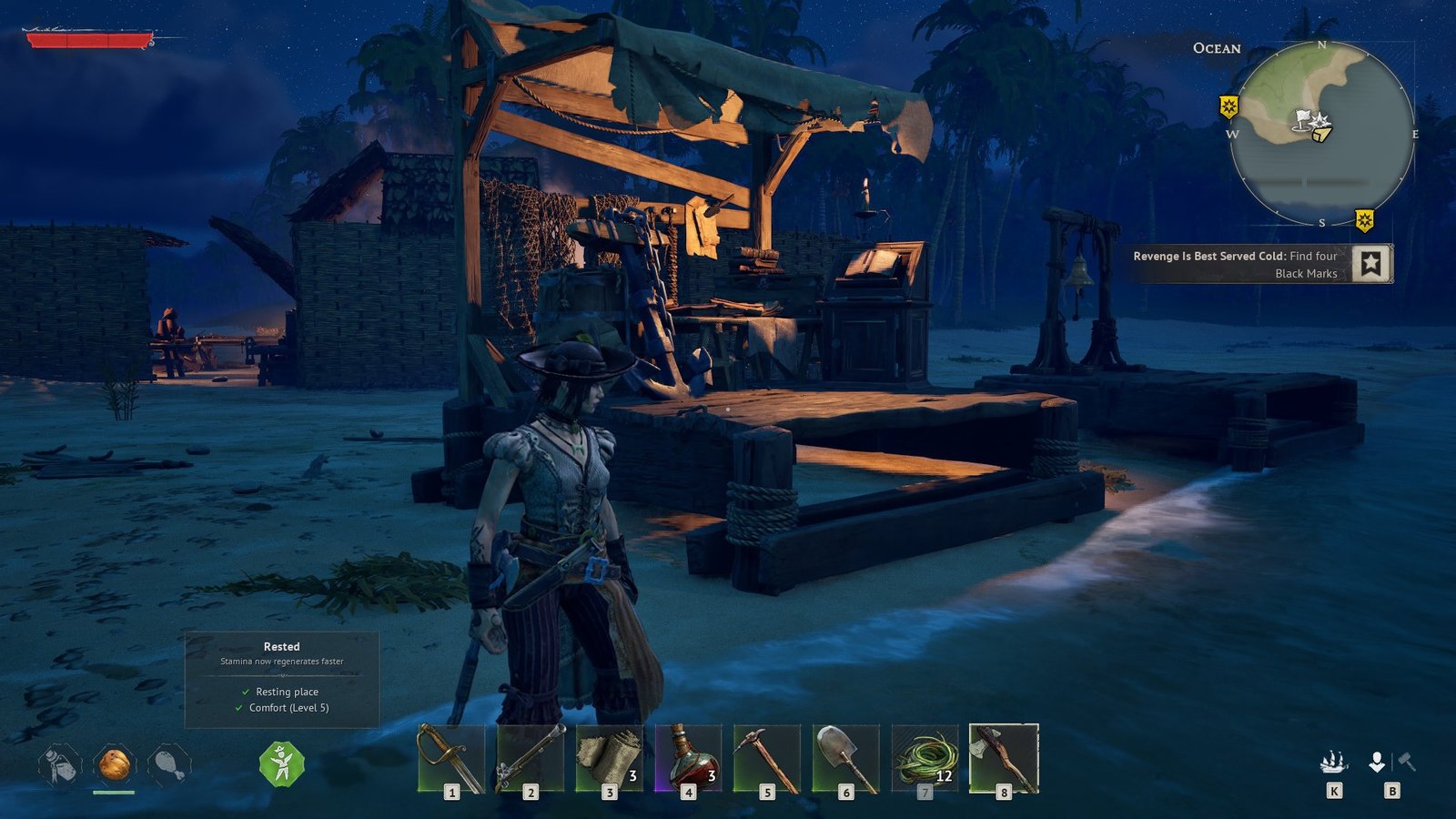
    Windrose Wharf Built
    Image via TheGameSlayer | Kraken Express
    Guides

    Windrose – How to Build A Wharf

    By Melissa SarnowskiApril 17, 2026
    Share
    Facebook Twitter Reddit WhatsApp Pinterest LinkedIn

    Your first set of tutorial quests in Windrose shows you how to survive off the land after you’re stranded. The second set teaches you about using and managing ships, which means you need to build a wharf at the start of those quests.

    After you rescue seven sailors and repair the shipwreck Doctor Galen mentioned, you’ll finish the first chain of tutorial sets, and that opens up the second set for you. To start off the second set, you need to build the infrastructure that lets you actually improve and equip your ship, preparing it for battle.

    Build a Wharf

    When you talk to Doctor Galen after fixing up the Ketch, you unlock a set of new crafting recipes that you need for the upcoming tasks that eventually lead to fighting Thomas Richards. One of those recipes is a pretty important one (like the Shovel), the wharf, and it’s surprisingly simple to build.
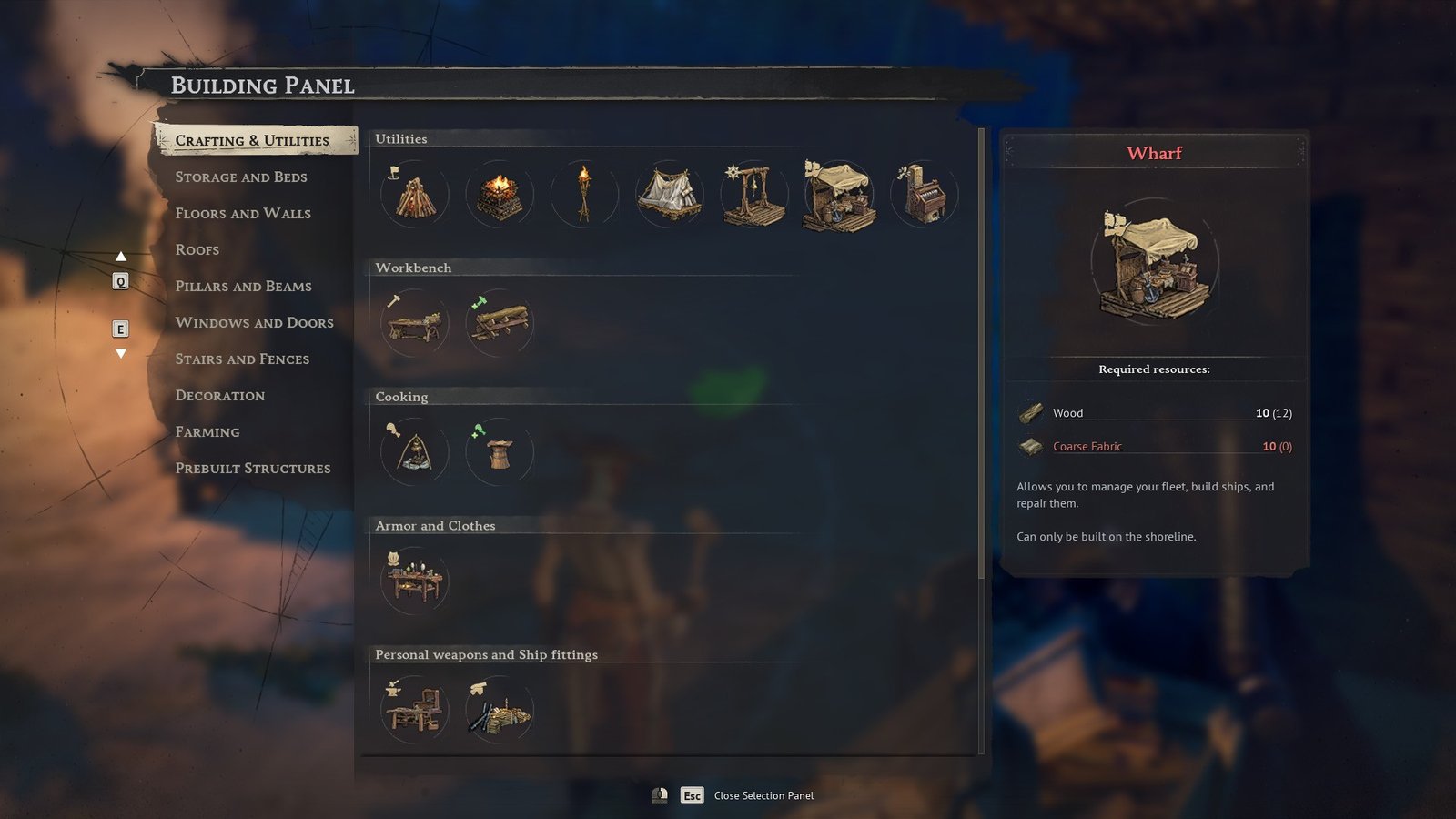
    Windrose Wharf Recipe
    Image via TheGameSlayer | Kraken Express

    For materials, all you need is:

    • 10 Wood
    • 10 Coarse Fabric

    Then, go into build mode, select the wharf, and place it where you want it to be at your camp. Similar to the fast travel bell, the wharf has to be placed near the shoreline.
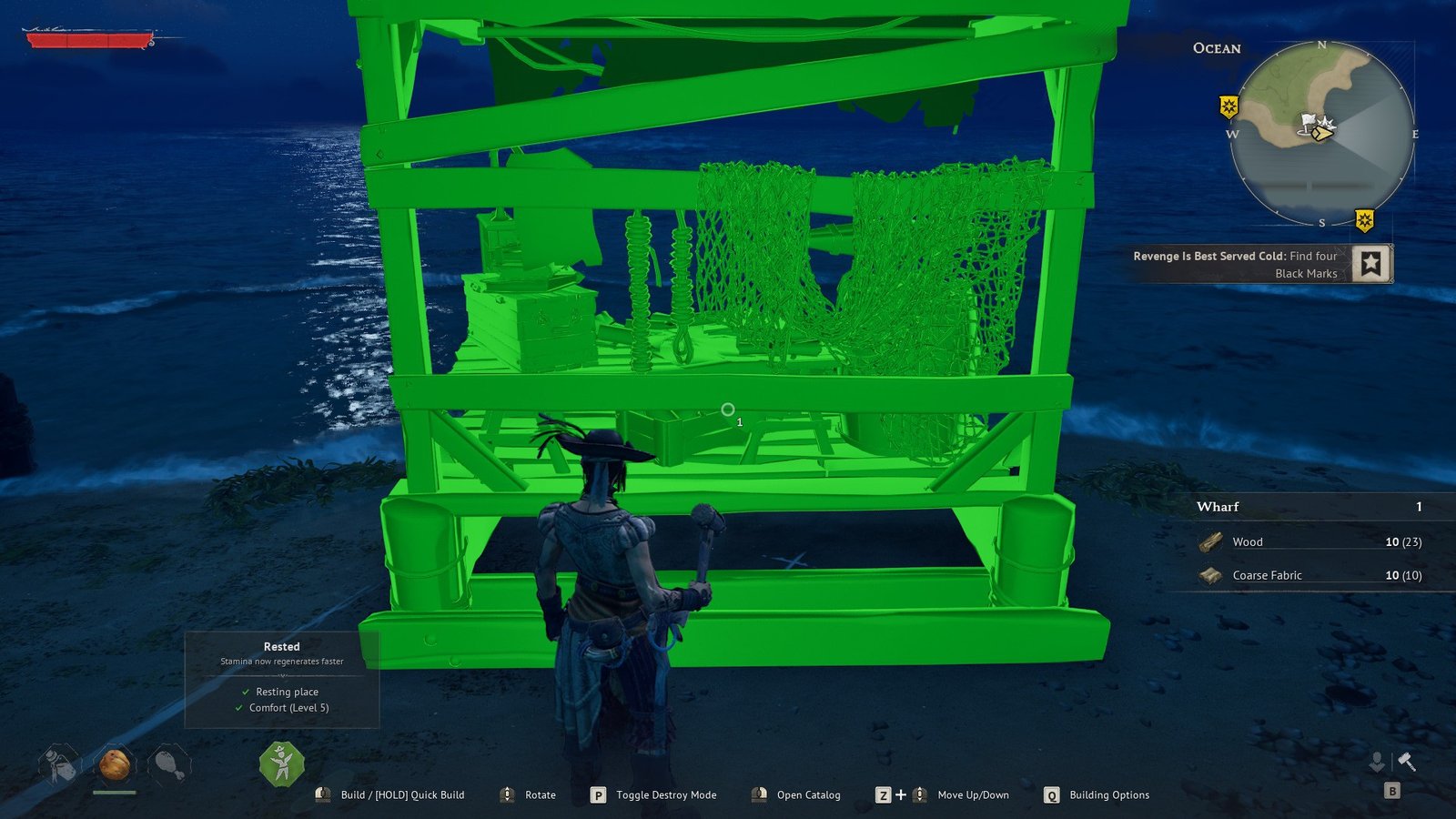
    Windrose Wharf Plans
    Image via TheGameSlayer | Kraken Express

    Using the Wharf

    The wharf is used to put items on your ship and make adjustments, such as adding cannons, and even build new ships. If you haven’t already, call your ship to the location where your wharf is located. Then, use the wharf to open the ship management menu.
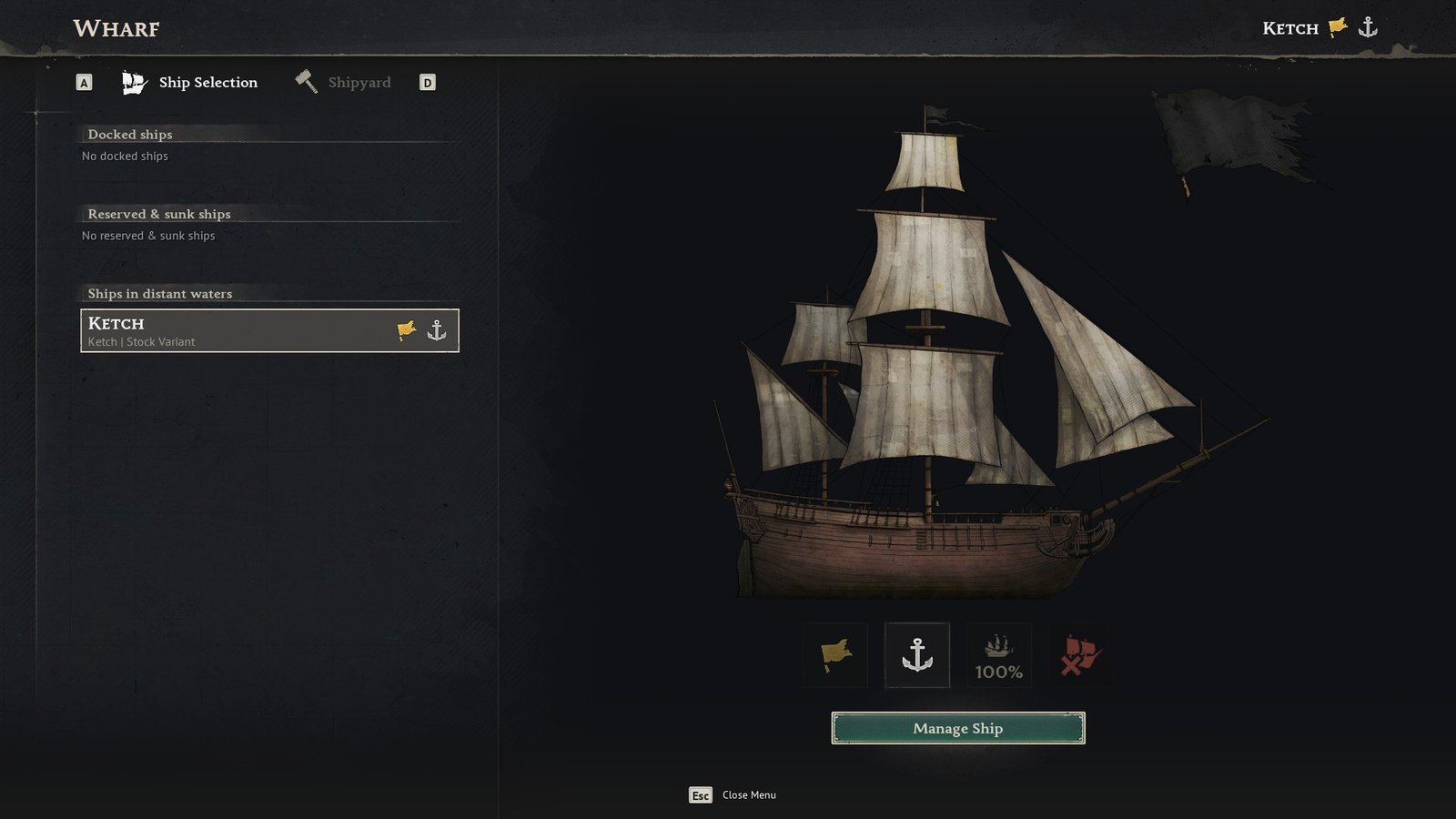
    Windrose Wharf Menu
    Image via TheGameSlayer | Kraken Express

    In this menu, you can check your ship’s status, and even view other ships that you might have. For the time being, your task is to add 12-Pounder Cannons to your ship, as per the tutorial quests.
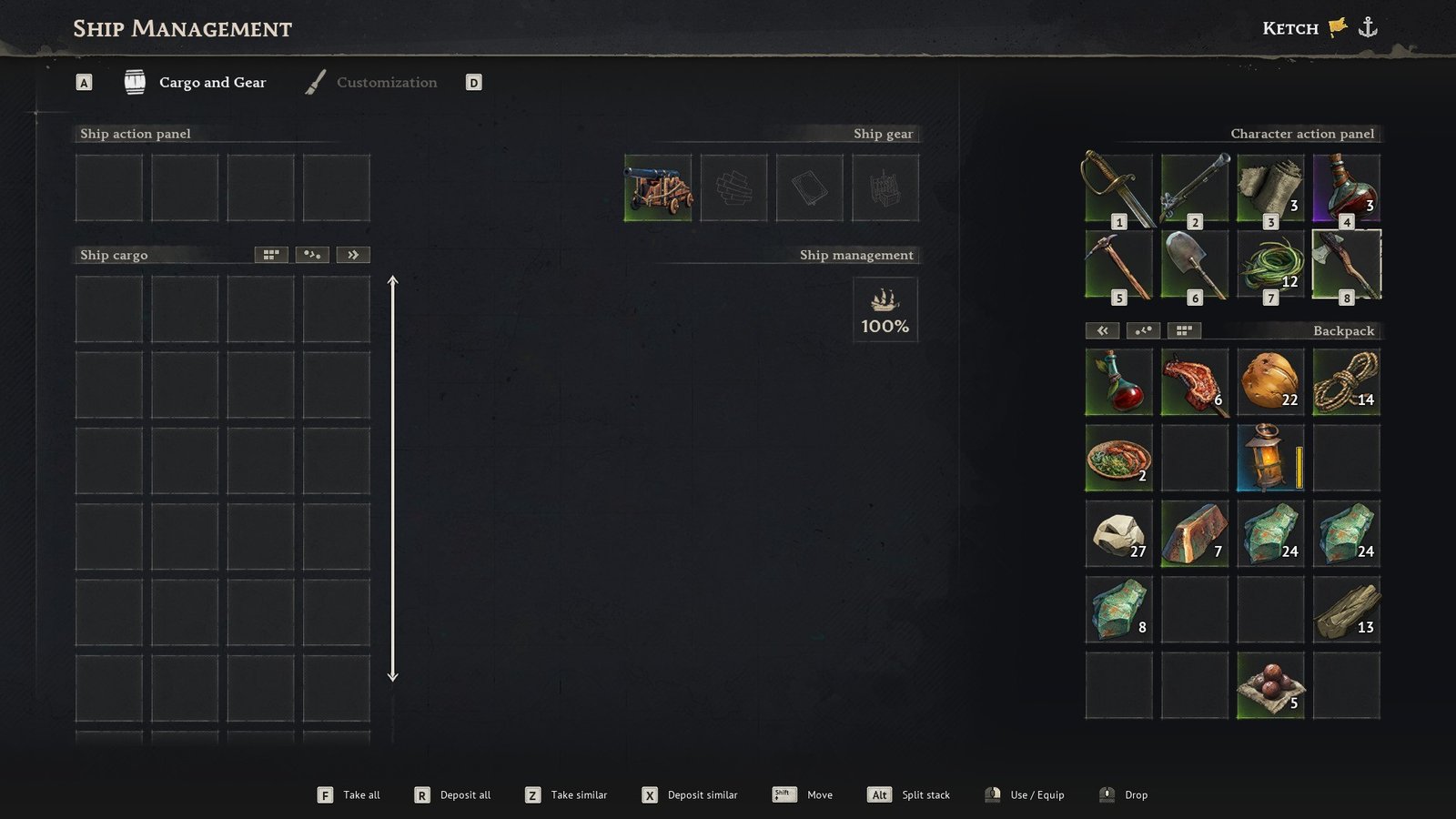
    Windrose Wharf Use
    Image via TheGameSlayer | Kraken Express

    This means that you also need to build a Shipwright’s Workshop, which requires:

    • 15 Wood
    • 10 Coarse Fabric
    • 5 Copper Ingots

    Then, use the workshop to craft your cannon, which requires:

    • 10 Copper Ingots
    • 10 Wood

    With the cannon in your inventory, open the ship menu for the Ketch using the wharf, and then equip the cannon to complete this quest. From there, you can continue using the workshop and wharf to explore what else you can add to your ship in Windrose.

    Windrose
    Melissa Sarnowski
    • Website
    • LinkedIn

    Melissa Sarnowski has been a game writer for almost three years. While she's willing to dig into any game for an article, her favorite genres include RPGs and horror games.

    Related Posts

    Paralives – How to Add Stairs & Basement

    June 4, 2026

    Paralives – How to Find, Track & Delete NPCs

    June 3, 2026

    Paralives – How To Upload Houses & Paras To Steam Workshop

    June 3, 2026
    PREFERED SOURCE ON GOOGLE

    Add as your Preferred Source on Google to find us more easily next time in your searches!

    FOLLOW US
    • Facebook
    • Twitter
    • Bluesky
    • Mastodon
    Don't Miss
    Guides
    Paralives – How to Add Stairs & Basement
    June 4, 2026

    If you want to create a solid house that you can list on Steam Workshop…

    Paralives – How to Find, Track & Delete NPCs

    June 3, 2026

    Deep Rock Galactic: Rogue Core Early Access Impressions So Far

    June 3, 2026

    Paralives – How To Upload Houses & Paras To Steam Workshop

    June 3, 2026

    Paralives – How To Gain Or Lose Weight

    June 3, 2026

    Paralives – How to Add a New Parafolk to an Existing Household

    June 3, 2026

    Paralives – How to Fix Stuck Parafolk Issue

    June 2, 2026
    • Home
    • Privacy Policy
    • About Us
    • Contact Us
    • Reviews Policy
    • OPENCRITIC
    © 2026 TheGameSlayer

    Type above and press Enter to search. Press Esc to cancel.

    We use cookies to ensure that we give you the best experience on our website. If you continue to use this site we will assume that you are happy with it.