

Close Menu

    Subscribe to Updates

    Get the latest creative news from FooBar about art, design and business.

    What's Hot
    Resident Evil 9 Party Attendees Spark DLC Rumours
    April 26, 2026
    Final Fantasy XIV is Using AI “to Much Success, and By Much Success, I Mean No Success”
    April 26, 2026
    Final Fantasy XIV Wants You to Get in the EVA
    April 25, 2026
    Facebook X (Twitter) Instagram
    TheGameSlayerTheGameSlayer
    Facebook X (Twitter)
    • Home
    • News
    • Guides
    • Reviews
    • Features
    • Lists
    TheGameSlayerTheGameSlayer
    Home»Guides»Heartopia – How to Turn Off Snow
    Standing near a giant tree in the snow in Heartopia, about to turn the snow off.
    Image by TheGameSlayer
    Guides

    Heartopia – How to Turn Off Snow

    By Lyssa GreywoodFebruary 1, 2026
    Share
    Facebook Twitter Reddit WhatsApp Pinterest LinkedIn

    The snow in Heartopia is whimsical and lovely, especially during the Winter Event, but it can cause some issues if you’re using a mobile or PC that can’t keep up with the graphical demands. The snow on the ground in Heartopia is just another layer on top of the regular scenery, so it can be turned off.

    However, you cannot turn off falling snow, so if you’re having game performance problems when it’s actively snowing, you might want to consider turning the graphics down. You can turn your graphics settings down and turn the snow off in the same place.

    Where to Find Your Graphics Settings in Heartopia
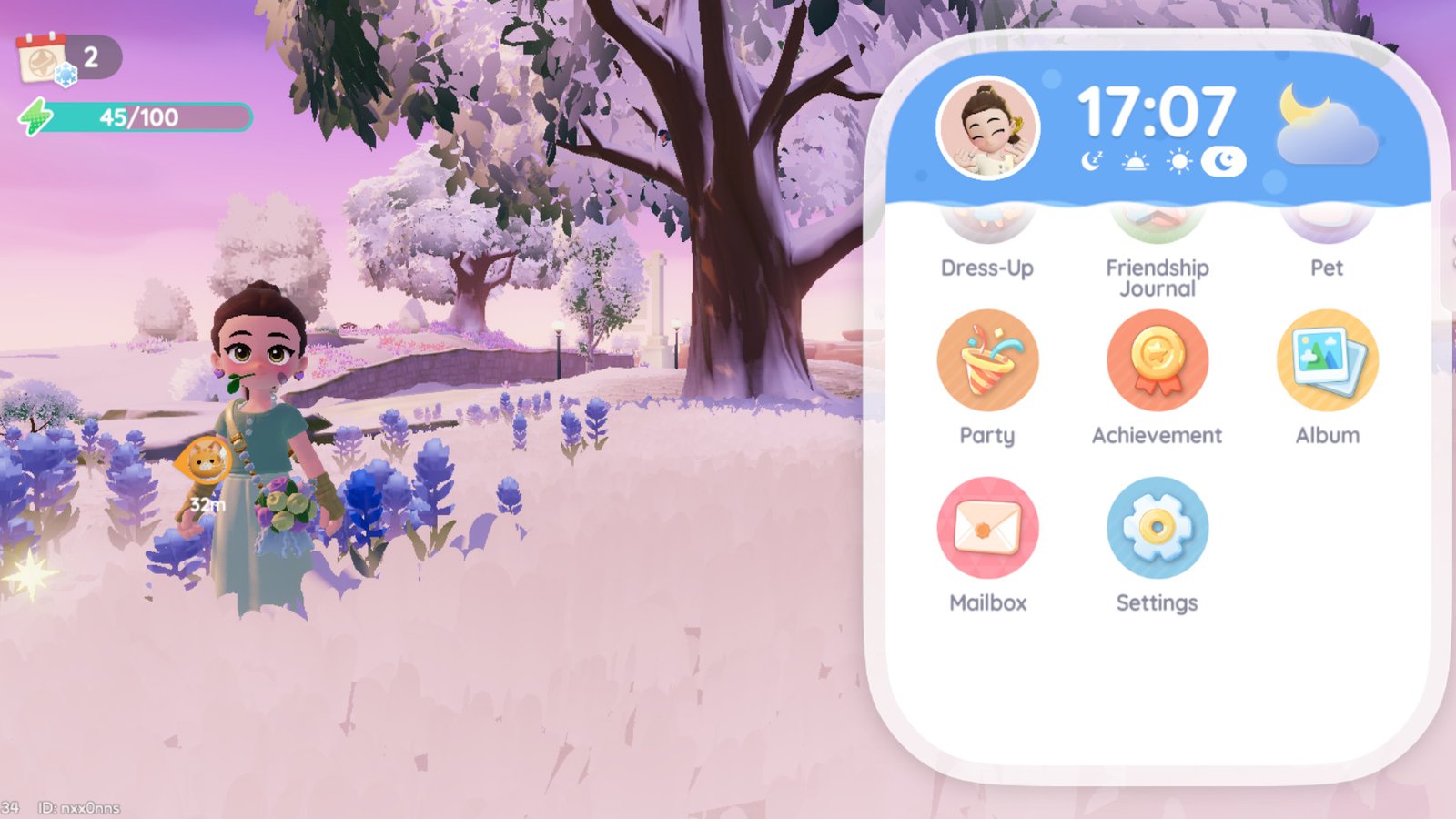
    Image by TheGameSlayer

    When you’ve loaded into a Town and you’re running around and having fun, you might need to adjust your graphics if you’re experiencing lag or slow asset loading times. Thankfully, all of your graphics settings are in the same place.

    Tap your Watch in the top right corner of your screen to open it, and then scroll down until you see the gear icon. This is your Settings app, and it can be accessed at any time. Tap the icon to open the app.

    Turning Off the Snow in Heartopia
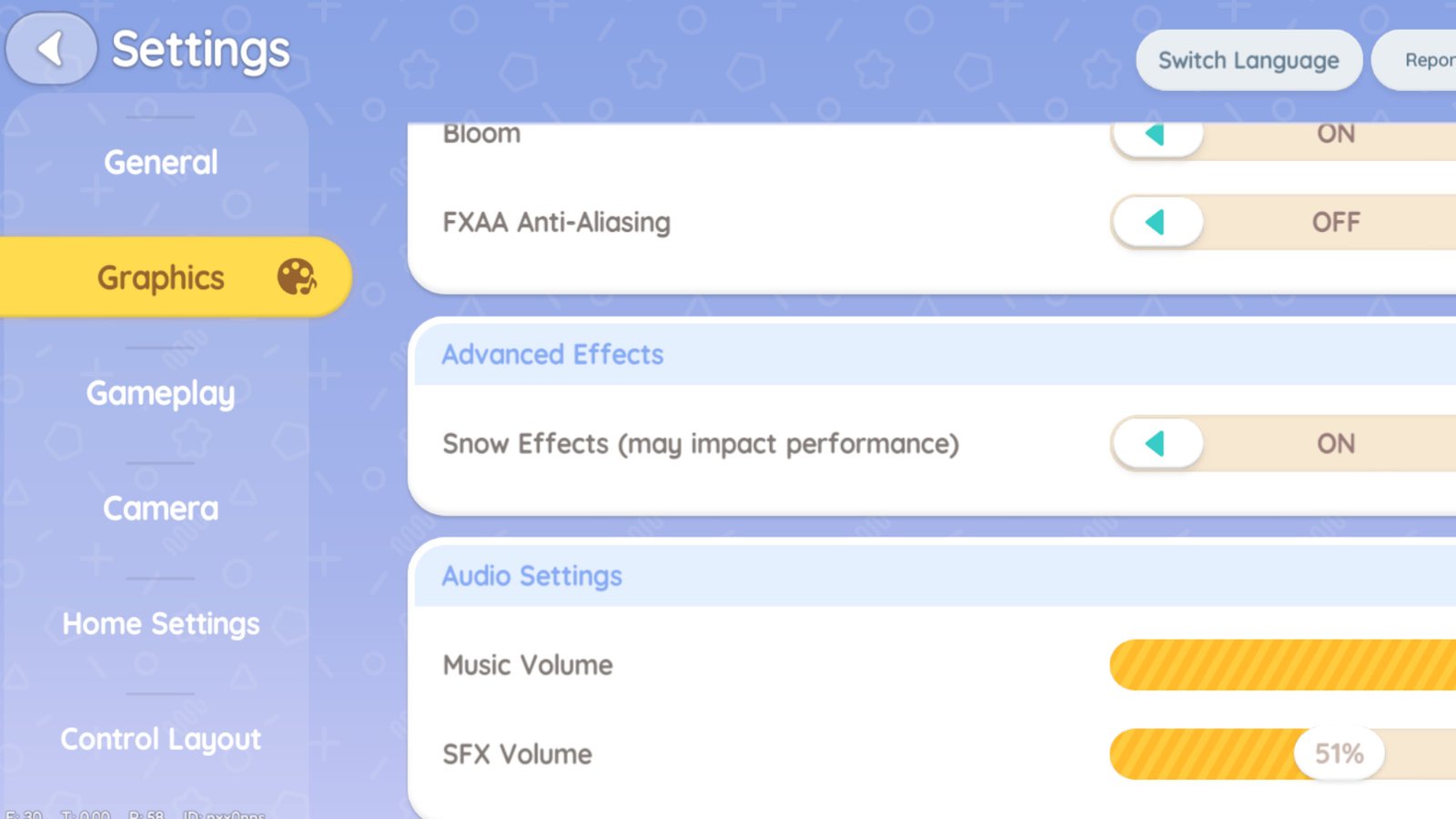
    The option for advanced effects, which turns off snow in Heartopia.
    Image by TheGameSlayer

    To turn off the snow in Heartopia, navigate to the “Graphics” tab after you open your Settings app. You’ll need to scroll down the list to find Advanced Effects, which has an option for you to toggle snow on and off in your game.

    You do not need to reload your game to turn the snow on or off, but you will need to reload your game if you change your graphics quality. The Graphics quality in Heartopia can be Low, Medium, High, and Ultra. With the Ultra option, players are warned that it may cause overheating on some devices.

    As an example of graphics quality, I have a Google Pixel 7; not the newest phone on the market, but a great phone for live-service games like Heartopia. I play using the High-quality graphics option and experience some slow asset loading as I’m travelling around Heartopia, but nothing is frustrating.

    Weather Events with Snow Turned Off
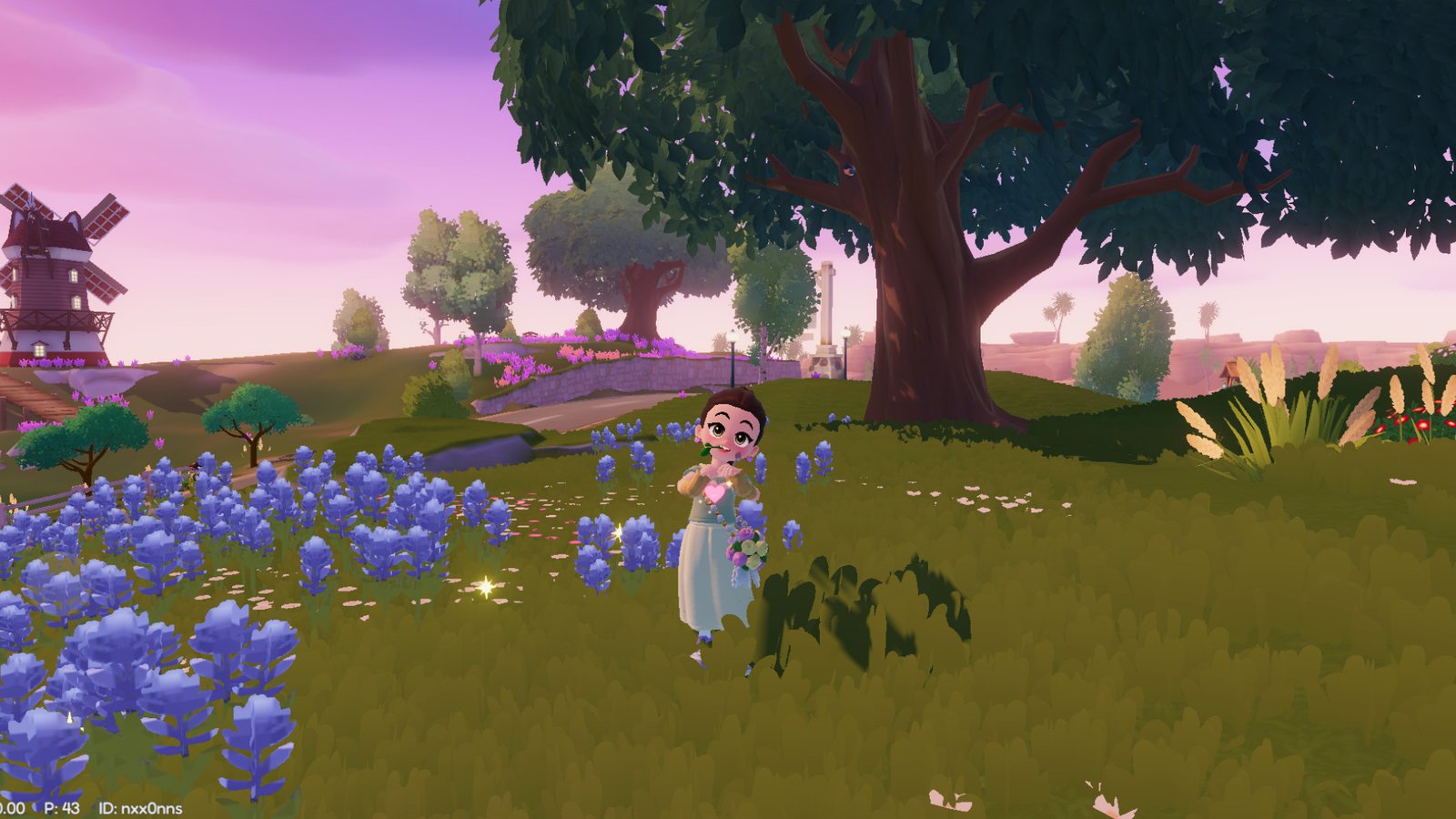
    The snow turned off in Heartopia, showing a green field full of flowers in winter.
    Image by TheGameSlayer

    It doesn’t matter if you have the snow in Heartopia turned off; you will still get the same experience as other players during weather events. Doris will still turn up on Art Street if there is snow falling from the sky, so don’t worry about changing your graphics settings to better suit your tech.

    Heartopia
    Lyssa Greywood
    • Website
    • Facebook
    • X (Twitter)
    • LinkedIn

    Lyssa Greywood has been working as a writer and editor in games media for nearly two years. While they primarily play indie games, that doesn't stop them from enjoying GTA, The Witcher, and other AAA titles. Their favourite games include PEAK, Cinnabunny, Spirit City: Lofi Sessions, Dispatch, and Strange Antiquities.

    Related Posts

    Windrose – How to Get the Conquistador’s Armor

    April 23, 2026

    Windrose – How to Remove a Death Marker

    April 23, 2026

    Pragmata – The Complete Training Sim Guide

    April 20, 2026
    PREFERED SOURCE ON GOOGLE

    Add as your Preferred Source on Google to find us more easily next time in your searches!

    FOLLOW US
    • Facebook
    • Twitter
    • Bluesky
    • Mastodon
    Don't Miss
    News
    Resident Evil 9 Party Attendees Spark DLC Rumours
    April 26, 2026

    Geoff’s presence at the Resident Evil 9 party sparks DLC rumours.

    Final Fantasy XIV is Using AI “to Much Success, and By Much Success, I Mean No Success”

    April 26, 2026

    Final Fantasy XIV Wants You to Get in the EVA

    April 25, 2026

    Windrose – How to Get the Conquistador’s Armor

    April 23, 2026

    Windrose – How to Remove a Death Marker

    April 23, 2026
    7.0

    REPLACED Review

    April 23, 2026
    7

    Tides of Tomorrow Review

    April 21, 2026
    • Home
    • Privacy Policy
    • About Us
    • Contact Us
    • Reviews Policy
    • OPENCRITIC
    © 2026 TheGameSlayer

    Type above and press Enter to search. Press Esc to cancel.

    We use cookies to ensure that we give you the best experience on our website. If you continue to use this site we will assume that you are happy with it.