


The Template Hammer in Ark Survival Ascended is a handy tool that lets players copy, save and alter entire buildings and structures with ease. Whether you’re trying to replicate a complex base design or streamline your building process, this hammer helps you do the heavy lifting with different options like saving templates and auto-build mode. This guide will show you how to craft the hammer and use it to maximise your efficiency for future builds in ARK: Survival Ascended
Crafting A Template Hammer
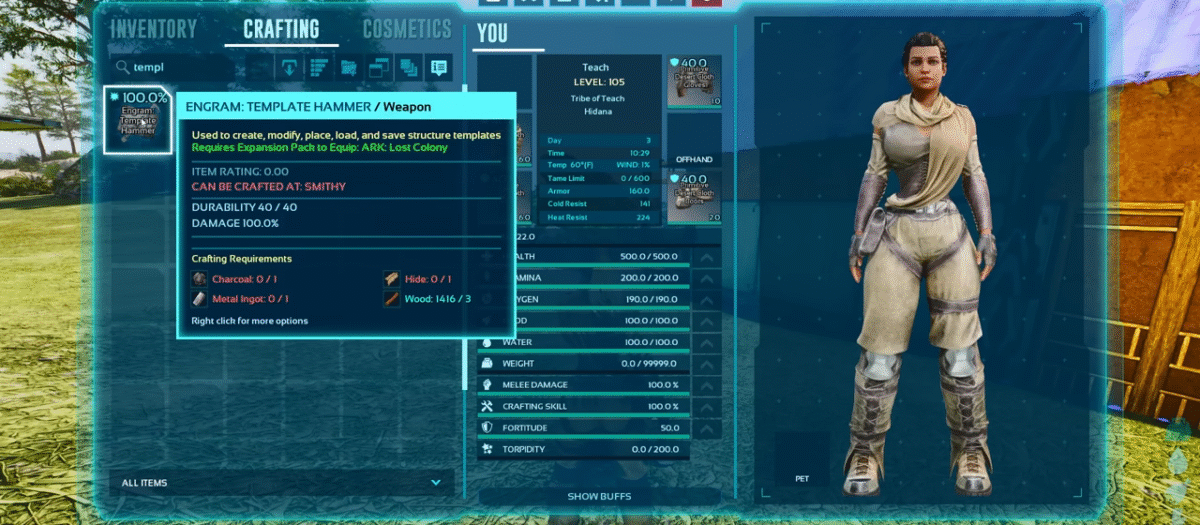
Open up your inventory and go to the ‘Crafting’ section and search for the template hammer. Once you hover on the hammer, you’ll notice that you need:
- 1 Charcoal
- 1 Metal Ingot
- 1 Hide
- 3 Wood
After you’ve crafted the hammer, drag it on to one of your hotbar slots and you’re good to go!
Also Read: ARK Survival Ascended: How To Tame The Giant Bison
How To Use The Template Hammer
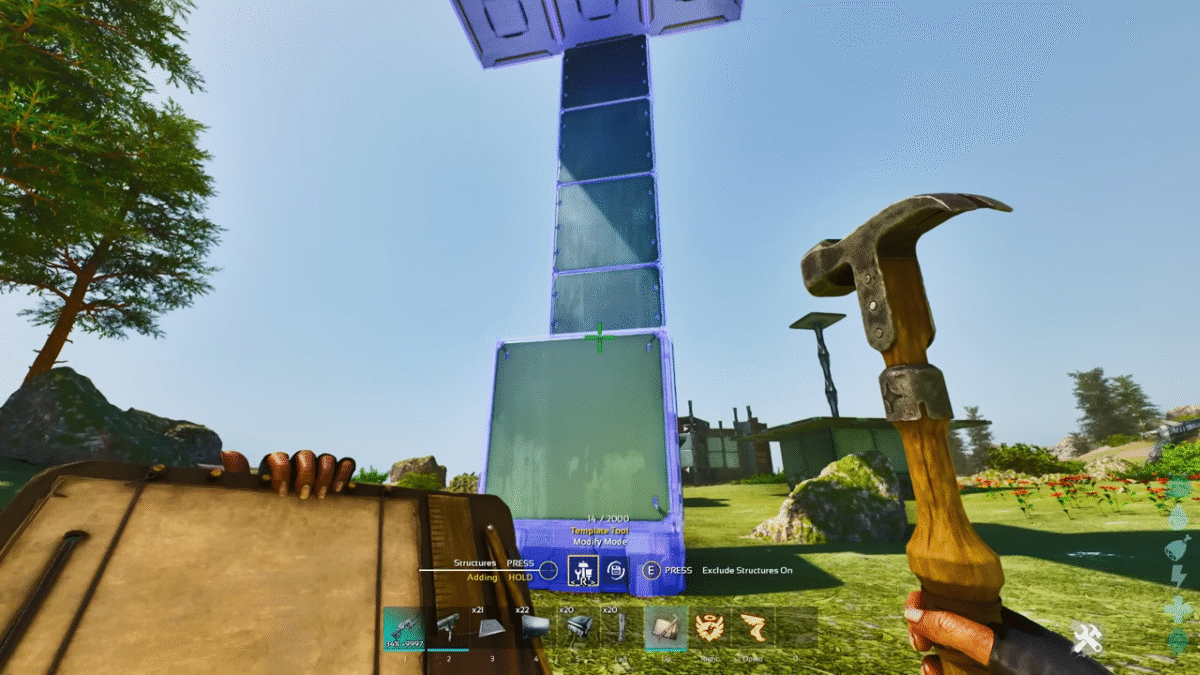
After you’ve equipped the hammer, holding it’ll allow you to cycle through multiple modes. The mode you’re in will be shown just above the hotbar. Press ‘R’ to switch between these 3 modes:
Create Mode: The create mode will allow you to copy any structure you’ve placed, as well as its connected structures. You can either ‘Select single’ or ‘Select all’. As these names suggest, the former option is for selecting specific pieces of the structure, whereas the latter is for selecting the entire structure. After you’ve copied a structure, you can use the Template Mode to place the copied structure.
Template Mode: Select the middle option to enter Template Mode. This mode allows you to place pre-planned buildings if you’re not confident in your craftsmanship. Once you’ve selected a template, you can move it around, rotate it, change the height, etc. After you’re confident in where you want to place it, press the ‘Left mouse Button’ to put it down.
Build Mode: The third option is the Build Mode. Once the template is placed, the build mode handles the rest of it. This mode has 3 other sub-modes, consisting of Auto Build, Alter Mode and Complete Mode.
- Auto Build: If you have the Auto Build mode available, it’ll start building the structure you’ve placed by using the resources in your inventory.
- Alter Mode: Allows you to modify the structure you’ve placed down, like removing certain sections of the template.
- Complete Mode: This mode is basically just confirming that you’re done building and you’re not going to make any changes yet. You can also apply skins in this mode.
