

Close Menu

    Subscribe to Updates

    Get the latest creative news from FooBar about art, design and business.

    What's Hot
    Limbus Company – Best Middle Nursefather Outis Build
    May 29, 2026
    Deep Rock Galactic: Rogue Core Spotter Guide
    May 29, 2026
    Diablo 4: Best Druid Build For Season 13 & Lord Of Hatred
    May 27, 2026
    Facebook X (Twitter) Instagram
    TheGameSlayerTheGameSlayer
    Facebook X (Twitter)
    • Home
    • News
    • Guides
    • Reviews
    • Features
    • Lists
    TheGameSlayerTheGameSlayer
    Home»Guides»Schedule I: How to Get Stash and Dash Storage Unit & Use the Jukebox
    Guides

    Schedule I: How to Get Stash and Dash Storage Unit & Use the Jukebox

    By Kirthana KMay 3, 2025
    Share
    Facebook Twitter Reddit WhatsApp Pinterest LinkedIn

    As you keep expanding your drug empire, you will require new areas to keep your business. With the new update, you can unlock a new storage unit to grow your operations. Plus, you can also install a jukebox to play some tunes while you work. Of course, nothing comes cheap, and you need to find a way to get this new storage. This guide will explain where to get the jukebox and the storage unit in Schedule I.

    How to Get Stash and Dash Storage Unit in Schedule I
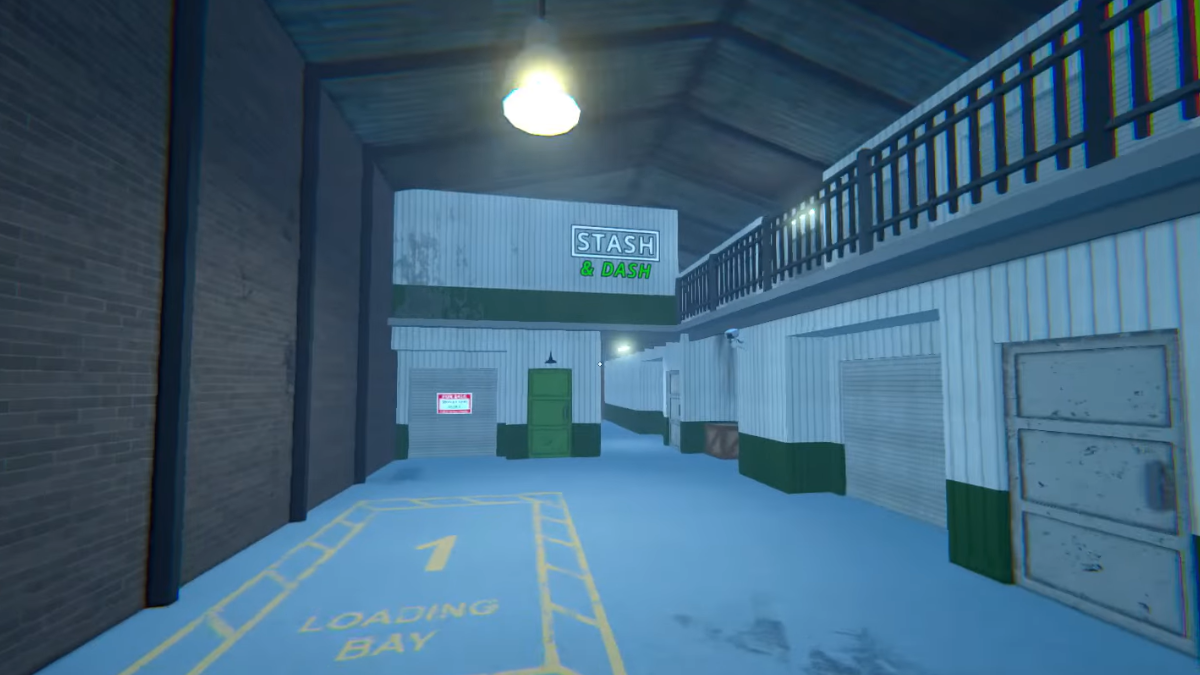
    Head over to the parking garage where you would have recruited Brad as your dealer. Over here, you will find a new extension of the brick building with the signboard named Stash and Dash. To purchase this particular building, make your way to Ray’s Realty and shell out 5,000 cash to get it. Alongside your storage unit, you get 1 loading dock where you can park your vehicle. 

    While inside the Stash and Dash, look around for the green door, as this is the unit assigned to you. You can only place 1 worker inside this unit, and usually this is reserved to recruit a driver. In a later update, you can hire drivers to work and deliver your products to your customers, hence why the accompanied loading dock matters. Since the space is small for a full drug manufacturing set up, you can use this to store your finished products for delivery. 

    How to Get the Jukebox
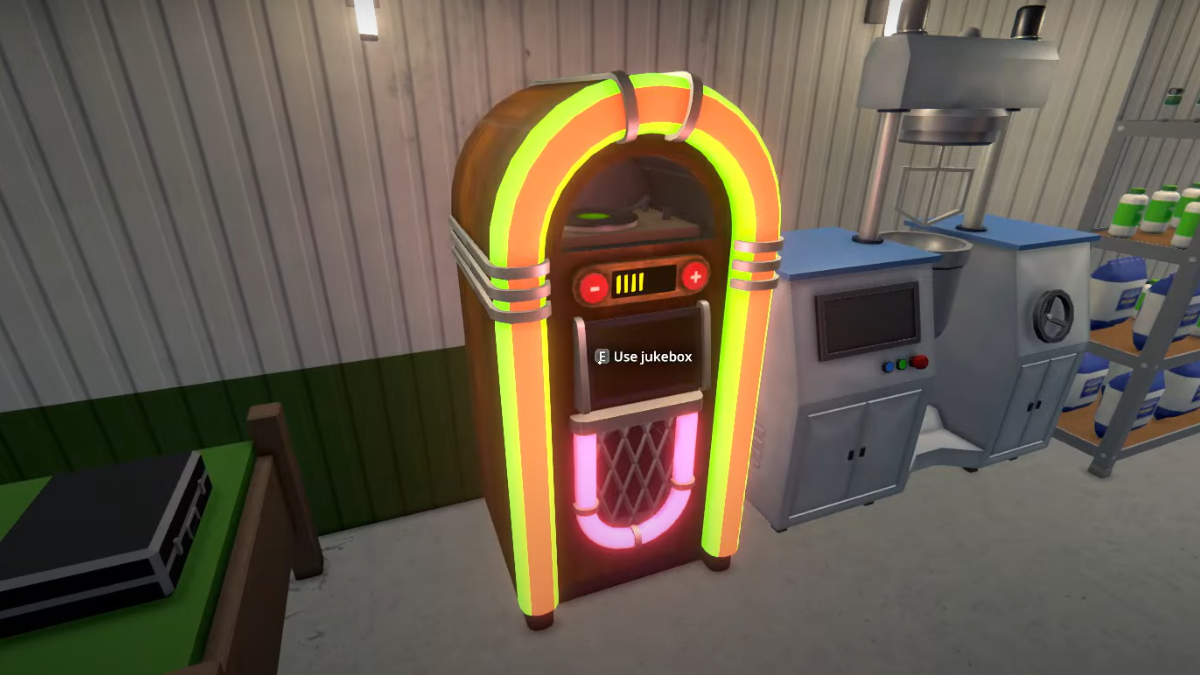
    Another item added to the update is the Jukebox, which can be purchased from Bleuball’s Boutique for 1,500 cash. The jukebox can be placed anywhere at any of your usable spaces, and you can interact with it to take a look at the song track list. Select any preloaded track to start playing the tunes. 

    You can also increase and decrease the volume on the jukebox using the controls on top of the jukebox. While you are within the vicinity of the jukebox, you can listen to the songs being played. Once you are out of the area, you won’t get to listen to it anymore. Interact with the jukebox again to turn it off. 

    Schedule I
    Kirthana K
    • LinkedIn

    Her lifelong passion of gaming led her to writing about them, bringing words to life and compiling comprehensive game guides that are quick and easy to follow. If not writing, you can catch her exploring Teyvat or the Palpagos Islands.

    Related Posts

    Limbus Company – Best Middle Nursefather Outis Build

    May 29, 2026

    Deep Rock Galactic: Rogue Core Spotter Guide

    May 29, 2026

    Diablo 4: Best Druid Build For Season 13 & Lord Of Hatred

    May 27, 2026
    PREFERED SOURCE ON GOOGLE

    Add as your Preferred Source on Google to find us more easily next time in your searches!

    FOLLOW US
    • Facebook
    • Twitter
    • Bluesky
    • Mastodon
    Don't Miss
    Guides
    Limbus Company – Best Middle Nursefather Outis Build
    May 29, 2026

    What’s the best possible build for the Middle Nursefather Outis, and what teams will she thrive in?

    Deep Rock Galactic: Rogue Core Spotter Guide

    May 29, 2026

    Diablo 4: Best Druid Build For Season 13 & Lord Of Hatred

    May 27, 2026
    9.0

    Mina The Hollower Review

    May 27, 2026

    Diablo 4: Best Necromancer Build For Season 13 & Lord Of Hatred

    May 27, 2026

    Starminer – How to Research and Unlock New Modules

    May 26, 2026

    Paralives – How to Add Mods

    May 26, 2026
    • Home
    • Privacy Policy
    • About Us
    • Contact Us
    • Reviews Policy
    • OPENCRITIC
    © 2026 TheGameSlayer

    Type above and press Enter to search. Press Esc to cancel.

    We use cookies to ensure that we give you the best experience on our website. If you continue to use this site we will assume that you are happy with it.