

Close Menu

    Subscribe to Updates

    Get the latest creative news from FooBar about art, design and business.

    What's Hot
    Genshin Impact brings Flins and Ineffa back, but are they worth the pull?
    September 5, 2026
    Arknights Endfield: Typhoeus best builds and team comps
    September 4, 2026
    Metal Gear Solid Master Collection Vol. 2 – How Old is Snake in Every Game
    September 3, 2026
    Facebook X (Twitter) Instagram
    TheGameSlayerTheGameSlayer
    Facebook X (Twitter) Instagram YouTube
    • Home
    • News
    • Guides
    • Reviews
    • Features
    • Lists
    TheGameSlayerTheGameSlayer
    Home»Guides»How To Own Businesses For Free In Schedule I
    Schedule I Business
    Guides

    How To Own Businesses For Free In Schedule I

    By Kirthana KMarch 25, 2025Updated:March 25, 2025
    Share
    Facebook Twitter Reddit WhatsApp Pinterest LinkedIn

    Schedule 1 lets you take on the role of a kingpin in your quest to push illicit substances to the masses. Not only can you get creative in crafting the next biggest stimulant, but you also need to evade cops and find new ways to traffic narcotics. As you get richer in the game, you also need to figure out new venues to help you launder money. Owning a couple of businesses can help you with that, and this guide will cover how to get free businesses in Schedule I.

    How To Get Free Business In Schedule I
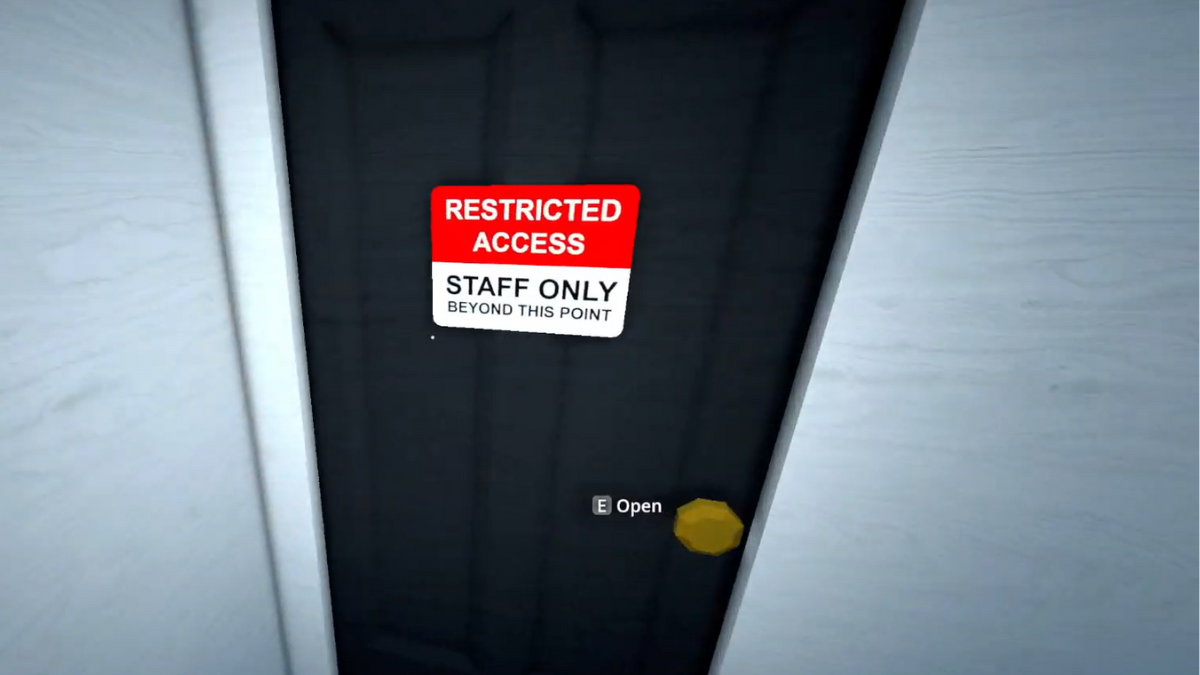
    Image via TheGameSlayer

    To get a business, you need to pick a store that you wish to own. Businesses like Taco Ticklers or the Laundromat are the most popular money laundering fronts, but you can pick any business that you want. Just explore the map to find the one that suits your needs. Next, head inside the building and find the Staff Only or Restricted room. You can use this room to place all your equipment to start up your business straightaway without owning the building. 

    But, to own the building and claim it as yours, you have to do a bit of coding to alter the game’s files. Just follow the steps below to do that.

    • Open up the Run command by pressing the Windows key + R key.
    • In the search bar, type in %appdata% and hit Enter.
    • Once the folder pops up, select App Data from the search bar and select the LocalLow folder.
    • Scroll down to find a folder called TVGS, which is the developer folder for Schedule 1.
    • Double left-click on it, then open up the Schedule 1 folder. 
    • You will find two folders inside the Schedule 1 folder titled Unity and Saves.
    • Select the Saves folder, then click on your save file folder name.
    • Click on the Business folder to get the files on all the businesses currently available in the game.
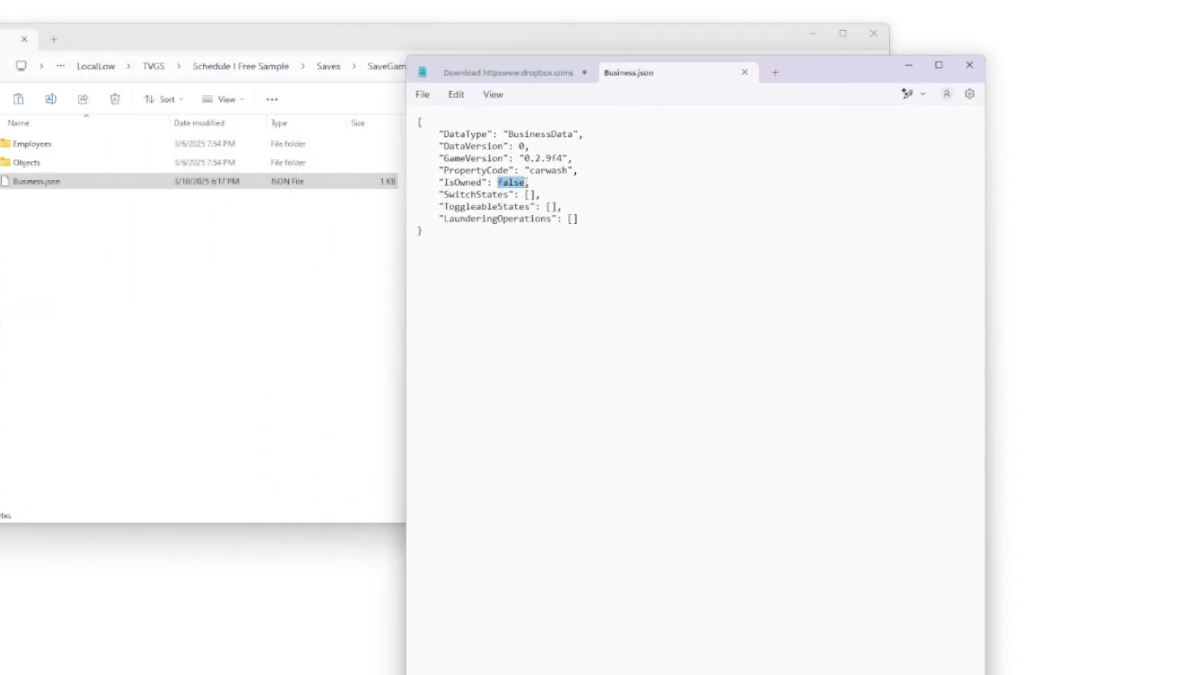
    Image via TheGameSlayer
    • Highlight all the businesses and copy them, then go back to the save file folder.
    • Locate the Properties folder and paste all the business folders that you copied earlier.
    • Next, open up each business folder and locate the JSON file. Open these files on Notepad.
    • There is a line of code where it says “IsOwned” : False, change the False to True.
    • Save the file, then repeat this step for all the other businesses. 

    When you load Schedule I next time and check your map, you can scroll around to find all the businesses with the Owned text beside it. You can now set up your secret business in the staff room and sell your items from there, or even place a bed here to rest and recover throughout the night.

    If you are looking to get employees hired in Schedule I for your new business, check our guide here on how many employees and what types of employees can you work with in the game.

    Schedule I
    Kirthana K
    • LinkedIn

    Her lifelong passion of gaming led her to writing about them, bringing words to life and compiling comprehensive game guides that are quick and easy to follow. If not writing, you can catch her exploring Teyvat or the Palpagos Islands.

    Related Posts

    Genshin Impact brings Flins and Ineffa back, but are they worth the pull?

    September 5, 2026

    Arknights Endfield: Typhoeus best builds and team comps

    September 4, 2026

    Crimson Moon Builds Guide: How To Make Your Nephilim Even More Fearsome

    September 2, 2026
    PREFERED SOURCE ON GOOGLE

    Add as your Preferred Source on Google to find us more easily next time in your searches!

    FOLLOW US
    • Facebook
    • Twitter
    • Instagram
    • YouTube
    Don't Miss
    Guides
    Genshin Impact brings Flins and Ineffa back, but are they worth the pull?
    September 5, 2026

    With the second phase of Version 7.0 underway, two familiar Electro figures have made their return to the event banners, but is spending your valued Primogems on them worth a shot? Find out in our analysis!

    Arknights Endfield: Typhoeus best builds and team comps

    September 4, 2026

    Metal Gear Solid Master Collection Vol. 2 – How Old is Snake in Every Game

    September 3, 2026

    Crimson Moon Builds Guide: How To Make Your Nephilim Even More Fearsome

    September 2, 2026
    7.0

    Moonlighter 2: The Endless Vault Review – Haggle & Slash

    September 2, 2026
    7.5

    Crimson Moon Review — Simplicity As Both A Gift And A Curse

    September 1, 2026
    8.0

    The Blood of Dawnwalker: Blood, Blood, Gallons Of The Stuff

    August 31, 2026
    • Home
    • Privacy Policy
    • About Us
    • Contact Us
    • Reviews Policy
    • OPENCRITIC
    © 2026 TheGameSlayer

    Type above and press Enter to search. Press Esc to cancel.

    We use cookies to ensure that we give you the best experience on our website. If you continue to use this site we will assume that you are happy with it.