


My very first death in Resident Evil Requiem comes in the first proper area of Grace’s campaign, where you have escape from a monster chasing you through darkness. In my excitement to progress through the game, I made the fatal mistake of not paying close attention to my settings.
It was in those tight hallways where I was bogged down by the slow mouse sensitivity, enough for the monster to introduce me to my first lovingly detailed death animation. Capcom doesn’t make it easy to change your mouse sensitivity in Resident Evil Requiem, but there is a way to do it behind a few menus.
RE9 Mouse Sensitivity
The default mouse sensitivity and camera speed in Resident Evil Requiem feel too slow for the amount of running and frantic turning you have to do in a horror game. Naturally, you’ll look under Keyboard and Mouse to adjust the speed. However, the solution isn’t located there.
Adjusting Resident Evil Requiem’s mouse sensitivity requires you to first go to the pause menu using the Esc key, and then to options. From here, navigate to the camera tab.
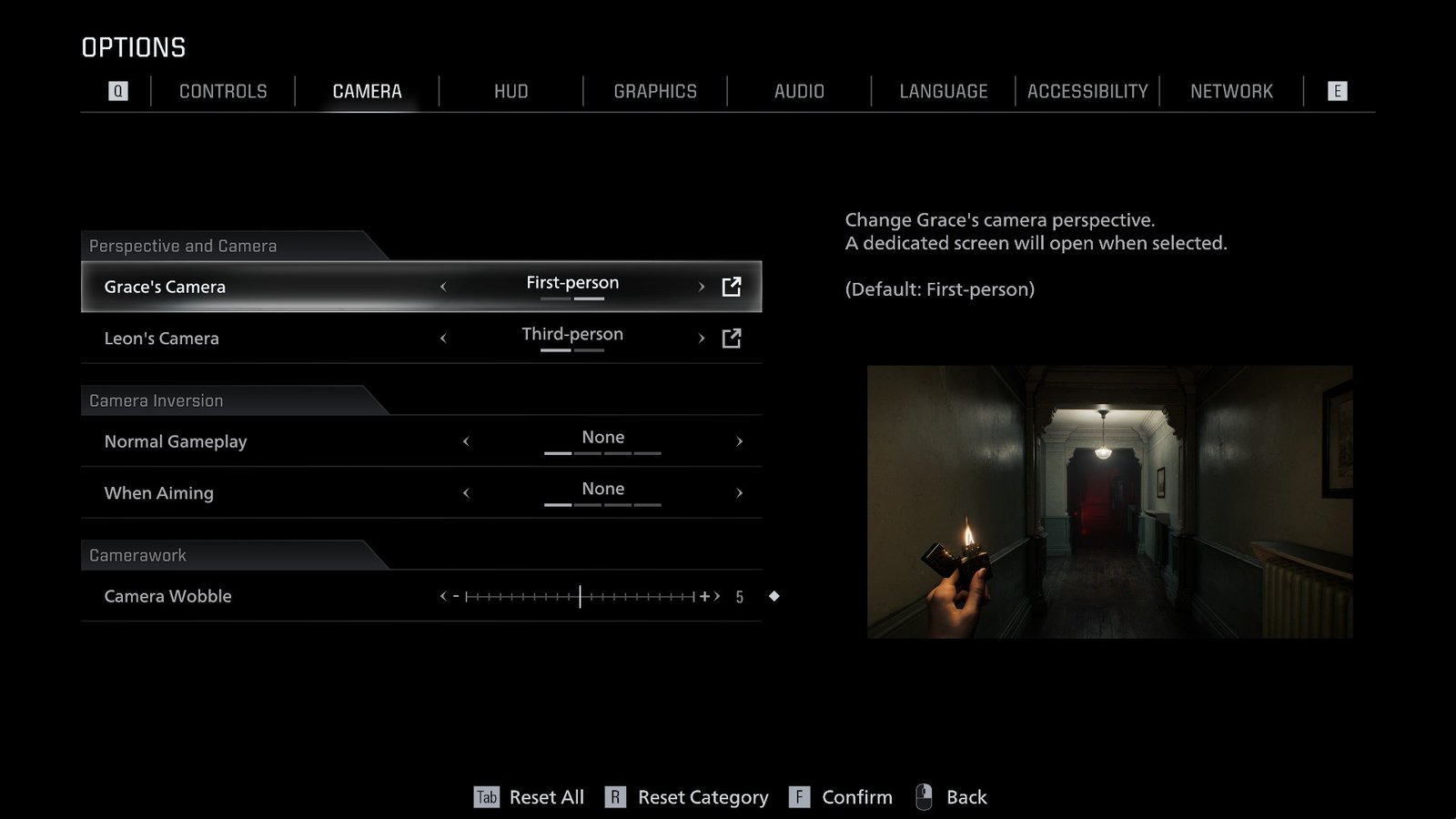
Under the perspective and camera tab, you’ll see options for Grace’s Camera and Leon’s Camera, with separate settings for third-person and first-person. First, you’ll need to choose what perspective you prefer for each character. By default, Grace experiences the horror in the first-person view, while Leon parries and chops away in the third-person perspective.
After that, click on the box on the right side to fix the mouse sensitivity.
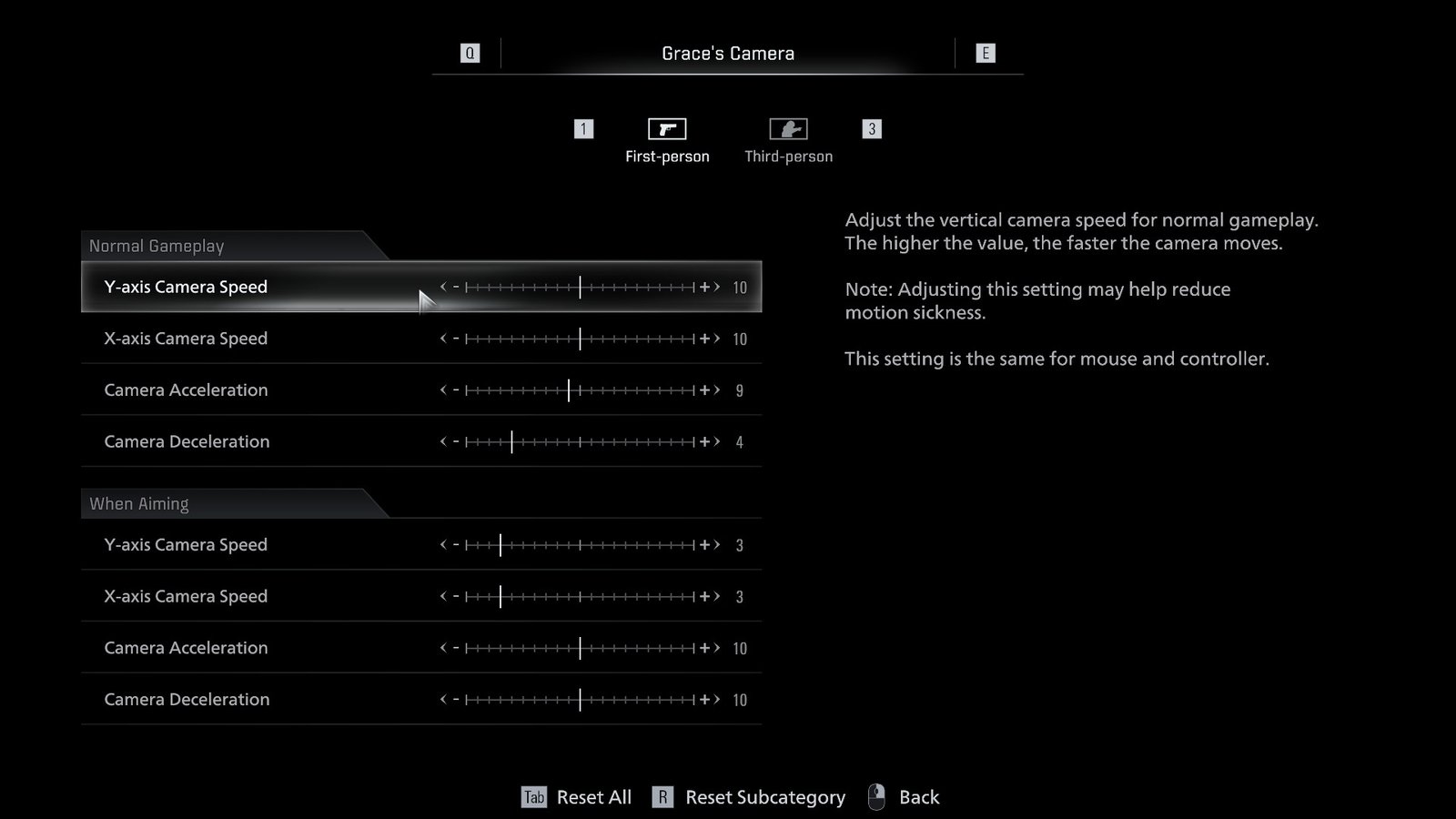
Here’s where it gets even more complicated. You have to adjust the camera speed for both normal gameplay and while aiming, using the four sliders under each state.
| Setting | Effect |
| Y-axis Camera Speed | Adjusts the vertical camera speed. Works for both mouse and controller. |
| X-axis Camera Speed | Adjusts the horizontal camera speed. Works for both mouse and controller. |
| Camera Acceleration | Adjusts how quickly the camera moves. This setting does not affect camera settings when using a mouse. |
| Camera Deceleration | Adjusts how fast the camera stops. This setting does not affect camera settings when using a mouse. |
Find a safe area and start tweaking with the camera speed until you get a mouse sensitivity that feels right for you. Note that you’ll have to manually set this for both Leon and Grace, including the change of perspective. Say what you want against Resident Evil 6, but at least it didn’t have you fight menus and interfaces.
Since you’re already tweaking settings in RE9, an additional tip is to lower the camera wobble slider under the camera tab. This will lessen the annoying bobbing effect in first-person, which can prevent headaches and dizziness.
For fine-tuning your mouse sensitivity for combat, there are also options underneath the control tab to adjust aim assist and reticle deceleration.
