

Close Menu

    Subscribe to Updates

    Get the latest creative news from FooBar about art, design and business.

    What's Hot
    Paralives – How To Upload Houses & Paras To Steam Workshop
    June 3, 2026
    Paralives – How To Gain Or Lose Weight
    June 3, 2026
    Paralives – How to Add a New Parafolk to an Existing Household
    June 3, 2026
    Facebook X (Twitter) Instagram
    TheGameSlayerTheGameSlayer
    Facebook X (Twitter)
    • Home
    • News
    • Guides
    • Reviews
    • Features
    • Lists
    TheGameSlayerTheGameSlayer
    Home»Guides»Paralives – How to Add a New Parafolk to an Existing Household
    Paralives Feature Image (1)
    Image via TheGameSlayer | Paralives Studio
    Guides

    Paralives – How to Add a New Parafolk to an Existing Household

    By Santosh KumarJune 3, 2026
    Share
    Facebook Twitter Reddit WhatsApp Pinterest LinkedIn

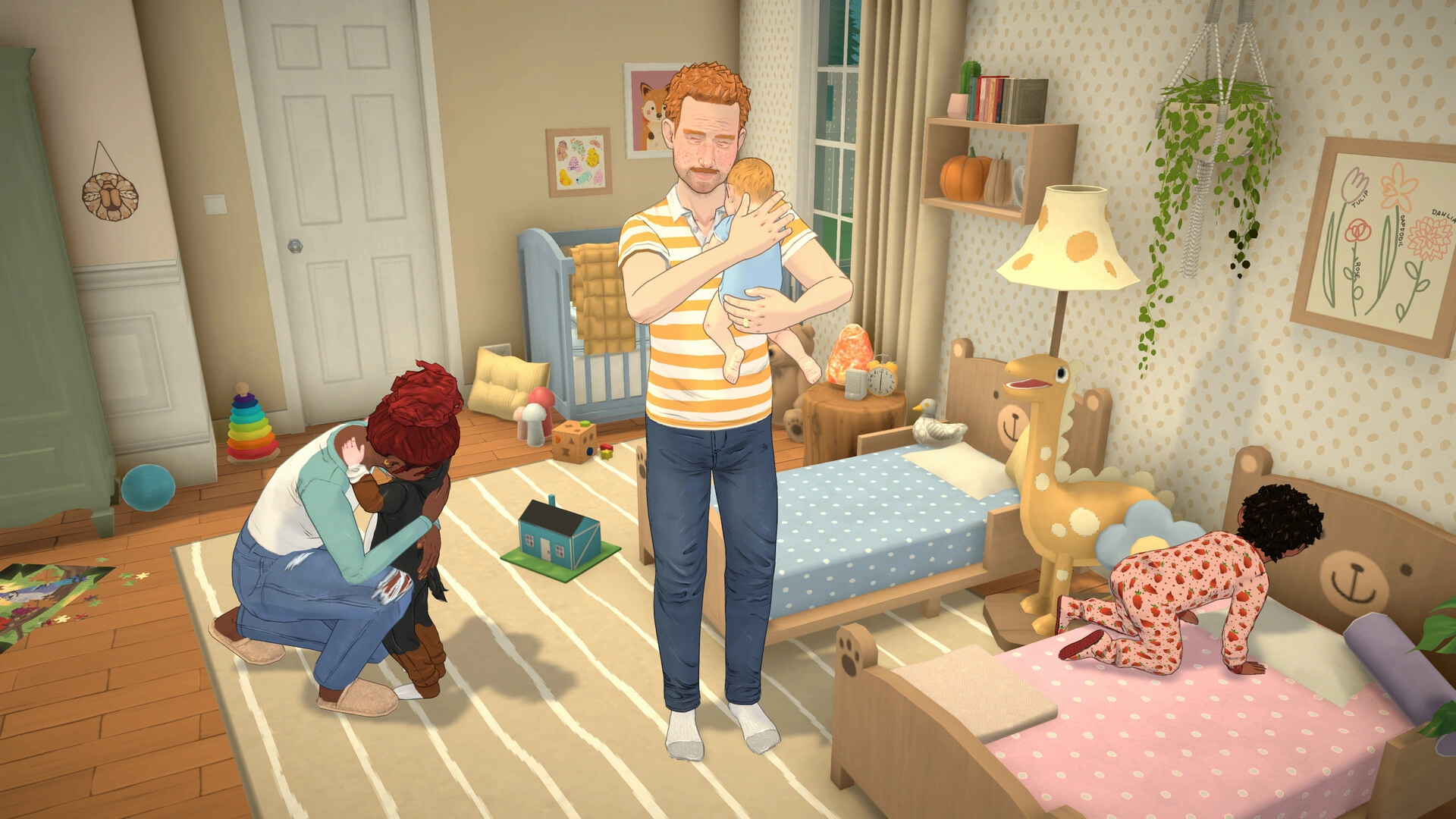
    If you build a house, then the best thing to do is to fill it with people that you can call family. In Paralives, you can have multiple people living in your house side by side.

    While the game doesn’t have an option to add new people to your household, we can use the Cheat Commands to bypass the game’s primary structure to add new Parafolk into the game. You can also edit out the details on the new Parafolks to fit your family.

    Here is a complete guide to add Parafolk to your existing household in Paralives.

    Add/ Create Para in Paralives
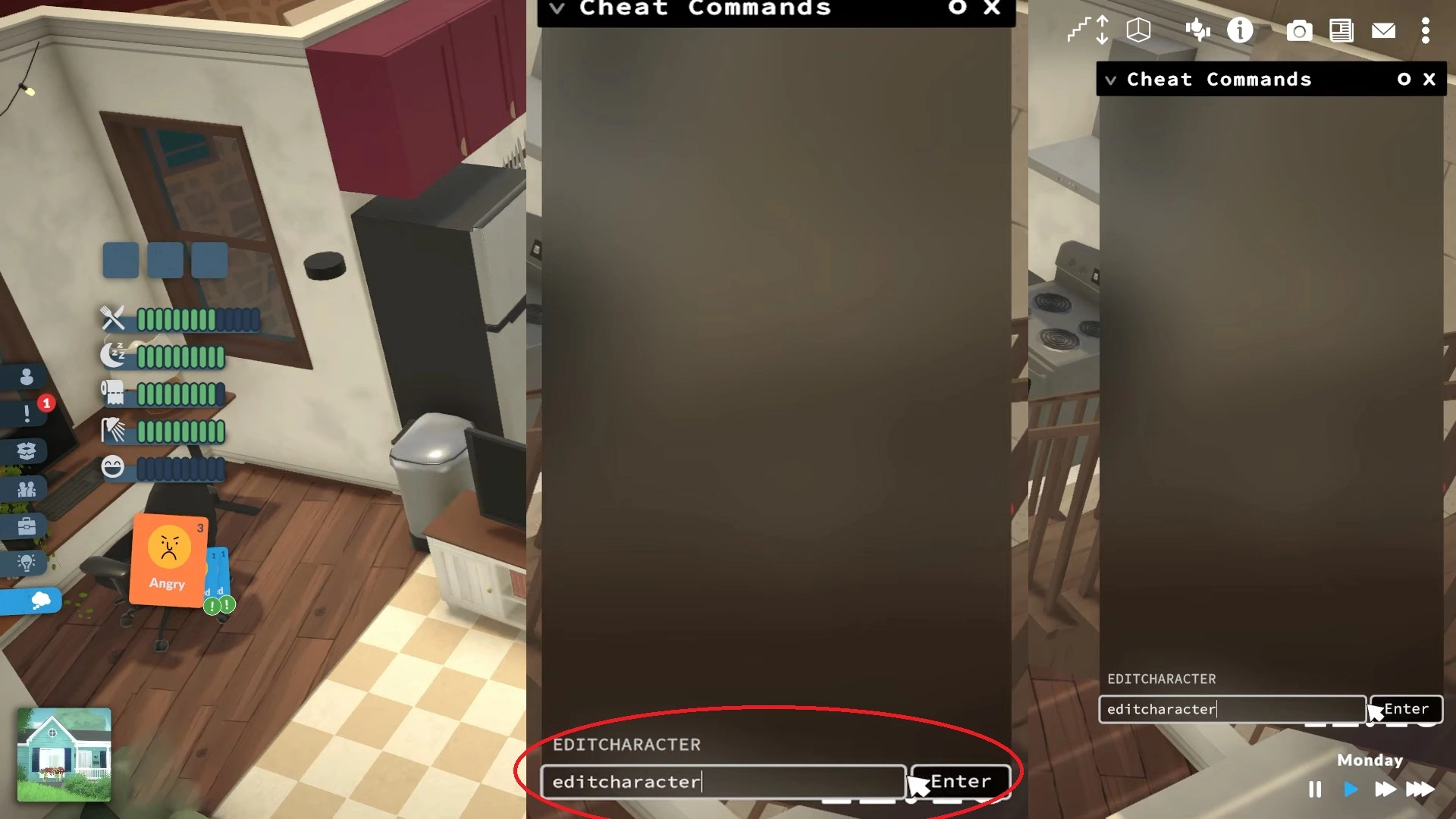
    Paralives Cheat Command Screen
    Image via TheGameSlayer | Paralives Studio

    The Parafolks you create will show up at the bottom-left of the screen. If you have one, then you will see only one PFP picture appear at the bottom; having more will add more pictures.

    • The first step is to open the Cheat Command by pressing Ctrl + F1 or Ctrl + Shift +C. A Cheat Command window will appear on the right side of the screen with a search bar at its bottom.
    • Click on the search bar, and type in “EDITCHARACTER”, it’s not character sensitive, you can also type in small letters. After the command, press Enter to apply it.
    • You will be taken to the character customization screen. Here, if you take a look at the bottom-left of the screen, you will see the current parafolk PFP and a white picture next to it with a + (Add) sign.
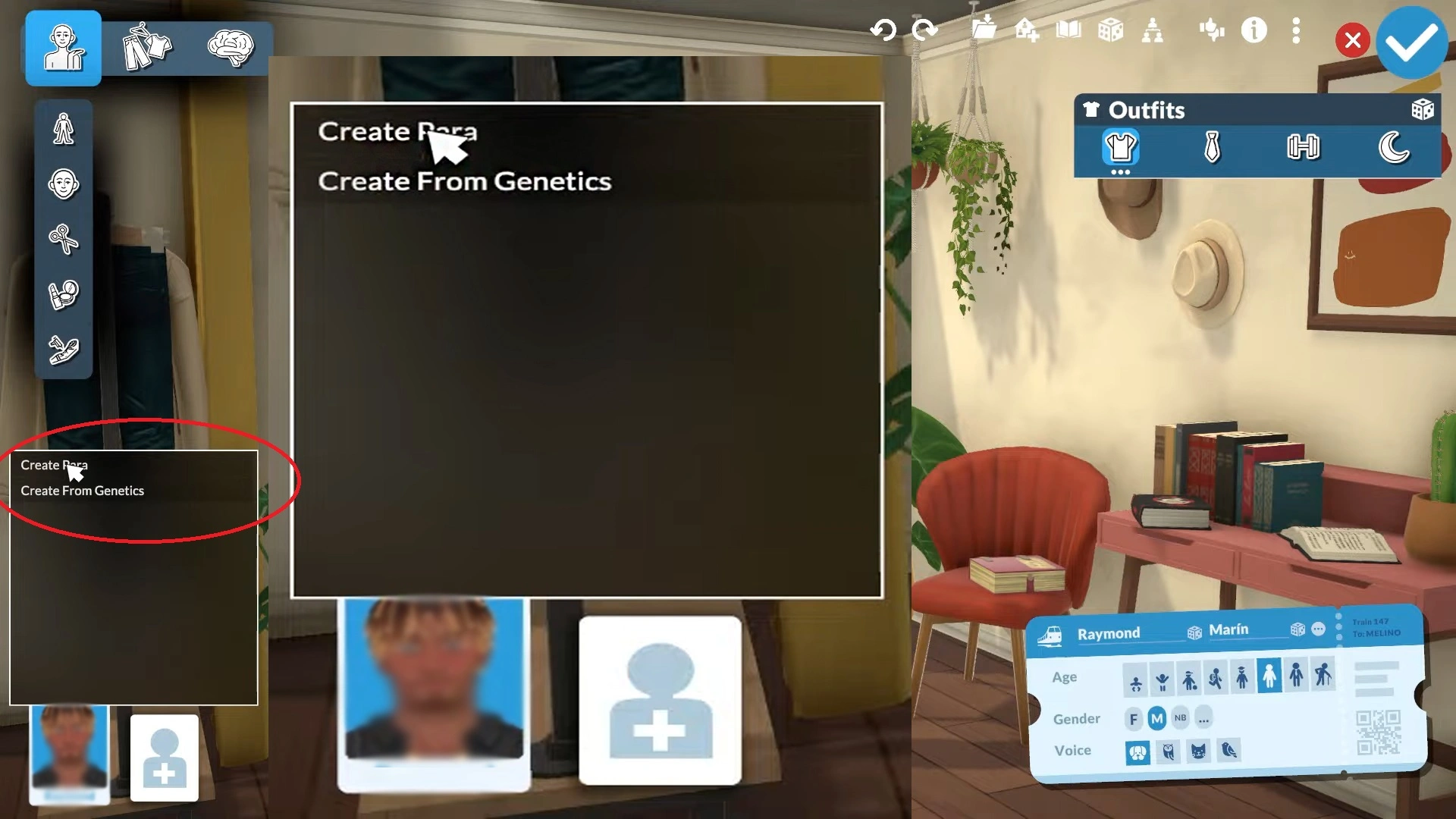
    Paralives Create Para
    Image via TheGameSlayer | Paralives Studio
    • Click on the white picture with a + sign to create a new parafolk. Here you will be given two options:
      • Create Para
      • Create From Genetics
    • Choose, Create Para to add a new parafolk to your family. You can now work on the details and flesh out their look before they spawn into the world.

    After you’ve created the Para, check the tick icon at the top-right of the screen to apply the changes, and they will spawn into the game in Paralives. If they get stuck, as that usually happens, do check out our guide to unstuck the Para to bring them back to open space in Paralives.

    Paralives
    Santosh Kumar
    • LinkedIn

    Santosh Panda creates gaming guides at The Game Slayer. With 5 years of writing experience under his belt, his journey to game writing has helped many fight the big monsters, solve intricate puzzles, disarm the hidden traps, and finally open the treasure box.

    Related Posts

    Paralives – How To Upload Houses & Paras To Steam Workshop

    June 3, 2026

    Paralives – How To Gain Or Lose Weight

    June 3, 2026

    Paralives – How to Fix Stuck Parafolk Issue

    June 2, 2026
    PREFERED SOURCE ON GOOGLE

    Add as your Preferred Source on Google to find us more easily next time in your searches!

    FOLLOW US
    • Facebook
    • Twitter
    • Bluesky
    • Mastodon
    Don't Miss
    Guides
    Paralives – How To Upload Houses & Paras To Steam Workshop
    June 3, 2026

    If you made a good character or a house that people want to live in,…

    Paralives – How To Gain Or Lose Weight

    June 3, 2026

    Paralives – How to Fix Stuck Parafolk Issue

    June 2, 2026

    Heartopia – The Complete Guide to Hide & Seek Party

    June 2, 2026

    Limbus Company – Best Refraction Railway Line 6 Build

    June 2, 2026

    Where Winds Meet – Imperial Service Area All Collectibles

    June 2, 2026

    Gothic 1 Remake – 8 Games Inspired By The Original Gothic

    June 1, 2026
    • Home
    • Privacy Policy
    • About Us
    • Contact Us
    • Reviews Policy
    • OPENCRITIC
    © 2026 TheGameSlayer

    Type above and press Enter to search. Press Esc to cancel.

    We use cookies to ensure that we give you the best experience on our website. If you continue to use this site we will assume that you are happy with it.