


Pathologic 3 introduces the Apathy and Mania meter early, and you can impact it right after you step off the train.
I talked to the man sweeping the platform, and it increased my Mania, making the children who had my Prototype unwilling to speak to me. It’s clear from the outset that this is a feature you need to manage closely.
So, to make sure you don’t go insane or end up killing yourself, here is a guide on how these systems work.
Understanding the Apathy-Mania Meter

At the top of your screen, the meter tracking Apathy and Mania is always present. The left side is Apathy, and the right side is Mania. Simply being in the world and interacting with NPCs is enough to impact the meter.
Once the infection begins, I noticed that the meter fills toward the Apathy side over time. Once it gets too far to the left, you’ll see the same effect on your screen as you did the first time you sent yourself to the mirror room, so you want to start taking control of your Apathy at or before that point.
Similarly, your Mania can build from getting wound up during conversations and from interacting with certain objects in the world. While you might move a bit faster, Mania makes your screen distort around the edges, and NPCs are less willing to speak with you. As a result, you want to do your best to stay near the meter’s midpoint.
Also Read: Pathologic 3: How to Craft and Get Recipes
Controlling Your Mania and Apathy
In essence, managing Mania and Apathy is simple. In practice, it doesn’t always feel that way. You start with items that give you one or the other, so you can take options that swing your meter back to the middle. Each consumable has a number in the corner that tells you how much of a trait it gives you.
If you have higher Apathy, you want to take the items with a red symbol. These are going to be items like stimulants, such as coffee, or vices like tobacco.
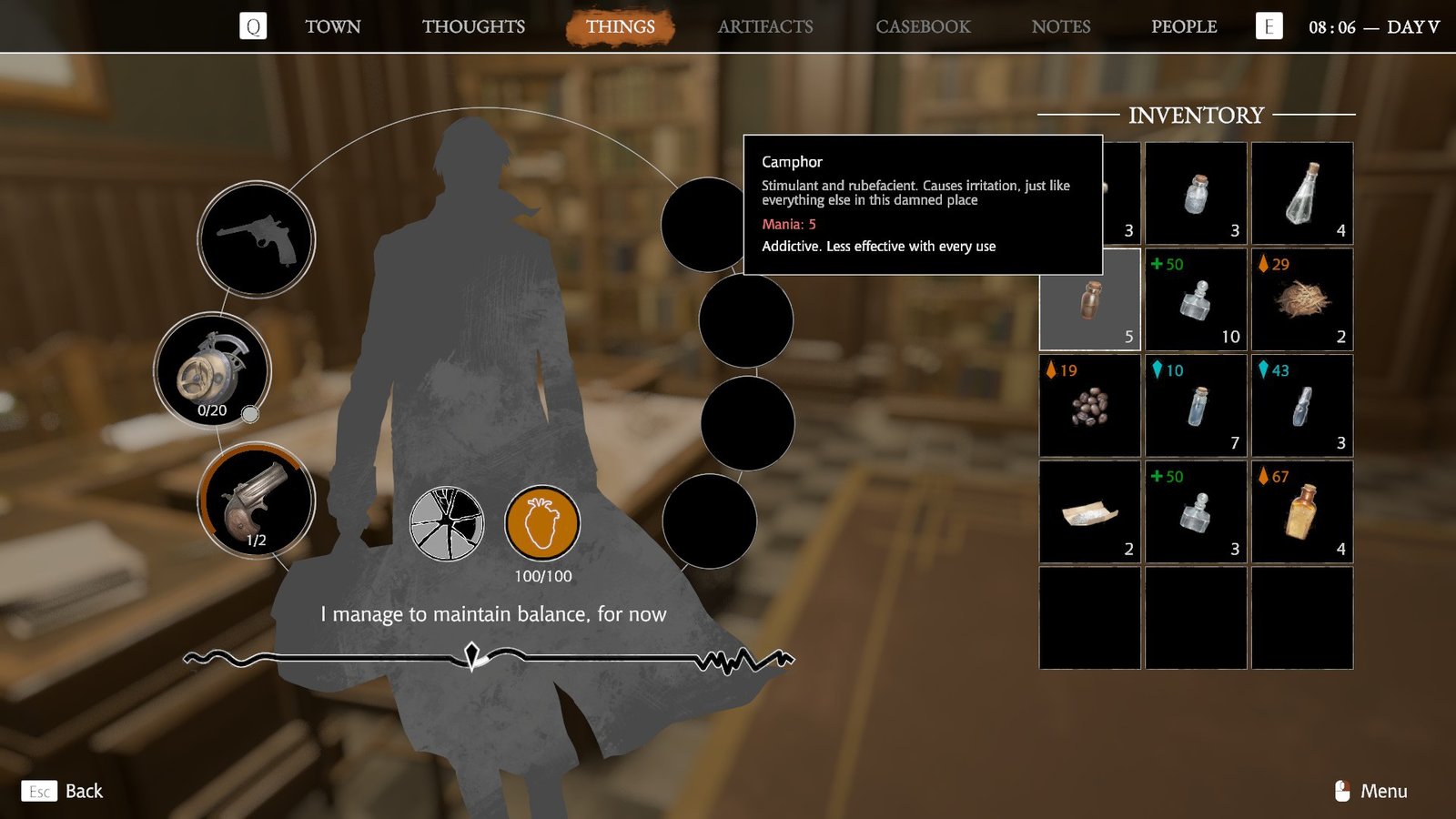
If you have higher Mania, you’ll take the items with a blue symbol. These tend to be more medicinal and numbing, such as morphine.

Unfortunately, you’ll see that most of these items are listed as being addictive, which means that they become less effective the more you use them.
I watched the number for one item drop by four points when I used it to lower my Apathy, meaning it’ll be that much less effective next time I use it. Plus, it doesn’t seem like it goes back up over time if you aren’t using the item again, meaning you want to be strategic when using these items.
As a result, I recommend using the environment to impact your Apathy and Mania as much as possible to keep your items as effective as possible in case of emergencies. When you use Concentration Mode, you’ll see some items outlined in red and others outlined in green. These will give you Apathy or Mania.

Of course, the red items increase Mania and include kicking trash bins or listening to squeaky water pumps. Meanwhile, the green items will increase Apathy, but you usually have to stare at them until a circle in the center of your screen fills rather than interact with them directly.
Since these item types can be found throughout the map, they make a great first option for managing your Apathy and Mania before you resort to using your items.
