

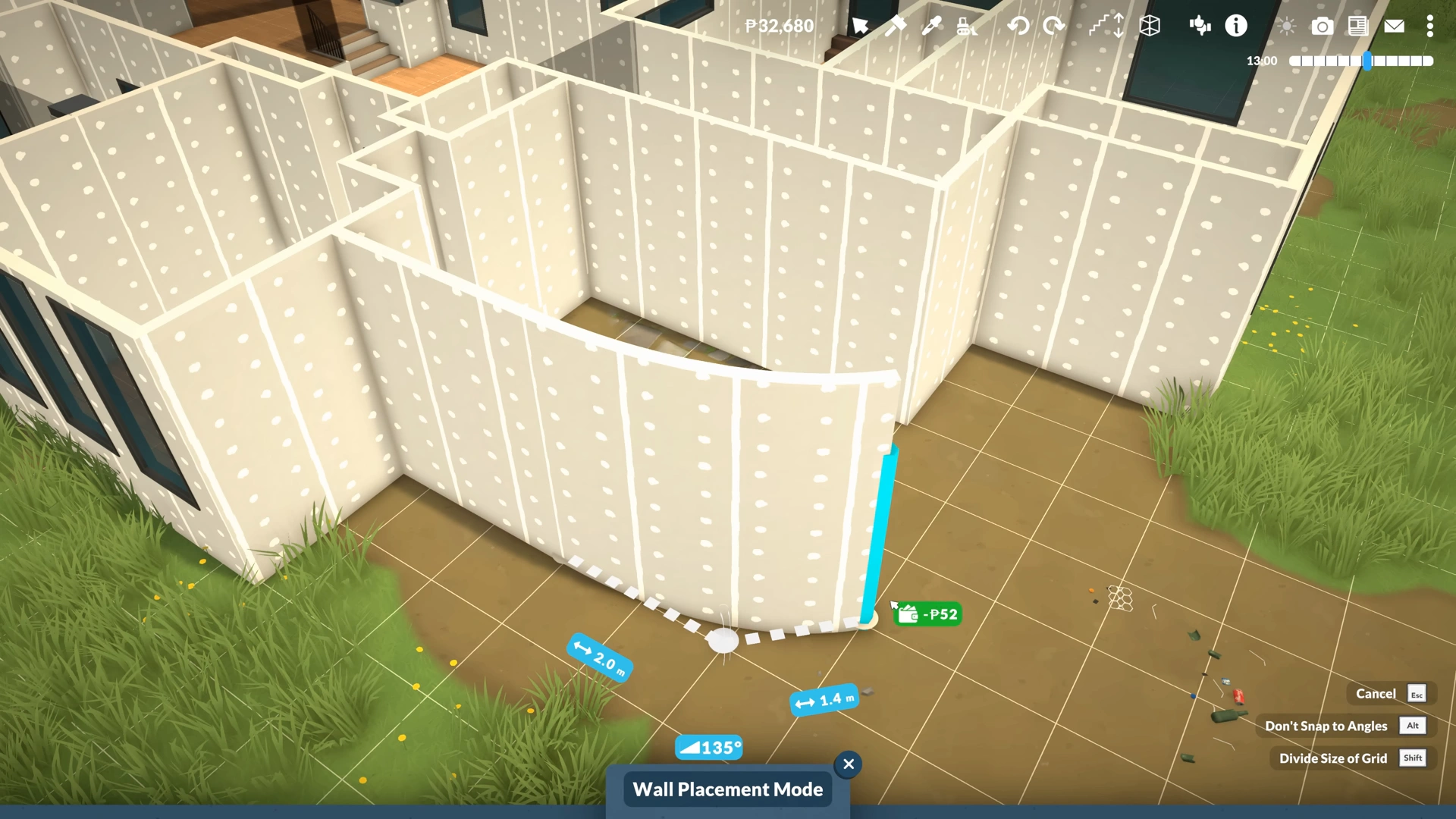
If you want to create a solid house that you can list on Steam Workshop for people to admire and use, then you will need to build one with all the bells and whistles. And what house would be complete without a proper basement?
If you check the build option, you will not find any direct option for basement building. We must carry out the task manually by using the game’s other mechanics, so put on your construction hat because we are about to create a basement and add doors, windows, or stairs to make them stand out in Paralives.
How to Build a Basement in Paralives
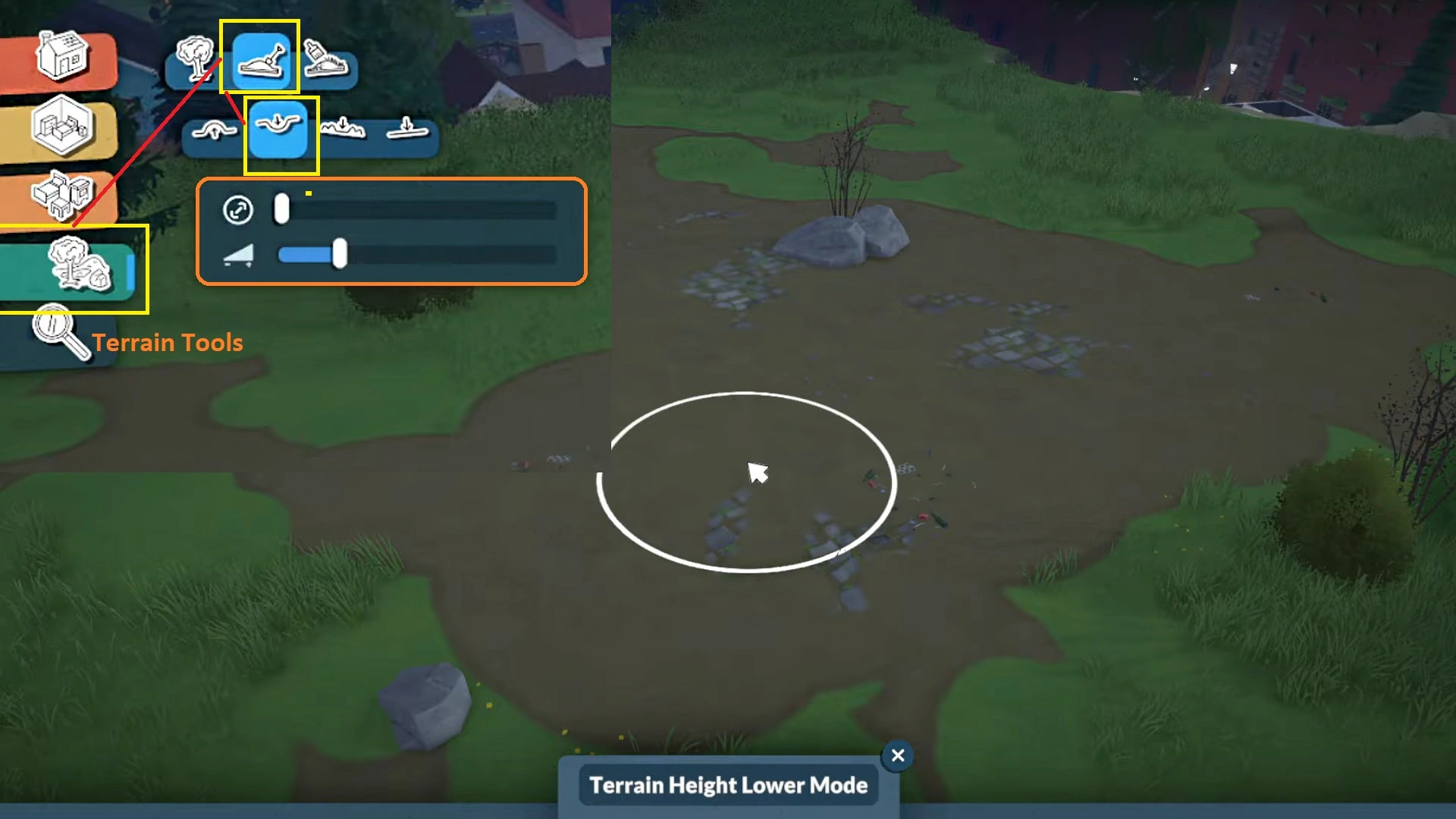
We are going to use the Terrain tools to lay the foundation for our basement building. If you have never built anything in the game, getting straight into basement building might feel a bit overwhelming, so we are going to give you a basic gist of the building guide to catch you up on the basic mechanics of the construction in Paralives.
- First, you need to enter the Build mode by pressing the “Tab” key on the keyboard. In the Build screen, if you look at the top-left corners of the screen, you will see four colored icons:
- Build Mode: It covers Walls, Paint, Doors, Windows, Stairs, Roofs, and Chimneys.
- Room Tool: Furniture and other objects for your rooms (Living room, kitchen, bathroom, dining room, etc.)
- Furnishings: Chairs, tables, bed, storage, plumbing, lighting. electrical devices, appliances, objects, etc.
- Terrain Tools: It has natural objects (Trees), terrain sculpting, and terrain painting tools. To build a basement, we will need to make use of Terrain Tools, not all of them, just Terrain Sculpting. What does it do?
The Terrain Sculpting tool allows you to raise the size and intensity of the terrain. So we will create an appropriate amount of depth on the terrain to create the perfect basement of our imagination. Now let’s take a deeper look at Terrain Sculpting. Here you will find four new subcategories: Elevate, Lower, Smooth, and Flatten. Here are the steps to create terrain for our basement:
- First, select the Terrain Sculpting tool and choose the Terrain Height Lower Mode (the second icon to the left) to create a perfect depth on the terrain for our basement.
Note: You don’t have to go way too deep into the ground; we are not creating an underground laboratory. Just a few feet deep from the main terrain, and it will be fine for a basement building.
- Now open up Build mode, the first option on the top-left panel, then select the Wall tool and choose Wall Placement Mode. Now, set up four walls in the form of a square on the slope we created on the terrain. And quickly, the four walls will create a perfect cozy room in the middle of the depth of the terrain.
That’s it, now you have a basement under the ground. The fun doesn’t stop here. Now we can do a number of things in our first basement. We can cover the entire surrounding of the basement with the terrain, so the basement becomes only accessible from its ceiling. We can do that by switching back to the Terrain Tool and choosing the Elevate option to level the terrain around the newly created basement. So only the top of the basement is visible to the surface, an ideal way to create a basement.
If you don’t want to follow the traditional basement building structure, you can make plenty of changes, such as installing a door or Windows on one side of the basement’s wall. You can do that by opening the Build menu, selecting the Door or Windows from the Build option, and installing them on the walls of the basement.
How to Add Stairs in Paralives
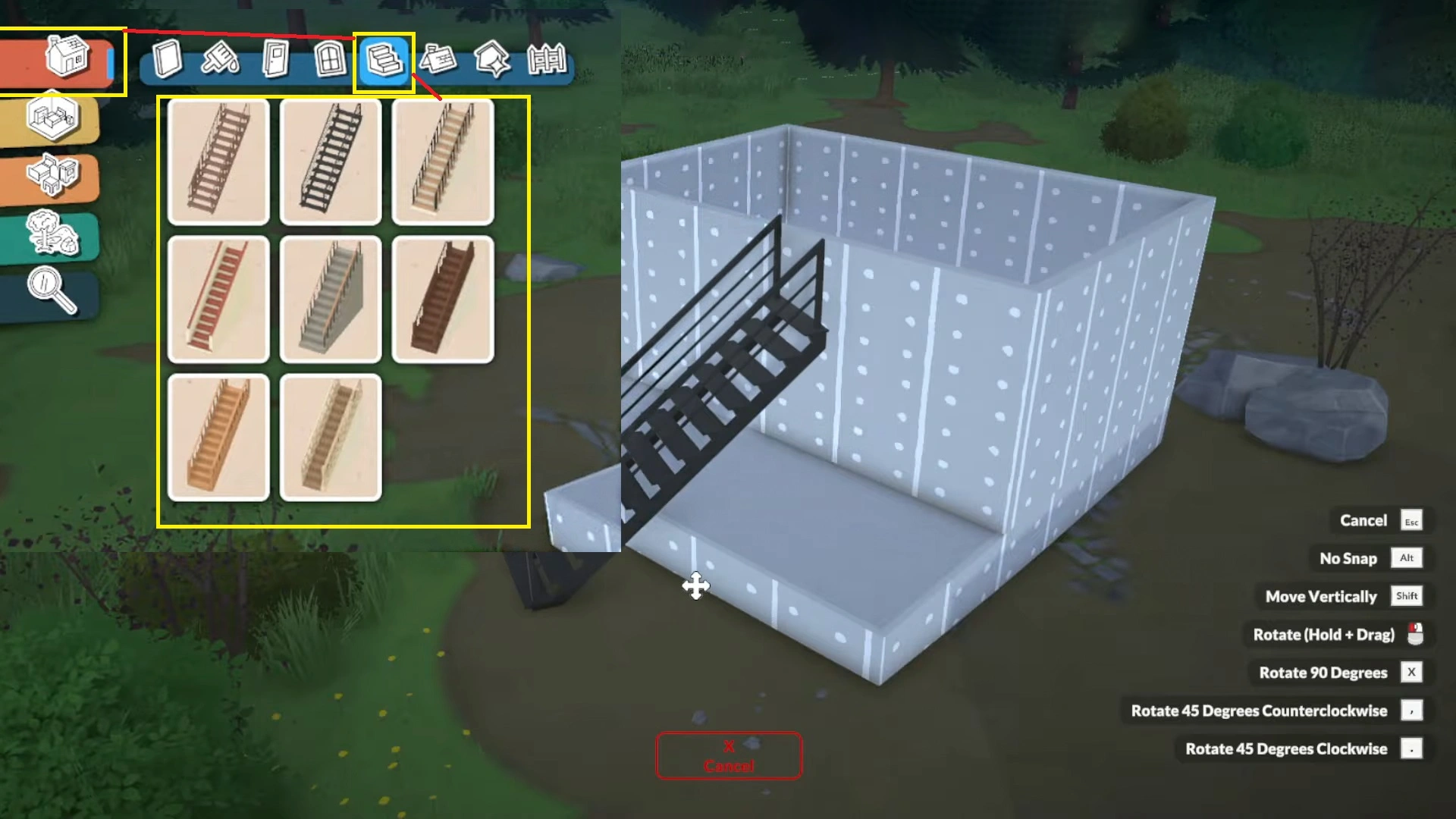
Let’s say you want to add another room on top of the basement, now you will need a stair to access the room from the ground. Use the Stair tool, the fifth option from the left of the Build menu. Place the stairs on the ground, click the stairs to drag the arrows to adjust their height and width.
You can even further customize the stair details by picking the option at the bottom of the screen. You will have an option to add or remove railings on the stairs, remove the wall under the stairs, or keep the railing on one side to make it more personalized.
The sky is the limit when it comes to building almost anything in Paralives. Is there an NPC that you don’t want to see in the world, and you want to remove them as quickly as possible? Then check out our guide to find NPCs in Paralives and delete them easily without resorting to any third-party mod.
